
CallSentry: Spam & Scam Block
iPhone / Utilitaires
Know who's calling before you answer.
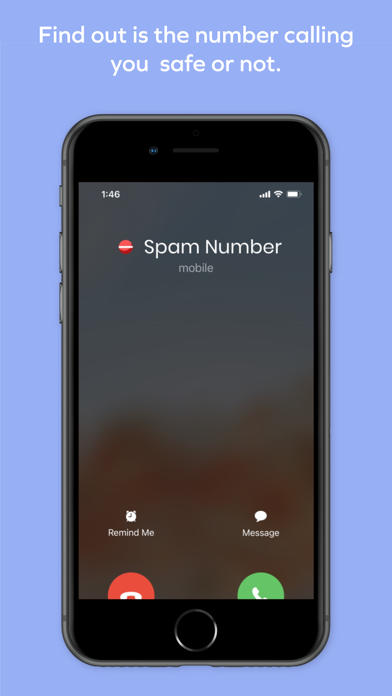
CallSentry helps you check unknown numbers, identify suspected spam and scam callers, and manage your personal block list, all powered by community reports.
Built for people tired of robocalls, telemarketers, and unfamiliar numbers interrupting their day, or worried about a parent or family member being targeted by scammers.
NUMBER LOOKUP
Search any phone number and see what the community has reported. Results show whether a number has been flagged as spam, a telemarketer, or a possible scam. Results depend on available community data and may vary.
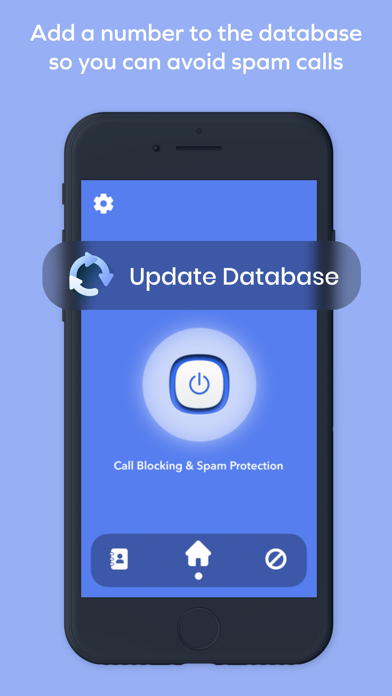
BLOCK LIST
Add numbers to your personal block list at any time. Review, manage, or remove entries whenever you want. To block calls on your iPhone, you will need to enable this app under Call Blocking and Identification in your iPhone Settings. We walk you through this the first time you open the app.
COMMUNITY REPORTING
Flagged a number as spam or a scam? Report it. Every report helps build a more accurate picture for other users facing the same calls.
PRIVACY
We do not store your call logs. Your personal block list stays on your device.
HOW CALL BLOCKING WORKS ON IPHONE
Apple requires a one time setup step before any app can block calls. Go to Settings, then Phone, then Call Blocking and Identification, and enable CallSentry. Without this step, calls cannot be blocked. We guide you through this during setup. Results may vary based on your carrier, iOS version, and available community data in your region.
PREMIUM SUBSCRIPTION
A Premium subscription unlocks full number lookup history, unlimited block list entries, and an ad free experience.
Subscription options:
Weekly, auto renews weekly
Monthly, auto renews monthly
Annual, best value, auto renews yearly
Lifetime, one time purchase, no renewal
A 3 day free trial is available for new subscribers. The trial automatically converts to a paid subscription unless cancelled at least 24 hours before the trial ends. Payment is charged to your Apple ID account at confirmation of purchase. Manage or cancel your subscription anytime in your Apple ID Settings. Cancellation takes effect at the end of the current billing period.
Terms of Use: https://sites.google.com/view/securecallblocker-termsofuse/home
Privacy Policy: https://sites.google.com/view/securecallblocker-privacy/home
Quoi de neuf dans la dernière version ?
Improved app stability, call blocking reliability, subscription restore handling, paywall experience, and overall performance.