OSpectrometer
iOS Universel / Utilitaires
Optical spectroscopy in the visible light spectrum is a commonly used tool in different fields such as health, manufacturing, art, and forensic research.
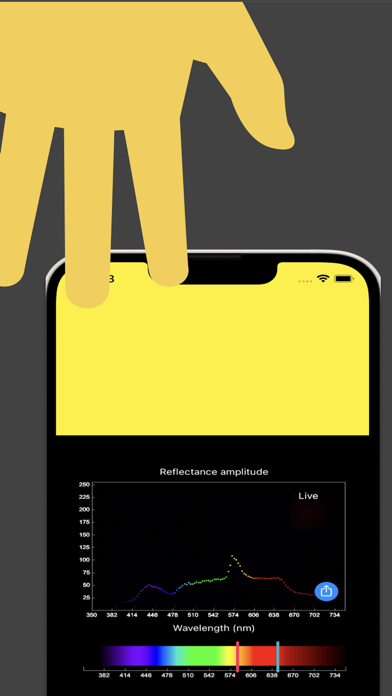
OSpectrometer implements basic spectrometer functions using the built-in camera and screen without requiring external devices or programs.
- Visible light spectrum is transformed and mapped to a function that generates RGB (Red Green Blue) color values
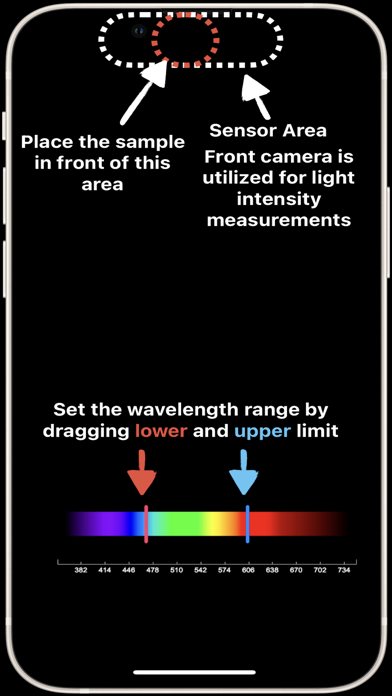
- A specific light wavelength can be selected and used to illuminate a desired target (i.e., close to the screen)
- The whole spectrum or a specific part of the spectrum can be selected and scanned
- Front camera is used to sense the reflection from the target object
- Consistent and repeatable reflection/absorption amplitude with respect to the color spectrum
- The result can be saved and shared
- Works offline, no need to connect to any network or internet
Privacy-policy: https://nanoelectronicslab.com/privacy-policy
Terms of use: https://www.nanoelectronicsresearch.center/terms-of-use-ospectrometer
Quoi de neuf dans la dernière version ?
• Faster scanning — Switched to continuous video capture for smoother, higher-resolution spectral measurements.
• Color shift analysis — New "Shift" mode plots the reflected wavelength from the camera, enabling diffuse reflectance spectroscopy (e.g., detecting hemoglobin absorption through a fingertip).
• Scan mode selector — Choose between Spectrum, Shift, or Both views with the new toggle below the plot.
• Improved plot resolution — Baseline moved to use 90% of the vertical axis for better visibility of spectral features.
• Analytical color rendering — Replaced lookup table with a smooth wavelength-to-RGB conversion for more accurate spectral colors.
• Performance improvements — Persistent rendering context, narrower camera sampling region, and reduced audio feedback for a cleaner scanning experience.