OkidoKey
iOS Universel / Utilitaires
OkidoKey is a keyboard kit designed to use custom input methods not supported by the system.
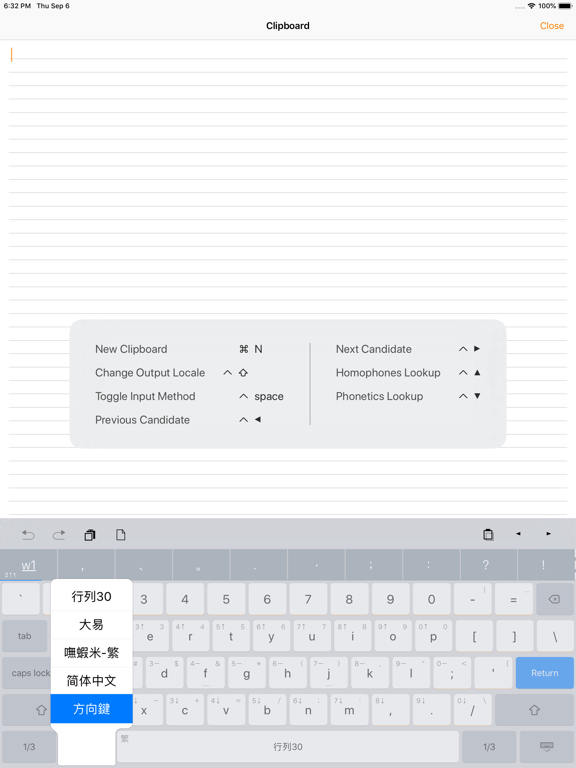
You can use it with the touchscreen custom keyboard that works seamlessly across the system, or you can use a physical keyboard with the text editor provided by OkidoKey.
The OkidoKey editor can be used in Clip Pad mode with Split-View or multitasking windows. Once you've finished a sentence, simply tap the target and paste it.
Features
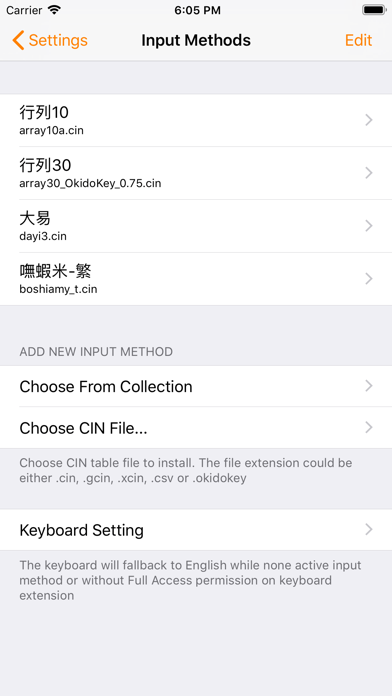
- It includes most common and ready-to-use Chinese input methods and keyboards, such as Array, Cangjie, Dayi, Pinyin, and so on.
- It supports installing custom input methods using CIN table files.
- It allows installing multiple input methods and keyboards.
- It has sibling keyboards, and key flicks features.
- It offers a composition prompt option.
- It includes a navigation keyboard.
- In OkidoKey text editor, it supports physical keyboard inputs.
- It has an auto-copy feature with Clip Pad mode.
- It allows Chinese and English mix-typing triggered by the return key.
- It includes a Chinese lexicon and emojis.
- It provides smart punctuation.
- It offers homophones and phonetics lookup.
- It supports both traditional and simplified Chinese output.
- It allows personalized radicals, phrases, and snippets.
Optimized Input Methods
- Fully supports the Array input method and special/shortcode mode.
- Zhuyin input method supports the standard, Et26, Et41, Hsu, and IBM keyboard layouts.
** Lexicon-related features are available on a subscription basis.
Quoi de neuf dans la dernière version ?
Adaptive Learning: Learns from your typing history to recommend relevant phrases and expressions.
Candidate Pane: Supports customization of both the content and the display orders.
#### NEW
- [ime] Added "Adaptive Learning" feature (Premium Exclusive).
- [ime] Added "Candidate Pane Customization" settings (Premium Exclusive).
#### IMPROVEMENTS
- [ime] Optimized candidate sorting for the "Personalized Radicals" category when learning mode is enabled.
- [misc] Optimized the import efficiency of personalization phrases.
- [misc] Update Emoji Data.
#### FIXED
- [candidate] Fixed association errors between the candidate pane, homophones, and radical lookups.
- [misc] Fixed an issue where content might appear incomplete when browsing large datasets.
#### CHANGED
- [ime] Disabled "Stroke Order" sorting when learning is enabled. This resolves an issue where Simplified Chinese characters took precedence when the candidates included Traditional, Simplified, and extended characters.
- [canddiate] Increased the number of visible candidates when the candidate bar is in radical-only mode.
- [keyboard] Improved notifications for required database updates or "Full Access" authorization.
- [misc] Added a prompt for 3rd-party keyboards to open the main app for updates, preventing crashes caused by version incompatibility.
- [misc] When adding personalized phrases, it will now automatically ignore or overwrite existing data if a duplicate is found.