iPhoneAddict Apps
  • Actualités
  • Accueil Apps
  • iPhone
  • iPad
  • Universelles
  • Mac
  • Apple TV
KG KultureGeek
App
iPhone / iPad Télécharger iAddict v5 Mac Télécharger iAddict Mac
  • Actualités
  • Accueil Apps
  • iPhone
  • iPad
  • Universelles
  • Mac
  • Apple TV
  • Archives keynotes
  • Firmwares & iTunes
  • Contactez-nous
  • Comparateur de prix
  • KultureGeek
Accueil » Liste des Apps » Apps Universelles » Utilitaires » Emojo - Emoji Search Keyboard - Search Emojis By Keyboard
3.1 iOS €Gratuit Ronan Stark 5 1 The keyboard that looks like the one you love but its pressure sensitive and supports emoji search! Tap & Hold to send emojis right from the keyboard you're typing on.Search Emoji's with the keyboard you were just typing on. Never scroll to find an...
Emojo - Emoji Search Keyboard - Search Emojis By Keyboard

Emojo - Emoji Search Keyboard - Search Emojis By Keyboard

iOS Universel / Utilitaires

Gratuit
Obtenir sur l'App Store
Facebook X E-mail

The keyboard that looks like the one you love but its pressure sensitive and supports emoji search!

Tap & Hold to send emojis right from the keyboard you're typing on.Search Emoji's with the keyboard you were just typing on. Never scroll to find an Emoji again. This means you'll never have to leave the keyboard to send your favorite emojis. (6s users can also use force touch to enable the emojis).

"The searchable Emoji's made me go wow, where has this been up till now?" - V3.0 Beta User

"It really changes the way i chat, it feels like an extension of the chat experience." - Alpha User Tester

Emoji Gives depth to your chatting experience. If you feel like you need to express more, hold down the key and you'll get the blinded emoji for that key.

Emojis have changed the way we communicate so we made a more expressive keyboard to help emoji get even more love!

How it works:
- You open the Emojo app and you'll see a keyboard layout with some emojis on it, there you can add and customize that keyboard and add your favorite emojis. Notice there are 26 emojis. 1 for each letter of the keyboard, the layout of the keyboard is the same as the layout of your iPhone's keyboard.

-Activate the custom keyboard
This will allow you to use the tap & hold feature to send emojis.
We know how great the regular iPhone keyboard is so we took care not to change much, you'll have all the functionality from the main keyboard but with the added features of the Emojo keyboard.

Keyboard activation instructions:
1)Settings -> 2) General -> 3) Keyboard -> 4) Keyboards -> 5) Add New Keyboard... -> 6) Select the Emojo Keyboard -> 7) Activate it using the globe key on your keyboard

-Tap&Hold
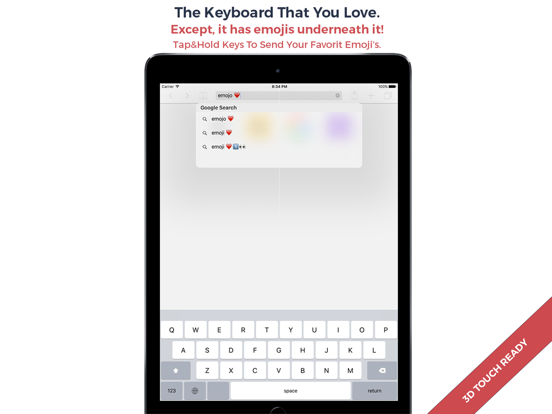
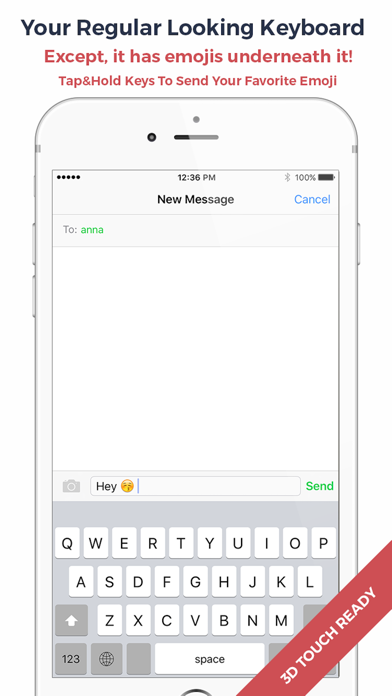
While chatting, simply hold a key longer and your assigned emoji will appear.
You can either tap&hold or use force touch if your device supports it.

-Searching Emoji's
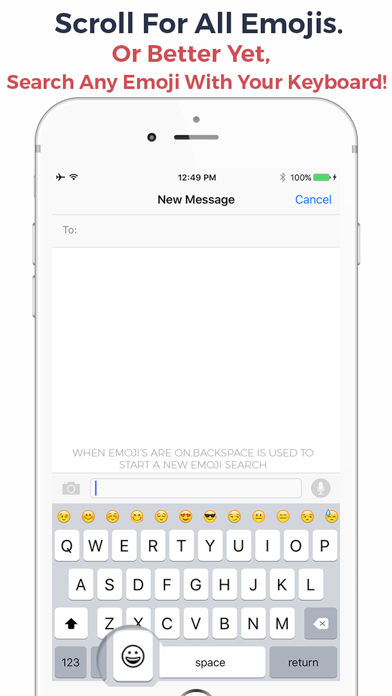
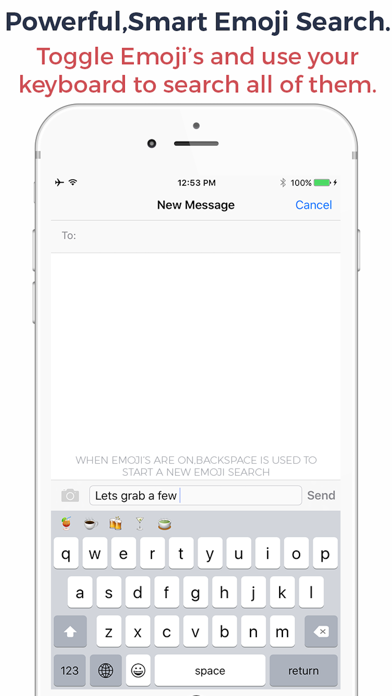
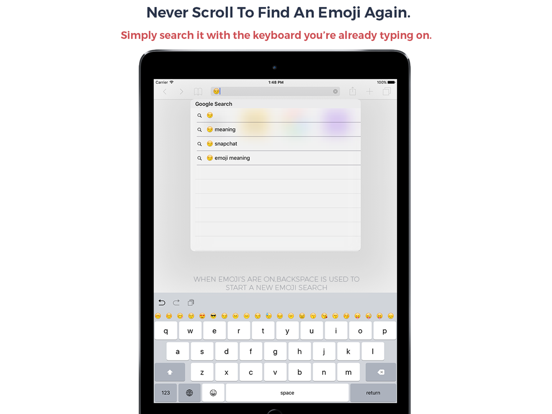
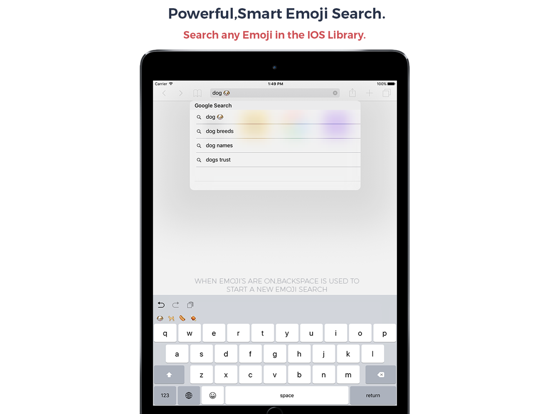
Simply toggle the Emoji's ON by using the Emoji icon and you'll see all the emojis that you can scroll with your finger. Or search them by typing on the keyboard! The backspace key allows you to start a new Emoji search if you make a mistake or simply want to start a new search. When you insert an Emoji the bar automatically hides giving you back access to your keyboard!

We took care to keep all the functionality the original iPhone keyboard thus the emojis do not appear on the layout.

For feature requests,help,privacy or anything related contact us : support@unicornapps.com

App Video Preview Music Provided By: www.bensound.com

En voir plus...

Quoi de neuf dans la dernière version ?

This update from Apple will improve the functionality of this app. No new features are included.

-Bug Fixes and Minor Improvements
  • Screenshot #1 pour Emojo - Emoji Search Keyboard - Search Emojis By Keyboard
  • Screenshot #2 pour Emojo - Emoji Search Keyboard - Search Emojis By Keyboard
  • Screenshot #3 pour Emojo - Emoji Search Keyboard - Search Emojis By Keyboard
  • Screenshot #4 pour Emojo - Emoji Search Keyboard - Search Emojis By Keyboard
  • Screenshot #5 pour Emojo - Emoji Search Keyboard - Search Emojis By Keyboard
  • Screenshot #6 pour Emojo - Emoji Search Keyboard - Search Emojis By Keyboard

D'autres applications du développeur

HUD - Heads Up Display Iron Man Edition Overlay HUD Over ImageHUD - Heads Up Display Iron Man Edition Overlay HUD Over ImageiOS UniverselBolt - The Most Fun To-Do ListBolt - The Most Fun To-Do ListiOS UniverselCamculator - Calculate Receipts Documents With Your CameraCamculator - Calculate Receipts Documents With Your CameraiPhoneInk Lite - Fonds d'écranInk Lite - Fonds d'écraniPhoneInk HD - Exclusive & Unique Wallpapers for iPad & iPad ProInk HD - Exclusive & Unique Wallpapers for iPad & iPad ProiPadFlow - A Decision Making ToolFlow - A Decision Making TooliOS UniverselVoir toutes les apps

Note

(1 notes)

Détails sur l'application

Version
3.1
Taille
16.8 Mo
Version minimum d'iOS
8.0
Dernière mise à jour
19/04/2016
Publié par
Ronan Stark

Newsletter App Store

Recevez chaque jour les meilleures promos

Actualité Apple

Image iPhone Ultra pliable : les deux coloris se dévoilent en images
iPhone Ultra pliable : les deux coloris se dévoilent en images
Image Apple ajoute 43 appareils auditifs compatibles Made for iPhone (MFi)
Apple ajoute 43 appareils auditifs compatibles Made for iPhone (MFi)
Image Le prix de l’iPhone 17 augmenterait dans quelques jours
Le prix de l’iPhone 17 augmenterait dans quelques jours
Image Dopamine 3, le jailbreak pour iOS 26 sur iPhone, est disponible
Dopamine 3, le jailbreak pour iOS 26 sur iPhone, est disponible
iPhoneAddict Apps

Le catalogue iPhoneAddict pour suivre les nouveautés, mises à jour et baisses de prix de l’App Store.

Apps

Toutes les apps iOS iPhone iPad Universelles Mac Apple TV

iPhoneAddict

Actualité Apple Archives keynotes Contact À propos KultureGeek

Suivez-nous

©2009-2026 i2CMedia. Tous droits réservés.