iPhoneAddict Apps
  • Actualités
  • Accueil Apps
  • iPhone
  • iPad
  • Universelles
  • Mac
  • Apple TV
KG KultureGeek
App
iPhone / iPad Télécharger iAddict v5 Mac Télécharger iAddict Mac
  • Actualités
  • Accueil Apps
  • iPhone
  • iPad
  • Universelles
  • Mac
  • Apple TV
  • Archives keynotes
  • Firmwares & iTunes
  • Contactez-nous
  • Comparateur de prix
  • KultureGeek
Accueil » Liste des Apps » Apps Universelles » Utilitaires » Color Scheme Designer
1.3.0 iOS €1,99€ Kei Suefuji 1 1 In the color scheme designer application, you can change the color of the 16 panels and create a color scheme. The RGB values can be adjusted within the range of 0 to 255 respectively. The panel displays the R / G / B value of the current color of...
Color Scheme Designer

Color Scheme Designer

iOS Universel / Utilitaires

1,99€
Acheter sur l'App Store
Facebook X E-mail

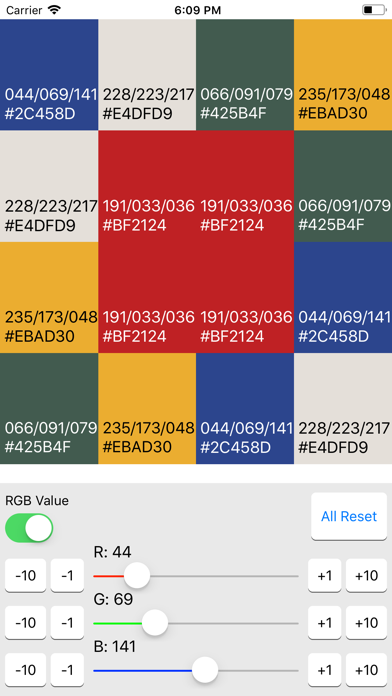
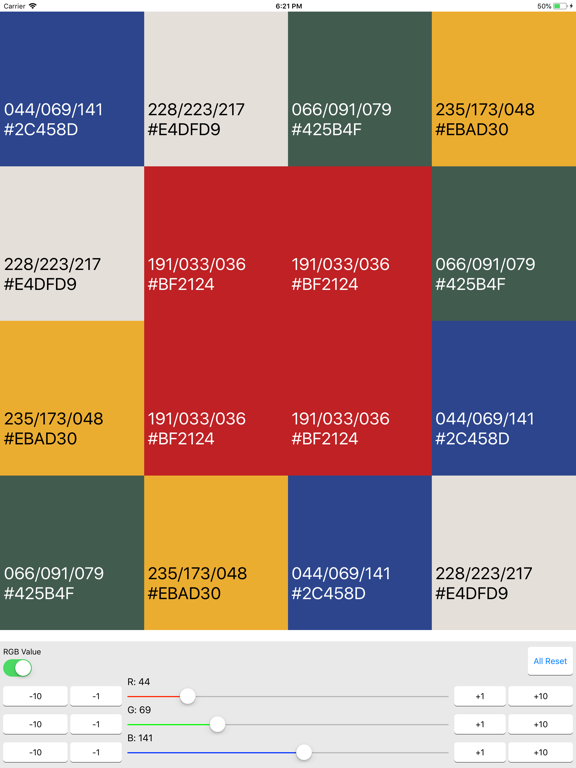
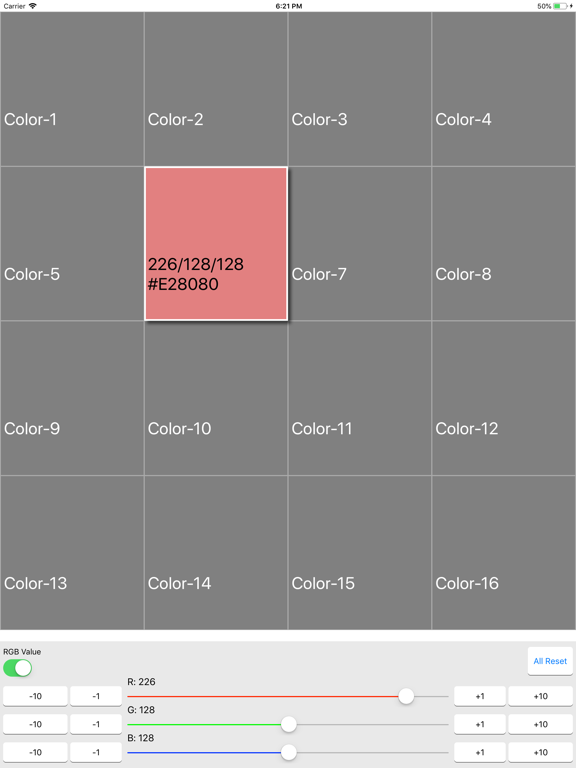
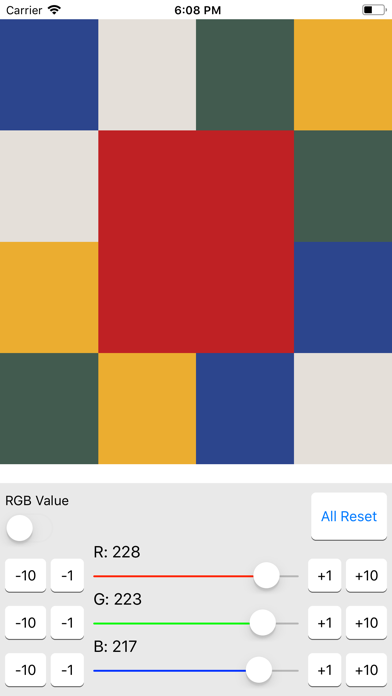
In the color scheme designer application, you can change the color of the 16 panels and create a color scheme. The RGB values can be adjusted within the range of 0 to 255 respectively. The panel displays the R / G / B value of the current color of the panel and the HTML color code expressed in hexadecimal notation. The operation procedure is as follows.

[Step 1]
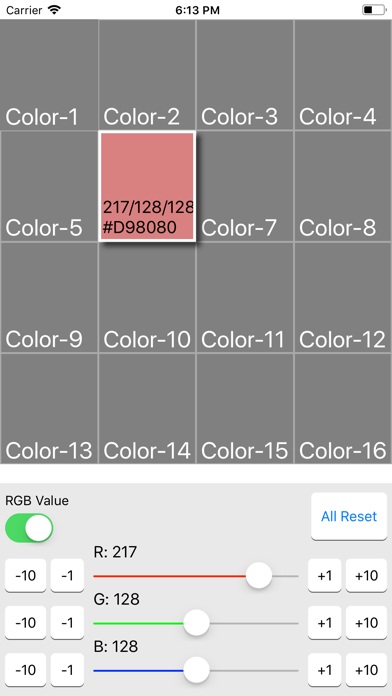
Tap and select the panel whose color you want to change. You can tap more than one panel and change the color at the same time.
[Step 2]
Move the sliders R, G, B at the bottom of the screen left and right to change the color.
[Step 3]
If you want to change the RGB value in finely, tap the buttons "+1", "+ 10", "-1", "- 10" next to the slider.
[Step 4]
When you finish changing colors, tap the panel again to deselect it.
[Step 5]
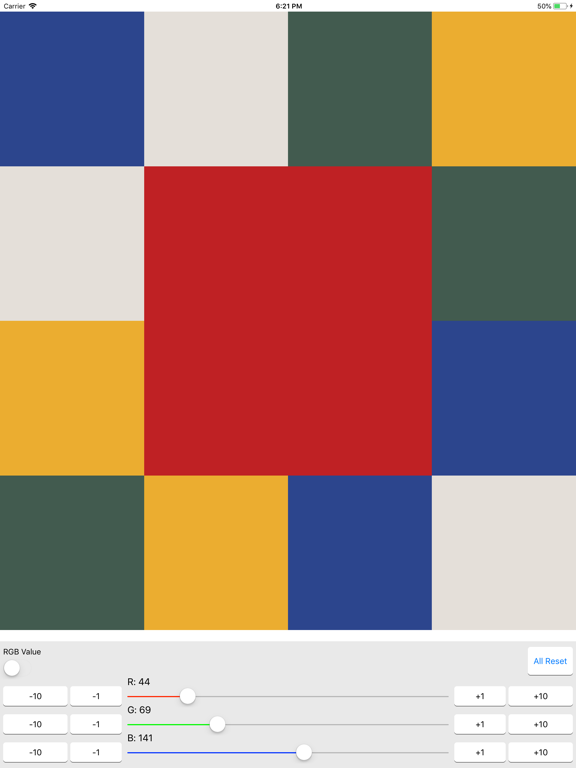
If the RGB value displayed on the panel is unnecessary, please turn off "RGB value switch" on the left. Then the display of RGB values disappears. If you want to check again, it will be displayed if you turn on the switch.
[Step 6]
If you want to return all changes to the initial state, tap the "ALL Reset" button on the right. It returns to the state at the time of application start.

En voir plus...

Quoi de neuf dans la dernière version ?

Améliorations mineures.
  • Screenshot #1 pour Color Scheme Designer
  • Screenshot #2 pour Color Scheme Designer
  • Screenshot #3 pour Color Scheme Designer
  • Screenshot #4 pour Color Scheme Designer
  • Screenshot #5 pour Color Scheme Designer
  • Screenshot #6 pour Color Scheme Designer

D'autres applications du développeur

Rotational Speed ConverterRotational Speed ConverteriOS UniverselHardness Unit ConverterHardness Unit ConverteriOS UniverselConvertisseur d'unité de forceConvertisseur d'unité de forceiOS UniverselMotor Power CalculatorMotor Power CalculatoriOS UniverselConversion d'unité de coupleConversion d'unité de coupleiOS UniverselPower Units ConverterPower Units ConverteriOS UniverselVoir toutes les apps

Note

(1 notes)

Détails sur l'application

Version
1.3.0
Taille
0.6 Mo
Version minimum d'iOS
15.6
Dernière mise à jour
12/01/2026
Publié par
Kei Suefuji

Newsletter App Store

Recevez chaque jour les meilleures promos

Actualité Apple

Image iOS 27 : Apple rend disponible un nouveau firmware bêta pour les AirPods
iOS 27 : Apple rend disponible un nouveau firmware bêta pour les AirPods
Image Telegram explique comment Apple a été piegé pour retirer son application de l’App Store
Telegram explique comment Apple a été piegé pour retirer son application de l’App Store
Image Keynote iPhone 18 Pro et Ultra : Apple prépare le terrain avec ses employés
Keynote iPhone 18 Pro et Ultra : Apple prépare le terrain avec ses employés
Image Apple Card et Booking.com accélèrent l’obtention du statut Genius pour les voyageurs
Apple Card et Booking.com accélèrent l’obtention du statut Genius pour les voyageurs
iPhoneAddict Apps

Le catalogue iPhoneAddict pour suivre les nouveautés, mises à jour et baisses de prix de l’App Store.

Apps

Toutes les apps iOS iPhone iPad Universelles Mac Apple TV

iPhoneAddict

Actualité Apple Archives keynotes Contact À propos KultureGeek

Suivez-nous

©2009-2026 i2CMedia. Tous droits réservés.