Neko Dash - Just a Dashboard
iOS Universel / Utilitaires
Neko Dash is a modern dashboard client for remotely connecting to and managing Clash-compatible cores, OpenWrt controllers, and Surge controllers. It is not a VPN or proxy application itself.
Please note before purchasing or using:
• This app requires an already deployed Clash / OpenWrt / Surge controller to function properly.
• This app does not provide proxy nodes, subscriptions, routing services, VPN services, or network access.
• This app is best suited for users who already understand the basic concepts of controller dashboards.
If you already have a working controller environment, Neko Dash helps you monitor and manage it remotely and conveniently on your iPhone.
If you do not have a connectable controller environment, or if you do not understand what a “Controller” is, please download and purchase with caution.
【Trial and Purchase】
Neko Dash includes a 7-day free trial.
After the trial period ends, a one-time in-app purchase is required to continue using the app. This purchase unlocks the full app experience permanently and is not an auto-renewing subscription.
Users who previously purchased or downloaded the paid version of Neko Dash may continue using the app without purchasing again, subject to App Store receipt validation.
You can restore your purchase at any time from the unlock page.
【Core Features】
• Multi-Controller Management
Add and manage multiple Clash cores, OpenWrt controllers, and Surge controllers simultaneously.
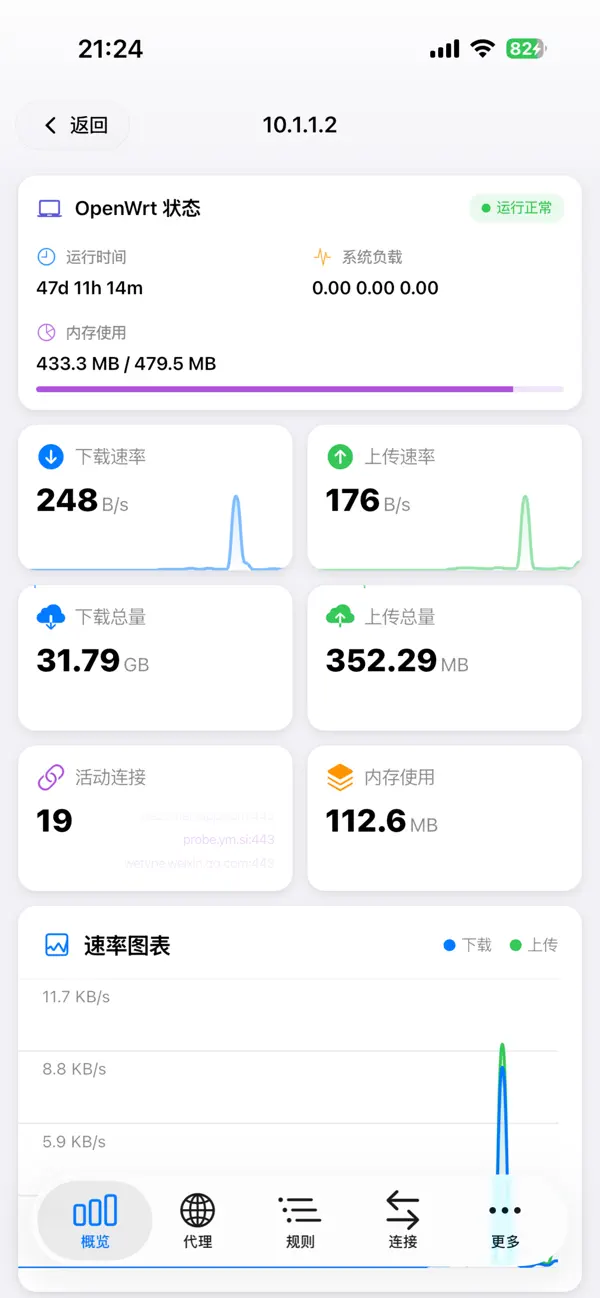
• Real-Time Status Dashboard
Monitor upload and download speeds in real time with a clean, native iOS-style dashboard.
• Widget Support
Home Screen widgets and Lock Screen widgets help you quickly view important controller status.
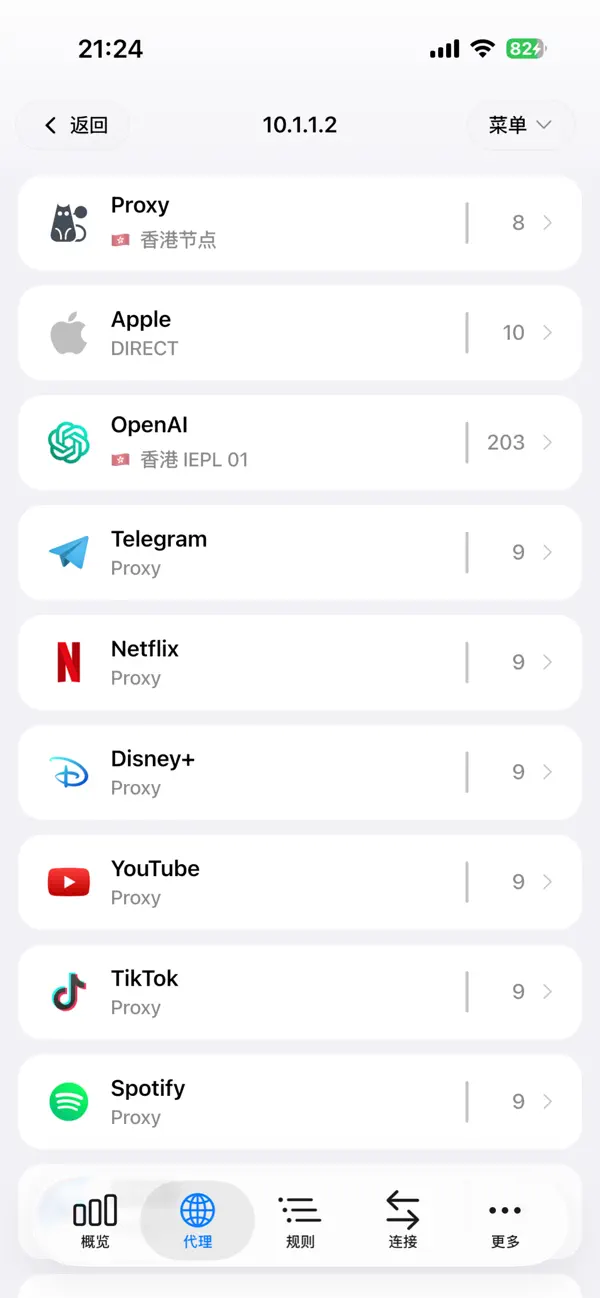
• Powerful Proxy Group Control
Visualized policy groups clearly display included nodes and their current status.
One-tap latency testing helps you test nodes within policy groups.
Quick switching provides a smooth interactive experience for changing proxy nodes.
• Connection and Traffic Analysis
View active TCP/UDP connections in real time, including source IP, target domain, upload/download data usage, and connection duration.
Force disconnect allows you to manually close specific connections when needed.
• Rule and Configuration Management
Preview active routing rules directly inside the app.
Modify supported controller settings remotely, including running mode, log level, and port settings, without manually editing configuration files.
• Visual Experience
Designed for iOS with support for both Light Mode and Dark Mode.
Neko Dash icon design: Gholts (Hugo Lee)
Privacy Policy:
https://testflight.notion.site/privacy-policy-for-neko-dash
Terms of Use:
https://testflight.notion.site/term-of-service-for-neko-dash
Quoi de neuf dans la dernière version ?
注意:此 App 非代理工具,非 VPN 应用, App 提供 7 天免费使用,请充分使用该 App 确认为你所需才进行付费购买,谢谢。
更新内容:
1. 已购 Neko Dash Pro 用户可自行在 App 申请 TestFlight。
2. 另修复诸多问题。