iPhoneAddict Apps
  • Actualités
  • Accueil Apps
  • iPhone
  • iPad
  • Universelles
  • Mac
  • Apple TV
KG KultureGeek
App
iPhone / iPad Télécharger iAddict v5 Mac Télécharger iAddict Mac
  • Actualités
  • Accueil Apps
  • iPhone
  • iPad
  • Universelles
  • Mac
  • Apple TV
  • Archives keynotes
  • Firmwares & iTunes
  • Contactez-nous
  • Comparateur de prix
  • KultureGeek
Accueil » Liste des Apps » Apps Universelles » Utilitaires » Chronometer
1.8 iOS €2,99€ Kilian Eisenegger 4 1 This APP helps you track the accuracy of your chronometer watch It is very easy to track the accuracy of the day rate of your watch Before you start set your clock to atomic time. Do not set the clock during the recording process! The Chronometer...
Chronometer

Chronometer

iOS Universel / Utilitaires

2,99€
Acheter sur l'App Store
Facebook X E-mail

This APP helps you track the accuracy of your chronometer watch

It is very easy to track the accuracy of the day rate of your watch

Before you start set your clock to atomic time. Do not set the clock during the recording process! The Chronometer APP requires an internet connection to get the accurate NTP time.

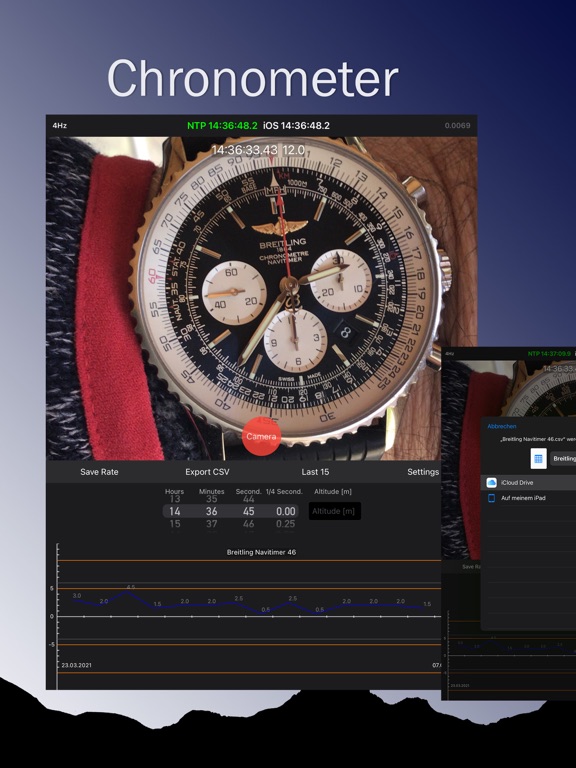
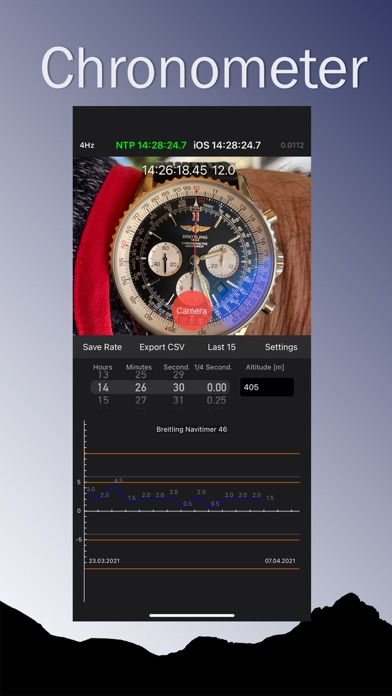
1. Start the APP and wait until the NTP server gets the accurate time (about 5 seconds, green NTP time).
2. Take a picture of your watch dial in the APP (freeze video feed).
3. The APP suggests the tracking time from the NTP server when you took the picture
4. Read the time exactly on your frozen picture and correct the time with the picker wheel
5. Ideally you can enter the altitude in meters for the current tracking
6. Save the time with the Save Rate button.

Record the accuracy from your watch every day at the same time if possible.

The APP compares your daily clock time difference with the NTP server. You can check how accurate your clock is and adjust the rate if necessary. Wait until you have 15 days of data before assessing the accuracy of your watch. The original chronometer certification of your clock was also created in 15 days.
A mechanical wrist watch with less than 10 seconds deviation per day is very accurate.

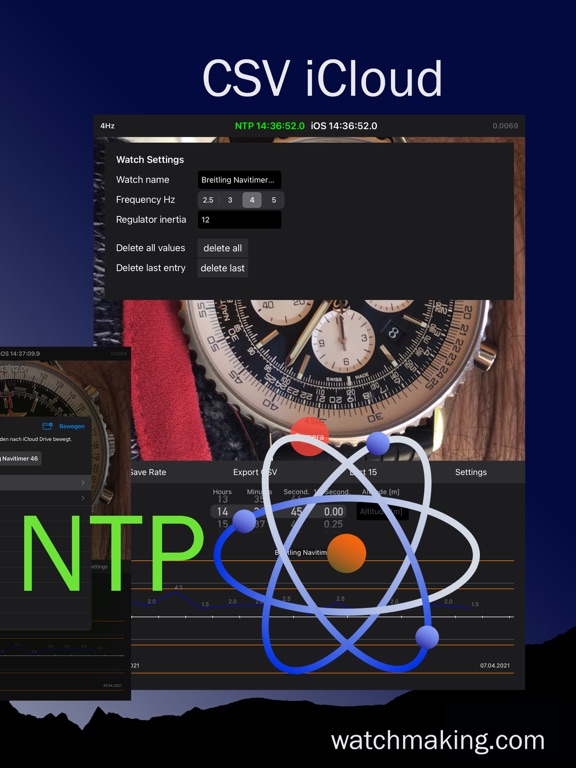
You can save the statistics data in Excel CSV format to your iCloud for further analysis. In the CSV file you have 4 columns. Date / absolute rate difference / daily rate difference / altitude above sea level

Swiss NTP metas server ntp11.metas.ch
COSC NTP 4Hz reference dial for calibration of optical measuring instruments

This APP is optimized for iOS 16

En voir plus...

Quoi de neuf dans la dernière version ?

iOS 18 optimized
Small bug fixes
  • Screenshot #1 pour Chronometer
  • Screenshot #2 pour Chronometer
  • Screenshot #3 pour Chronometer
  • Screenshot #4 pour Chronometer
  • Screenshot #5 pour Chronometer

D'autres applications du développeur

hdrpanohdrpanoiOS Universel

Note

(1 notes)

Détails sur l'application

Version
1.8
Taille
2.7 Mo
Version minimum d'iOS
18.0
Dernière mise à jour
12/10/2024
Publié par
Kilian Eisenegger

Newsletter App Store

Recevez chaque jour les meilleures promos

Actualité Apple

Image Foxconn réalise le plus gros chiffre d’affaires de son histoire… et ce n’est pas grâce à Apple !
Foxconn réalise le plus gros chiffre d’affaires de son histoire… et ce n’est pas grâce à Apple !
Image Portées par l’iPhone Ultra, les ventes de smartphones pliables vont augmenter de 20 %
Portées par l’iPhone Ultra, les ventes de smartphones pliables vont augmenter de 20 %
Image HP, Asus et Acer adoptent la mémoire chinoise CXMT : Apple et Dell sous pression
HP, Asus et Acer adoptent la mémoire chinoise CXMT : Apple et Dell sous pression
Image Big Walk, le jeu « social » évènement, débarque aussi sur Mac
Big Walk, le jeu « social » évènement, débarque aussi sur Mac
iPhoneAddict Apps

Le catalogue iPhoneAddict pour suivre les nouveautés, mises à jour et baisses de prix de l’App Store.

Apps

Toutes les apps iOS iPhone iPad Universelles Mac Apple TV

iPhoneAddict

Actualité Apple Archives keynotes Contact À propos KultureGeek

Suivez-nous

©2009-2026 i2CMedia. Tous droits réservés.