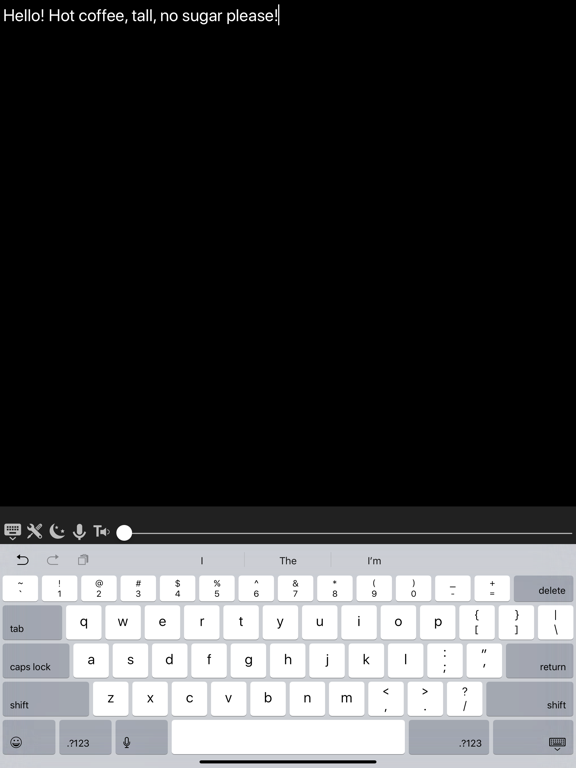
Big Note.
iOS Universel / Utilitaires
Big Note is your ultimate note-taking companion, designed to make communication
and organization effortless. Whether typing, speaking, or listening, Big Note
adapts to your needs with powerful features and an intuitive interface.
Key Features:
Classic Notes: Create simple, no-frills notes with a slider to dynamically
adjust the font size. Choose your font, text alignment, and theme to
personalize every note. Premium subscribers can access the Speech-to-Text
microphone with support for non-standard accents and far-from-microphone
situations.
Quick Notes: Jot down short ideas or temporary thoughts with placeholders that
disappear as you type. Shake your phone or swipe to create a new note
effortlessly, keeping the flow of ideas going.
Interactive Notes: Designed for real-time conversations — perfect for the Deaf
and hard-of-hearing community. Type while the other person speaks, with
Speech-to-Text transcribing their voice instantly into the speech area. A
microphone icon can be shown to signal when recording is active. Text-to-Speech
reads your highlighted text aloud. Each note is saved automatically for
reference later.
Bulleted Notes: Organize your tasks and ideas with intuitive bulleted lists.
Whether you're making a shopping list, brainstorming, or creating a structured
outline, bulleted notes keep everything neat and focused.
Text Size Adjustment: Customize the font size dynamically across all note types
using a convenient slider, ensuring easy readability for everyone.
Speech-to-Text and Text-to-Speech: Transform speech into written text
effortlessly or have the app read your notes aloud. Premium subscribers get
advanced on-device speech recognition with support for accents and distance,
available in Classic Note and Interactive Note.
Themes: Personalize your notes with beautiful themes. Create your own custom
theme or choose from the built-in collection to match your style.
Categorized Folders: Keep your notes organized by creating folders like "Work,"
"Shopping List," or "Personal." Move notes between folders, rename them, or
delete them as needed to stay productive and clutter-free.
Shake to Create: Quickly start a new note by shaking your phone, making
note-taking faster and more convenient.
Yearly Subscription: Save with the new yearly plan at $20.00/year, alongside
the existing $1.99/month option.
Big Note helps you stay productive, communicate with ease, and organize your
thoughts better than ever. Whether you're creating a shopping list,
brainstorming, or managing conversations, this app simplifies every step of the
process.
Terms of Use:
https://www.termsfeed.com/terms-conditions/10e4d8169e31378752d19d3f4ec4ee7a
Quoi de neuf dans la dernière version ?
Speech to Text issue fixed.