iPhoneAddict Apps
  • Actualités
  • Accueil Apps
  • iPhone
  • iPad
  • Universelles
  • Mac
  • Apple TV
KG KultureGeek
App
iPhone / iPad Télécharger iAddict v5 Mac Télécharger iAddict Mac
  • Actualités
  • Accueil Apps
  • iPhone
  • iPad
  • Universelles
  • Mac
  • Apple TV
  • Archives keynotes
  • Firmwares & iTunes
  • Contactez-nous
  • Comparateur de prix
  • KultureGeek
Accueil » Liste des Apps » Apps Universelles » Utilitaires » Auto Scroll Plus
1.0 iOS €0,99€ Luan Cu Xuan 0 0 Auto Scroll Plus is a Safari extension that scrolls webpages for you, so you can read and browse more comfortably without constant swiping. It’s great for news, blogs, forums, articles, webtoons, and other long pages in Safari. With Swipe Mode,...
Auto Scroll Plus

Auto Scroll Plus

iOS Universel / Utilitaires

0,99€
Acheter sur l'App Store
Facebook X E-mail

Auto Scroll Plus is a Safari extension that scrolls webpages for you, so you can read and browse more comfortably without constant swiping. It’s great for news, blogs, forums, articles, webtoons, and other long pages in Safari.

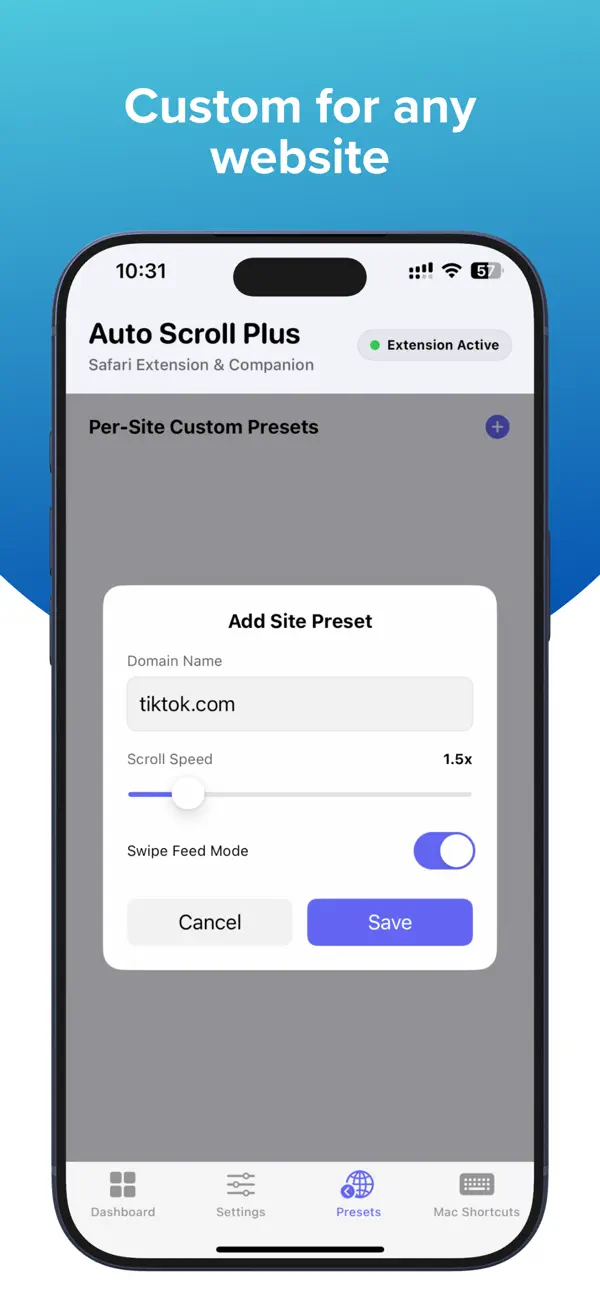
With Swipe Mode, Auto Scroll Plus can also help you move through supported vertical feeds more comfortably. The app is designed to reduce hand fatigue, stay lightweight, and keep the experience simple.

Included Features
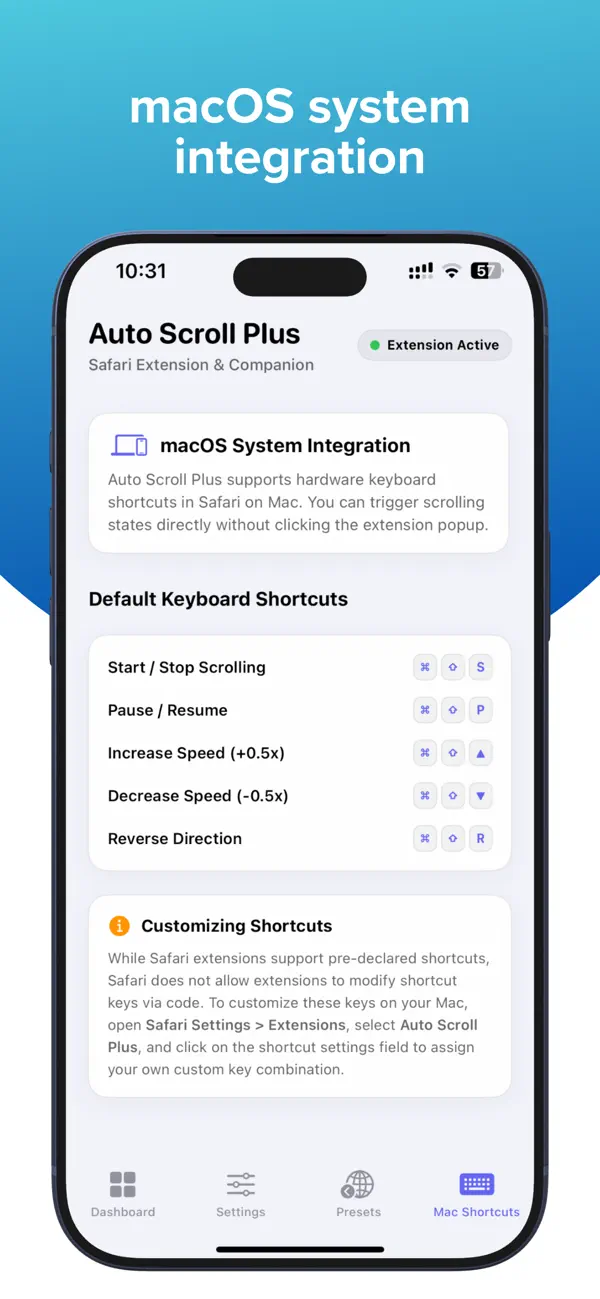
Auto Scroll for Safari.
Swipe Mode for supported vertical feeds.
Adjustable scroll speed.
Timer control.
Pause and resume anytime.
Double-tap to start or stop on iPhone and iPad.
Optional + / - speed buttons in the extension popup.
Lightweight operation with no unnecessary background activity.

Privacy
100% local operation.
No browsing history is collected or transmitted.
No usage history is collected or transmitted.

Device Support
Works with Safari on iPhone, iPad, and Mac.
Some gesture-based controls are available only on iPhone and iPad. Safari extensions are supported across Mac, iPhone, and iPad, and users enable them in Safari settings on each platform.

How to Enable the Extension
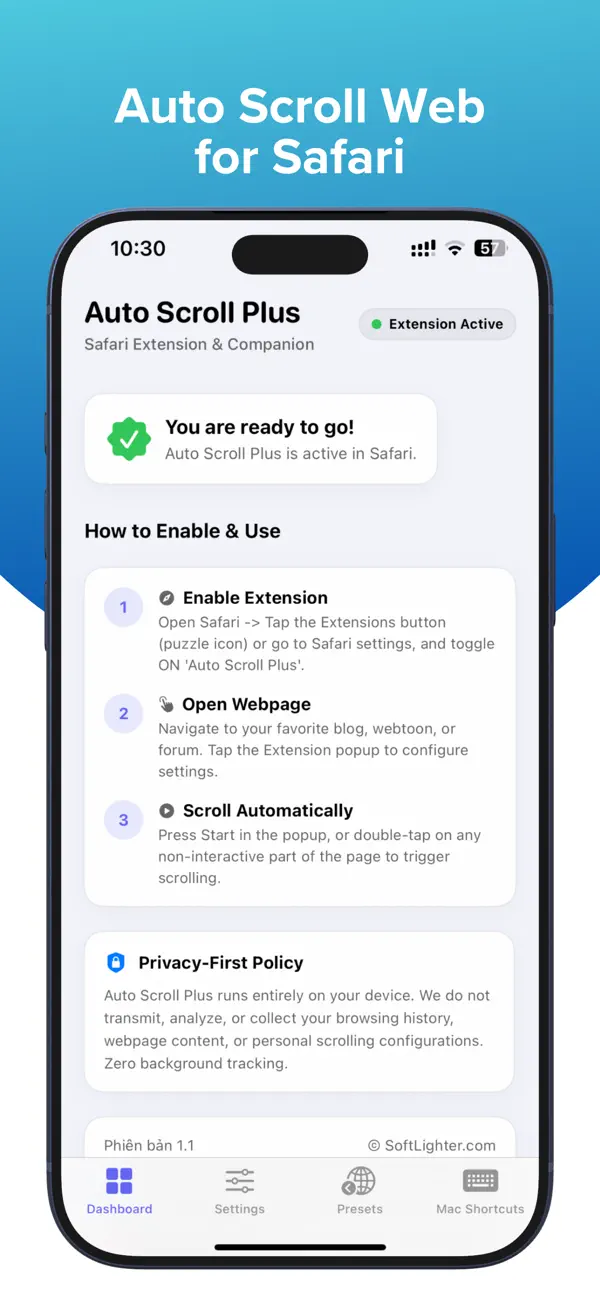
On iPhone and iPad: Go to Settings, open Safari, tap Extensions, select Auto Scroll Plus, and turn on Allow Extension.
On Mac: Open Safari, go to Safari > Settings, click Extensions, and enable Auto Scroll Plus.

Notes
On some websites, or depending on Safari system behavior, scrolling or swiping may stop or not work as expected. If that happens, fully quit Safari and relaunch it.

Privacy Policy: softlighter.com/auto-scroll-plus/privacy
En voir plus...

  • Screenshot #1 pour Auto Scroll Plus
  • Screenshot #2 pour Auto Scroll Plus
  • Screenshot #3 pour Auto Scroll Plus

D'autres applications du développeur

Sổ Kinh Doanh-Quản lý bán hàngSổ Kinh Doanh-Quản lý bán hàngiOS UniverselAntiTheft: Dont Touch My PhoneAntiTheft: Dont Touch My PhoneiOS Universel

Note

(0 note)

Détails sur l'application

Version
1.0
Taille
1.6 Mo
Version minimum d'iOS
16.0
Dernière mise à jour
17/06/2026
Publié par
Luan Cu Xuan

Newsletter App Store

Recevez chaque jour les meilleures promos

Actualité Apple

Image Le pass Navigo annuel devient disponible sur iPhone
Le pass Navigo annuel devient disponible sur iPhone
Image iPhone 18, Ultra et Air 2 : la bêta d’iOS 27 mentionne 6 modèles
iPhone 18, Ultra et Air 2 : la bêta d’iOS 27 mentionne 6 modèles
Image iPad Air OLED : BOE se positionne face à Samsung Display pour fournir Apple dès 2027
iPad Air OLED : BOE se positionne face à Samsung Display pour fournir Apple dès 2027
Image Apple trouve un arrangement dans une affaire de discrimination religieuse visant un employé juif
Apple trouve un arrangement dans une affaire de discrimination religieuse visant un employé juif
iPhoneAddict Apps

Le catalogue iPhoneAddict pour suivre les nouveautés, mises à jour et baisses de prix de l’App Store.

Apps

Toutes les apps iOS iPhone iPad Universelles Mac Apple TV

iPhoneAddict

Actualité Apple Archives keynotes Contact À propos KultureGeek

Suivez-nous

©2009-2026 i2CMedia. Tous droits réservés.