
Caho's Cute Password Manager
iOS Universel / Style de vie
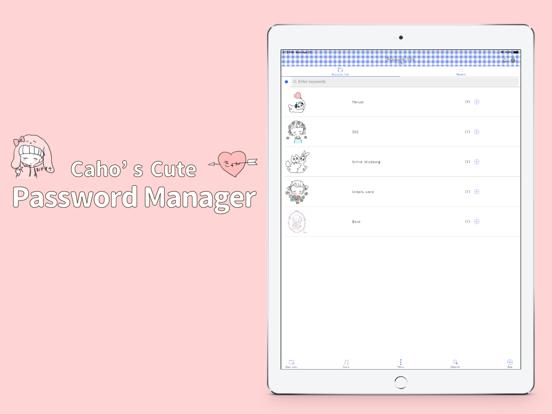
Caho's Cute Password Manager is an easy to use ID and password management application.
Caho is a popular Japanese artist known for her cute illustrations.
Online shopping and banking, social media, credit cards, emails and so on… IDs and passwords are all around us.
Are you using the same password every time?
Have you ever forgotten one of the many passwords you have?
Have you ever locked yourself out from one of your favorite applications?
Caho's Cute Password Manager can help you!
Rest assured, Caho's Cute Password Manager is not only easy to use but also gets the job done easily!
Access all your passwords with just one touch.
As simple as it looks.
For security reasons, unlike most of the other password management applications, Caho's Cute Password Manager stores your data locally, not in the cloud.
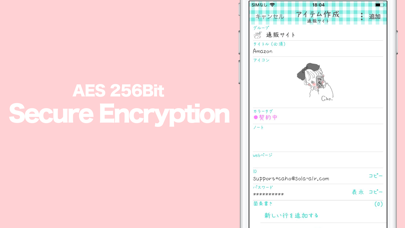
All of your passwords are locally encrypted with the industry standard AES-256 protocol. You can rest assured; your information is safe.
Always.
If security is your priority and if you want to be sure that your passwords are always in your hands, and ONLY in your hands then secure and manage your passwords with Caho's Cute Password Manager !
Quoi de neuf dans la dernière version ?
In addition to password management, you can now save passkeys for websites in Caho.
Passkeys
- When creating a passkey in Safari and other apps, you can choose Caho as the save location
- Passkeys require a Google Drive connection; they are not stored on this device only
- Passkeys are saved encrypted to Google Drive and sync across your other iPhones and iPads
- To turn on passkeys, go to Settings → Passkeys in Caho
Migration
- Added CSV Account Import to bring in CSV files exported from other password managers
- From Settings → CSV Account Import, choose a CSV file to migrate your account information in one step
Settings redesign
- Settings has been refreshed so you can see your current status at a glance—screen lock, backup, passkeys, and more
Other improvements
- Fixed various display-related issues