
iPhoneAddict Apps
  • Actualités
  • Accueil Apps
  • iPhone
  • iPad
  • Universelles
  • Mac
  • Apple TV
KG KultureGeek
App
iPhone / iPad Télécharger iAddict v5 Mac Télécharger iAddict Mac
  • Actualités
  • Accueil Apps
  • iPhone
  • iPad
  • Universelles
  • Mac
  • Apple TV
  • Archives keynotes
  • Firmwares & iTunes
  • Contactez-nous
  • Comparateur de prix
  • KultureGeek
Accueil » Liste des Apps » Apps Universelles » Style de vie » Ariadne's thread
L'application n'est plus disponible sur l'App Store français
1.0 iOS €Gratuit Iulai Baichurin 0 0 Sometimes a situation arises when you lose your iPhone, and the person who found it is unable to contact you or your friends, since your iPhone is locked and, accordingly, your contacts are inaccessible to him. A similar situation may arise when you...
Ariadne's thread

Ariadne's thread

iOS Universel / Style de vie

Gratuit
Obtenir sur l'App Store
Facebook X E-mail

Sometimes a situation arises when you lose your iPhone, and the person who found it is unable to contact you or your friends, since your iPhone is locked and, accordingly, your contacts are inaccessible to him.

A similar situation may arise when you have lost consciousness and the people who could inform your loved ones about this do not have such an opportunity for the reason stated above.

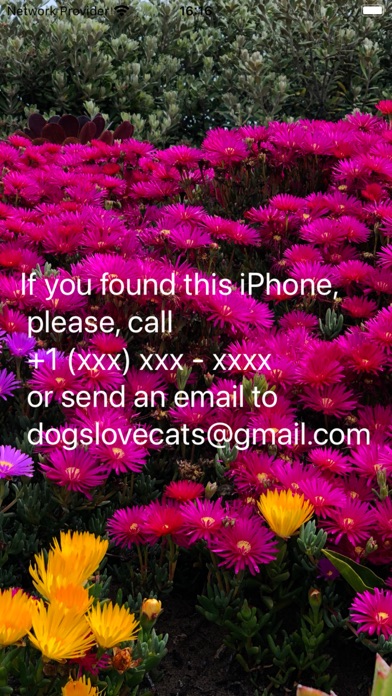
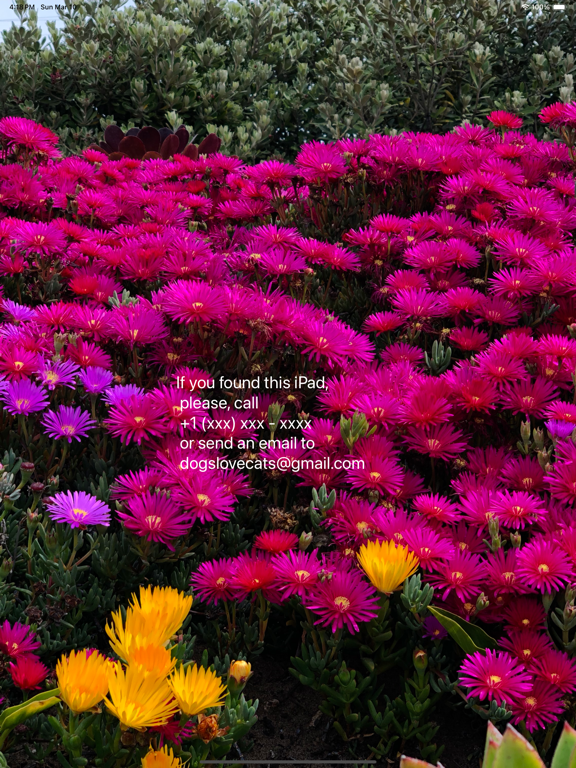
The simplest solution is to place the phone numbers of the people you would like to notify if such situations arise on the locked screen of your iPhone.

The Ariadne's Thread app makes it easy for you to do this.

1. After opening the application, edit the text in the editor window, adding phone numbers or other contacts of people close to you.
2. Click on the check mark button.
3. Use your finger to move the text to a place where it will not overlap with other data displayed on the iPhone screen. If you want to change the text, touch an empty space on the screen and repeat the process.
4. Take a screenshot.
5. Set this screenshot as wallpaper on your iPhone lock screen.

You can select the background color using the top row of colored buttons.

You can select the font size using the slider below the editor window.

You can select the font color using the bottom row of colored buttons. If you select a white font color, it will appear as gray in the editor window.

It is important that the font color differs from the background color!

You can use any photo from your iPhone photo gallery as a background. For this:

1. Edit the text in the editor window, adding phone numbers or other contacts of people close to you.
2. Click on the center button in the second row from the top.
3. Select a photo by clicking on it.
4. Use your finger to move the text to a place where it will not overlap with other data displayed on the iPhone screen and will be visible against the background of the photo.
5. Take a screenshot.
6. Set this screenshot as wallpaper on your iPhone lock screen.
En voir plus...

  • Screenshot #1 pour Ariadne's thread
  • Screenshot #4 pour Ariadne's thread

Note

(0 note)

Détails sur l'application

Version
1.0
Taille
0.6 Mo
Version minimum d'iOS
15.0
Dernière mise à jour
11/03/2024
Publié par
Iulai Baichurin

Newsletter App Store

Recevez chaque jour les meilleures promos

Actualité Apple

Image Procès Apple vs Prosser : Apple critique le silence du leaker
Procès Apple vs Prosser : Apple critique le silence du leaker
Image Apple détaille la faille de sécurité bouchée avec macOS 26.6.1, macOS 15.7.9 et macOS 14.8.9
Apple détaille la faille de sécurité bouchée avec macOS 26.6.1, macOS 15.7.9 et macOS 14.8.9
Image macOS 26.6.1 est disponible, avec macOS 15.7.9 et macOS 14.8.9
macOS 26.6.1 est disponible, avec macOS 15.7.9 et macOS 14.8.9
Image Apple augmente les valeurs de reprise des iPhone, iPad, Mac et Apple Watch
Apple augmente les valeurs de reprise des iPhone, iPad, Mac et Apple Watch
iPhoneAddict Apps

Le catalogue iPhoneAddict pour suivre les nouveautés, mises à jour et baisses de prix de l’App Store.

Apps

Toutes les apps iOS iPhone iPad Universelles Mac Apple TV

iPhoneAddict

Actualité Apple Archives keynotes Contact À propos KultureGeek

Suivez-nous

©2009-2026 i2CMedia. Tous droits réservés.