• KultureGeek
  • Comparateur de prix
       
iPhoneAddict
 iAddictv5Notre Application iPhone/iPad
  • Accueil Apps
  • Actualité Apple
  • Keynote Apple
  • Firmwares & iTunes
  • Contactez-nous
Accueil » Liste des Apps » Apps iPhone » Sports » Range Finder - Ballistic Calculator
L'application n'est plus disponible sur l'App Store français
1.0 iOS €2,99€ 纯圣 刘 0 0 Range Finder turns your iPhone into measuring tape! Point your iPhone camera to an object you want to measure and based on the height of the camera lens and iPhone tilt angle Range Finder will tell you distance and height of it. This app uses...
Range Finder - Ballistic Calculator

Range Finder - Ballistic Calculator

iPhone / Sports

2,99€ au lieu de 3,49€
Acheter sur l'App Store

Range Finder turns your iPhone into measuring tape!
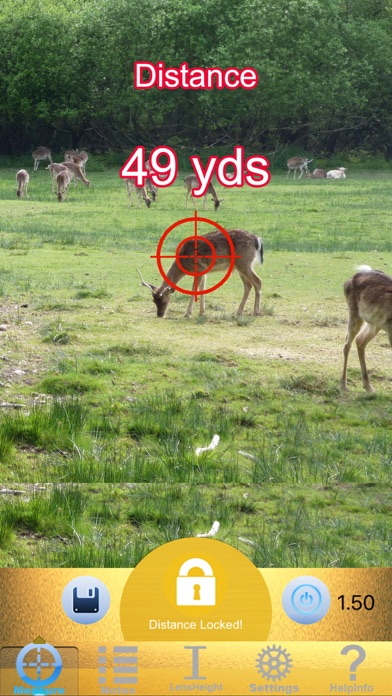
Point your iPhone camera to an object you want to measure and based on the height of the camera lens and iPhone tilt angle Range Finder will tell you distance and height of it.

This app uses angels to calculate distance, height and width of the target object that you are measuring.

Please read the instructions carefully before using this app.

Notes to use this app:
1. To use this app, first you have to set the iPhone lens height from the ground while you are measuring. Usually it is the height of your eyes. This height must be reset to the correct if different person use this app.
2. You must stand on the same ground level - the same horizontal plane with the target object.
3. To measure the distance, you must measure the 'foot' of the target object. if the target object is not on the ground, you could image the target object's foot point on the ground and measure this point.
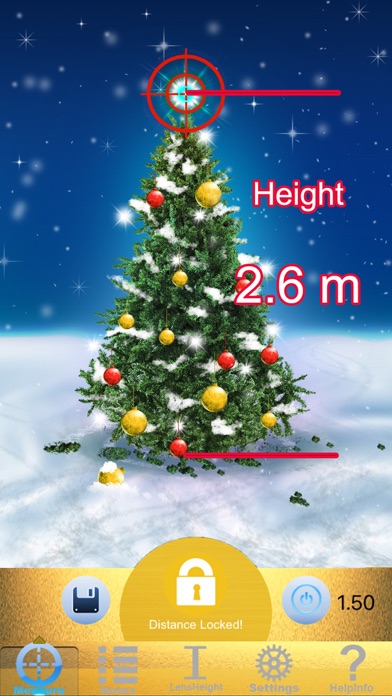
4. To measure the height, you must firstly get the distance. After you get the distance, you need firstly lock the distance. Then move the cross point of the app to the target's top head and read the height result.
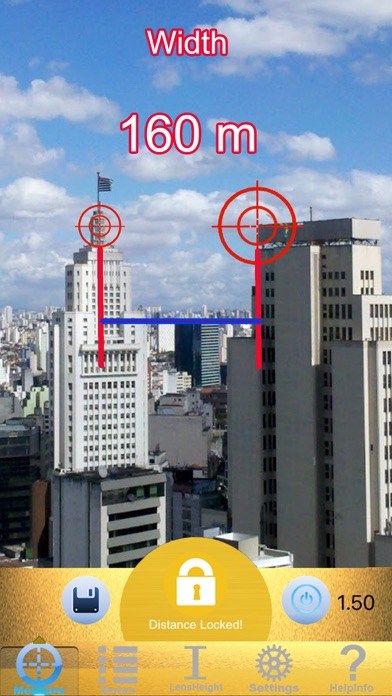
5. To measure the width, you must firstly get the distance. After you get the distance, you need firstly lock the distance. Then move the big cross point in the app to one end of the target object and move the small cross point in the app to another end of the target object and read the width result.

En voir plus...

Quoi de neuf dans la dernière version ?

This app has been updated by Apple to display the Apple Watch app icon.
  • Screenshot #1 pour Range Finder - Ballistic Calculator
  • Screenshot #2 pour Range Finder - Ballistic Calculator
  • Screenshot #3 pour Range Finder - Ballistic Calculator

Note

(0 note)

Détails sur l'application

Version
1.0
Taille
22.3 Mo
Version minimum d'iOS
9.0
Dernière mise à jour
09/11/2016
Publié par
纯圣 刘

Newsletter App Store

Recevez chaque jour les meilleures promos

Actualité Apple

Image Apple publie ses travaux sur l’IA confidentielle et le machine learning « respectueux » de la vie privée
Apple publie ses travaux sur l’IA confidentielle et le machine learning « respectueux » de la vie privée
Image Apple active Tap to Pay sur iPhone en Afrique du Sud
Apple active Tap to Pay sur iPhone en Afrique du Sud
Image Tim Cook accompagnera bien Donald Trump en Chine avec une délégation de grands patrons américains
Tim Cook accompagnera bien Donald Trump en Chine avec une délégation de grands patrons américains
Image Apple obtient l’autorisation de chercher des documents de Samsung dans l’affaire antitrust du DOJ
Apple obtient l’autorisation de chercher des documents de Samsung dans l’affaire antitrust du DOJ
Partenaires : Actualité iPhone - Culture Geek
©2009-2026 i2CMedia | A propos |