
Corner For Gyms
iOS Universel / Sports
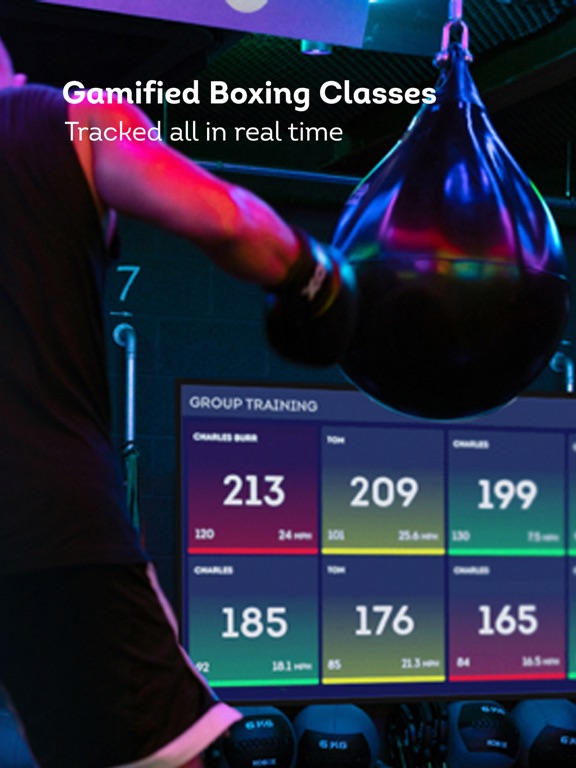
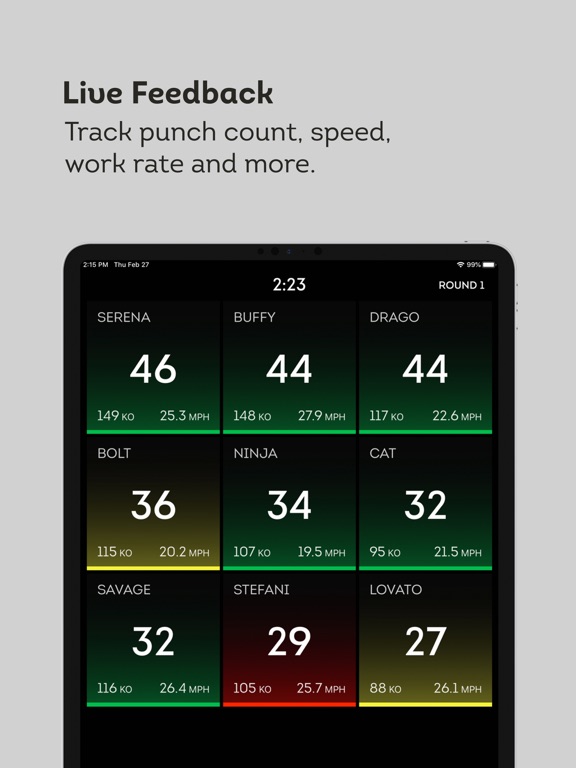
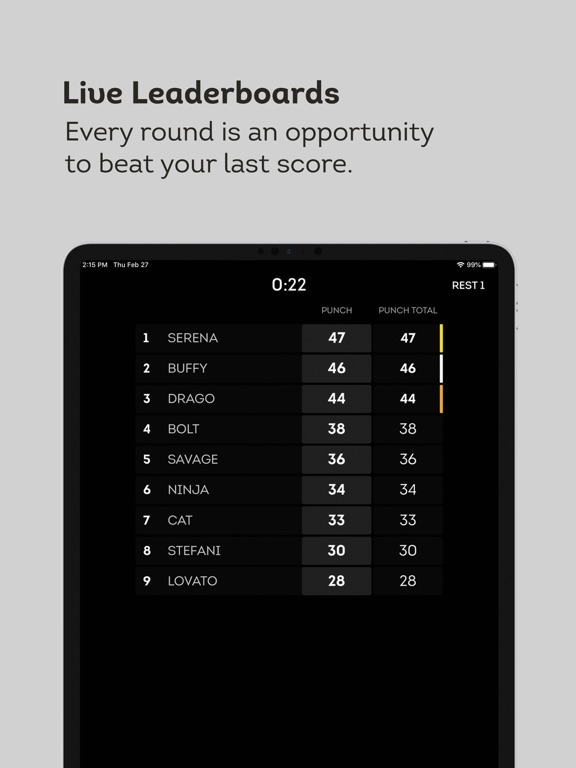
Get fired up with realtime comparisons in your boxing class with Corner trackers. See work rate, punch count, speed and more. Review round by round leaderboards during class and automatically send results right back to each clients phones to review.
REAL TIME COMPARISONS
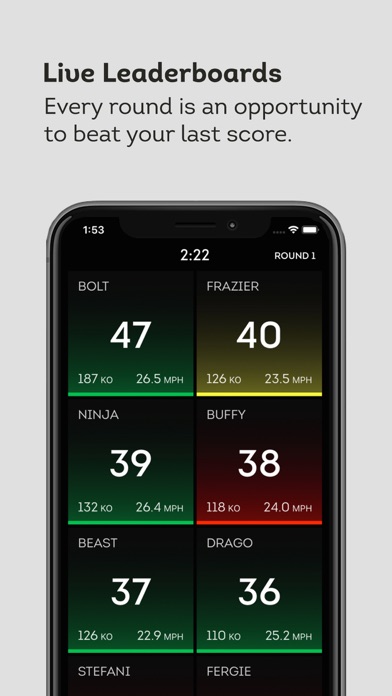
Gamify your gym experience with realtime comparisons. of punch count, speed, power, work rate and KO Points (an over all performance score).
HOW IT WORKS
Each participant wearing a pair of Corner trackers has a tile showing their performance compared to everyone else. The tile can be customised to show your chosen stats when the class is set up. You can also put people into teams to make the experience more fun in group environments.
LEADERBOARDS
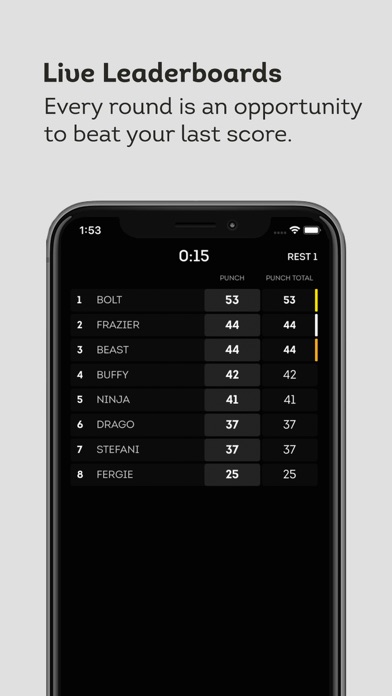
We rank every round rather than just an overall so that every round is a fight to be the best. You can also see your overall score as you keep going.
LONG TERM RESULTS
Corners gym class experience focuses on building a community feel and everyone gets their results back to their phone so they can see their progress from every training session.
Quoi de neuf dans la dernière version ?
1. Open Gym mode
New dedicated mode with self-service check-in, workout, and checkout; each member's session uploads immediately on checkout to their profile (punches, calories, scores).
2. Movement Points (MP) and Exercise mode
MP are earned in Exercise mode, not boxing.
- MP accrue per hand and read on each tile; a hidden or inactive tile fades back in the moment that member earns MP.
- Calories stay visible top-right during Exercise mode.
- New 5th "Movement" metric on the End of Class screen (the live selector still shows four), with row values, podium, and team totals.
- A tracker counter reset during an Exercise round no longer zeroes MP or the KO-to-MP bonus; the value is banked.
- Fixed value font sizing when switched to Movement Points, including Sparring.
3. Challenges: split teams and team games
- Starting a challenge while teams are split now shows a popup: Both Teams Together, One Team at a Time (runs twice, teams swap), or This Team Only. The back-to-back run is offered for individual challenges only.
- UP NEXT names the participating team(s); the pre-challenge cast shows a team-coloured note when only one team runs.
- The exercising (non-challenge) team no longer uploads zero-score attempts (Bleep Test and team games exempt).
- Tug of War, Cat & Mouse, and Relay Race record each player's team and the winner correctly in non-team classes, and are fully available there.
4. Casting and external screens
- Studio Only "Class Starting Soon" countdown casts within 2 minutes of start; digits no longer jitter; at 0:00 it hides and the title pulses. Now includes a streak column.
- Reception (Desk): the check-in list holds after close through a short grace period, then rebuilds into the leaderboard; an auto-assigned member no longer stays on "ASSIGNING".
- Casted homescreen monthly challenge positions are numbered in order.
- Rest leaderboard shows a 'Change Tracker' recommendation if disconnections detected.
- Switching to/from Teams mode updates the cast; class and tracker popups are restyled and centred.
- The classic remote no longer sticks after a cast drops; you can always return to the modern view.
- iOS 26: cast tile KO/MP fonts are correctly sized (previously tiny 12pt).
5. Pre-class Warm Up (new)
- After the countdown hits 0:00 (scheduled classes), a Warm Up button appears beside End Check In.
- It flips the cast to a WARM UP count-up, drops to warm-up volume, and sets Hue lighting to orange. Reset re-anchors the timer; X cancels back to the countdown; it ends automatically at the live class.
- On a Hub with no external screen, the volume and lights still work.
6. Philips Hue lighting
- Countdown fades white to red anchored to real start time; at 0:00 a gentle red pulse; End Check-In or backing out resets to white.
- Fixed lights not switching to blue during Exercise mode after consecutive exercise rounds.
- Standalone Manage Lights button now opens the full Light Management panel.
7. Bleep Test
- Now runs as a normal challenge, unlocked for all gyms and fully integrated into CornerIQ. The old mode toggle was removed from Transfer Users.
8. Check-in tile
- Streak-Freeze streaks calculate properly on the casted tile.
- A disconnected member's swap button glows red during pre-challenge rest, scoped to that member.
- A warning now lists any assigned tracker found on charge during check-in.
- Fixed phantom tile scores before Round 1; Studio Only mode can now change trackers during check-in.
9. End of class
- New end-of-session rating box for trainers with optional comments.
- Session uploads no longer wedge until a force-quit; the 'Upload Classes' properly button clears stuck uploads and reports pending count.
10. Performance and stability
- End Check In presents the live class more quickly when wifi quality is poor.
- Reduced network use during live classes; lower per-second CPU on the cast control screen.
- Improved Bluetooth polling efficiency and end-of-class turn-off.