Close Buy App
iOS Universel / Shopping
Close Buy is an app that lets you purchase and request items from people nearby. With Close Buy, you can forget about making a 30 minute drive to the next town in order to pick up an item. Instead, just check whether someone nearby is selling what you need or make a post requesting that item!
HOW IT WORKS
GENERAL
1. Make an account with your email today.
2. Once you join the app, you can select two locations to make posts in. These posts will be visible within a 1.5 mile (2.4 kilometers) radius, and you can make posts about items you are selling or request items from your community. You can only change these locations once every 30 days, so pick locations that are relevant to you (such as your workplace or home).
3. In addition to your two locations, you can always see posts that are near your current location.
CREATING A POST
1. To create a post, go to the home tab of the app and click the "New Post" button.
2. Fill out a form with information about your sale/request and upload up to 5 pictures. You can pin one of those 5 pictures, and the pinned image will appear next to your post when people are scrolling through posts.
3. Click upload.
4. You can edit your post by navigating to its details page. There will be a button that allows you to edit the post. If you cannot find your post, go to the settings page, and you will see a list of all of your posts. Tap on the relevant post to open its details page.
VIEWING POSTS
1. Scroll through the home screen to view posts that are nearby.
2. You can see posts for other locations by tapping on a button at the top of the screen displaying your currently selected location.
3. You can sort posts by their distance or their creation time.
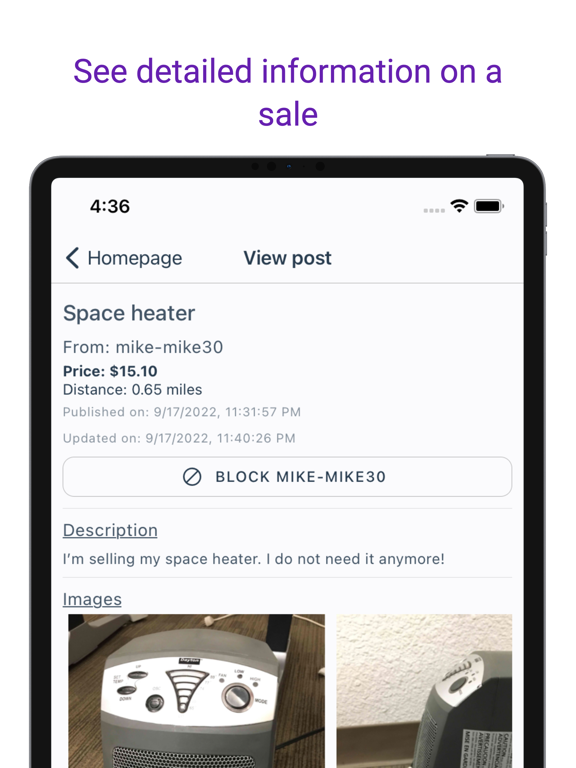
4. Click on a post you are interested to see more details. If you like what you see, click on contact button to send the post author a message.
MESSAGING
1. Go to the messaging tab to see all of your messages.
2. Tap on any of your message chains to reply to it.