BAND - App for all groups
iOS Universel / Réseaux sociaux
Organize your group on BAND!
From families and friends to schools and teams,
no matter who you gather with, BAND makes it easy to connect and stay together.
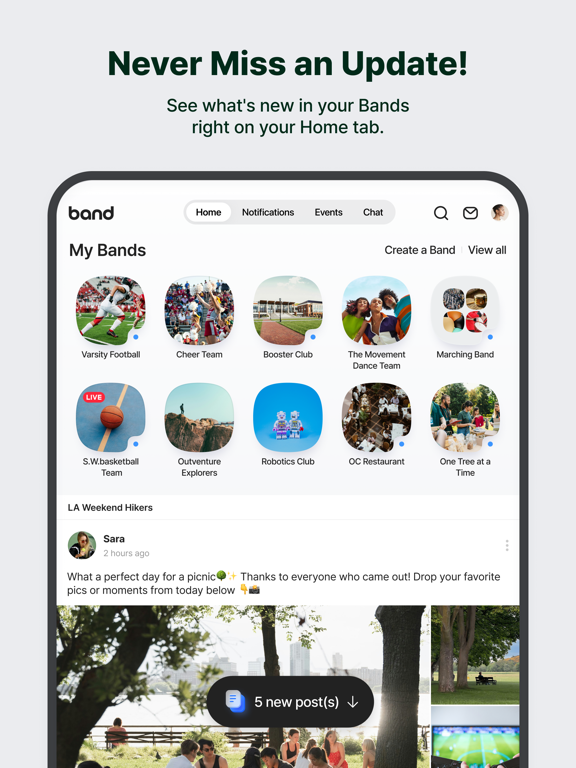
◆ Stay in the Loop with Your Group
-See new posts from your groups right on your Home tab.
-Get instant push alerts for new announcements, schedules, or posts so you can jump in fast.
-Receive instant notifications for new posts
-Choose which groups you’d like to get alerts from
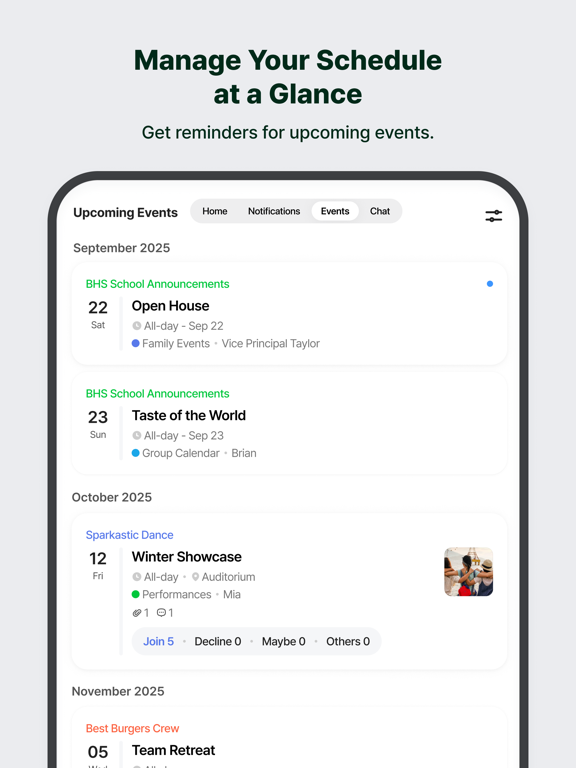
◆All Your Events at a Glance
-View and create events quickly right from your Home tab.
-Stay ahead with upcoming schedule reminders.
-Share schedules easily through your group calendar.
-Track birthdays and special occasions so your group never misses a moment.
◆Keep Every Memory Together
-Upload photos and videos to safely store your special moments.
-Organize albums by trips, events, and more!
-Revisit your favorite memories anytime, and relive them with your group.
◆Stay Closer with Real-Time Connection
-Express yourself with Comments and Shouts.
-Even the smallest reactions strengthen bonds and encouragement between members.
-Go Live to connect in real time — no matter the distance.
◆Essential Tools for Every Group
-Use group polls to reach a decision.
-Manage tasks efficiently with To-Do Lists.
-Accomplish goals through Group Challenges.
-Explore more ways to use BAND in the BAND Guide!
From weekly meetups to your big day,
BAND keeps your group connected every step of the way. Connect anytime, anywhere, on any device including your desktop.
Questions or issues?
Please contact the BAND Help Center:
https://www.band.us/cs/help
*Required Permissions
[Camera]
To take photos and upload them to posts, chats, or your profile, use the Group Video Call feature, and scan QR codes to check invites
[Microphone]
To record voice memos and use the Group Call feature
[Photos]
To attach photos or videos to posts or your profile, and to download QR Code invites
[Contacts]
To save contact information of Band members and invite friends from your phone contacts.
[Location]
To share your location in your Band's description/post/event or with other Band members.
[Calendar]
To save Band events to your iOS Calendar
[Face ID]
To unlock the BAND app using Face ID
Developer Contact:
NAVER Corporation
Address: 95, Jeongjail-ro, Bundang-gu, Seongnam-si, Gyeonggi-do, 13561, Republic of Korea
Business Registration No. 220-81-62517
Online Marketing Report No. 2006-Seongnam Gyeonggi-0692
Quoi de neuf dans la dernière version ?
Starting a new group just got easier!
Start a new Band without starting from scratch.
Create a New BAND with Existing Settings
Reuse the settings from one of your existing Bands when creating a new one.
Need to make changes? You can update your settings anytime in Band Settings.
Remove Multiple Members at Once
Want to keep your Band but start fresh with new members?
Use the Remove Multiple Members feature to bulk remove members and invite your new members.