Quick Message - Click To Chat
iPhone / Productivité
Quick Message - Click To Chat
Quickly message any number without saving contacts
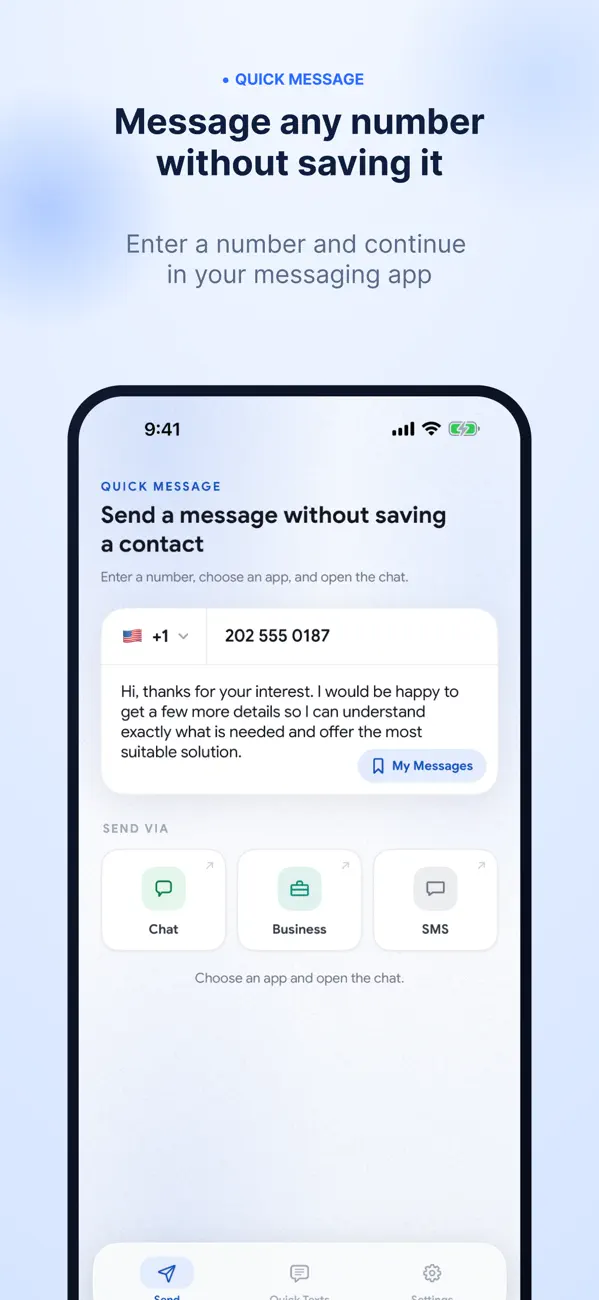
Quick Message helps you start a conversation with any phone number without saving it to your contacts first.
Paste or type a phone number, choose how you want to message, and continue in your installed messaging app. It’s useful for replying to unknown callers, contacting one-time numbers, sending quick replies, or reusing messages you send often.
Key Features
Start a message without saving the number
Paste or type a phone number and continue quickly
Use your supported messaging apps installed on your device
Save quick replies for messages you send often
Create message templates for faster communication
Share numbers into the app from other apps when supported
Send messages to yourself for notes, links, or reminders
Supports local and international phone numbers
Why use Quick Message?
No need to save one-time numbers
Faster replies with saved messages and templates
Keeps your contacts list clean and organized
Simple, lightweight, and easy to use
Who is it for?
Professionals who frequently contact new numbers
People who want to reply quickly without saving contacts
Anyone who often sends messages to numbers they do not need to save
Disclaimer: Quick Message is an independent app and is not affiliated with, sponsored by, or endorsed by WhatsApp LLC, Meta Platforms, Inc., or any other messaging service. WhatsApp is a trademark of WhatsApp LLC.
Quoi de neuf dans la dernière version ?
Quick Message has been redesigned with a cleaner, faster, and more modern experience.
What’s new:
• Fresh new design across the app
• Improved layout for faster message sending
• Easier access to your saved messages and templates
• Better readability and smoother overall experience
• General improvements and bug fixes