Naver Mail
iOS Universel / Productivité
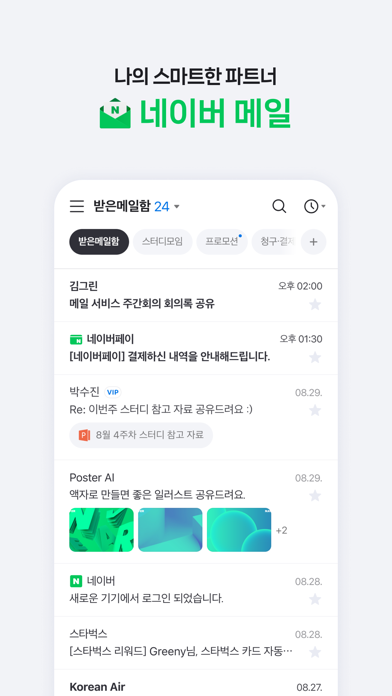
The NAVER Mail app is here to make your email management smarter!
※ The new NAVER Mail app can only be used on iOS 17.0 and up.
1. Easily find the mails you want.
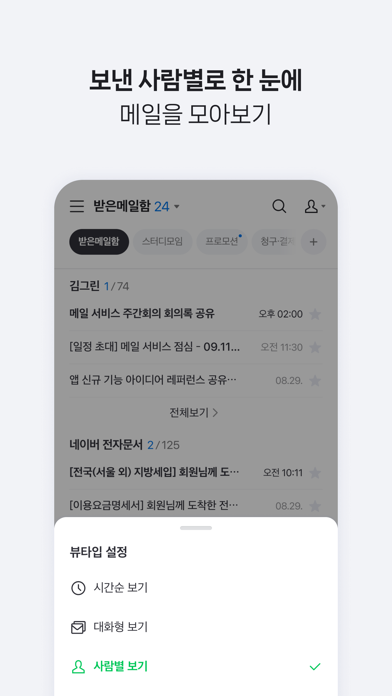
· You can group and view the mails collected in chronological order by conversation or person.
· Use the filter feature to quickly group unread mails/important mails/mails with attachments/VIP mails.
· You can separately view promotion mails, invoice/payment mails, and mails from social media services or NAVER Café, which are automatically classified to the smart mailbox.
· The NAVER Mail app allows you to view and manage your frequently used external mailing accounts, such as Gmail and Outlook.
2. Write smart emails on the app.
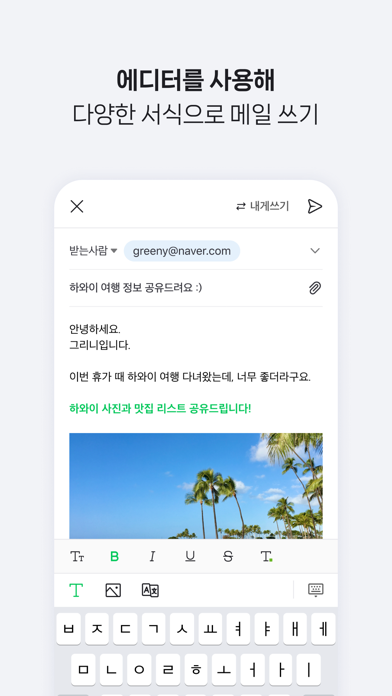
· Use bold/underline/colored fonts to emphasize important words, and insert images in your mail body.
· You can attach and send files uploaded to your MYBOX.
· Use the translation feature to write mails in foreign languages hassle-free.
3. Safeguard your mail.
· We will detect and inform you in advance of files with viruses/malicious codes before attaching/downloading them.
· Use the password lock to keep your mail app safe.
4. Supports Dark Mode, allowing you to comfortably read emails in low-light environments.
■ Details on Required Permissions
· Contacts (Address Book): You can compose emails to email contacts stored in your device’s address book.
· Camera: You can take photos and videos to attach to emails.
· Microphone: You can record audio when shooting videos.
· Face ID: Required to unlock the app using Face ID registered on your device.
Please contact NAVER Customer Center ( http://naver.me/5j7M4G2y ) for any issue or inquiry while using the app.
Developer Contact: 1588-3820
NAVER 1784, 95 Jeongja-il-ro, Bundang-gu, Seongnam-si, Gyeonggi-do, 13561
Quoi de neuf dans la dernière version ?
- 오류를 수정하고 앱 안정성을 개선했어요.