Master Tour Mobile
iOS Universel / Productivité
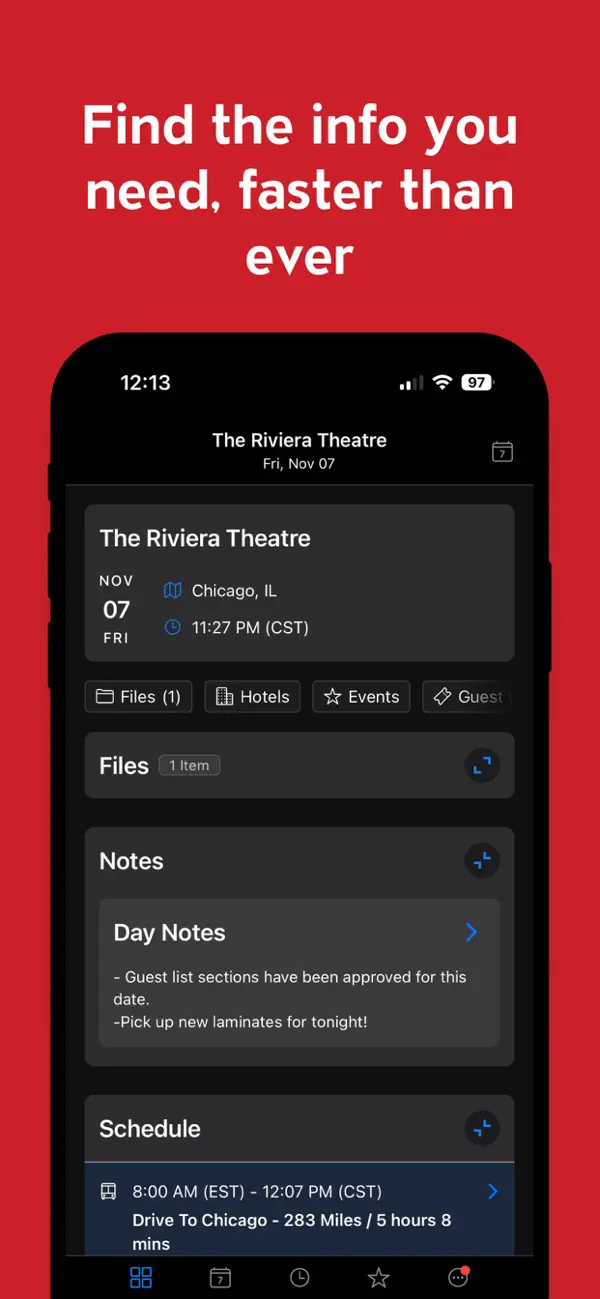
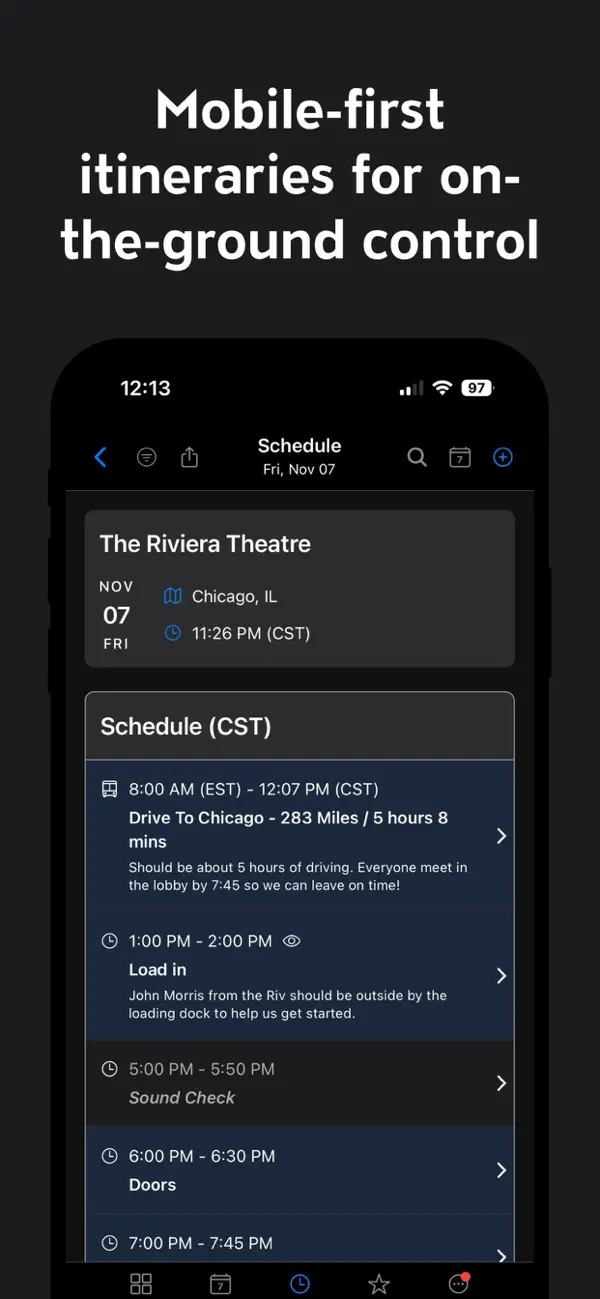
Master Tour Mobile is your ultimate tour management companion. Master Tour Mobile is the must-have app for tour managers, crew members, and artists. Designed as the mobile companion to Master Tour Desktop, it keeps your entire team organized and informed with access to itinerary, schedules, travel details, contacts, hotel reservations, maps and more from your device.
Why choose Master Tour Mobile? The app is designed to provide quick access to the critical information for each day. Data is stored locally for later offline access so you can avoid costly international roaming data fees. You can toggle freely between light and dark mode!
Master Tour works with many of the largest tours in the world and we speak with tour managers every day about features and improvements to Master Tour. Allow us to drop some names with quotes from a few satisfied clients:
"...with the Master Tour Mobile iPhone app, all of a sudden people in the band and the crew know that when they're looking at information it's as current as it can possibly be - and they can count on it." - Eric Mayers (My Morning Jacket)
The "app that has been the most critical to my career" - Weird Al Yankovic
"It has streamlined our information flow and reduced the need for daily printed materials." - Paul Chanon (Zac Brown Band)
"Eventric has changed the way we tour by making it easier for all of us to stay organized." - Mark Maher (The Fray)
"I wouldn't leave home without MTD" - Gage Freeman (Tour Manager, Chickenfoot)
"We will not tour with out it!" - Gabriel Gonzalez (Modest Mouse, Conor Oberst, The Hold Steady)
"I love the new Master Tour! …I learn 5 new things everyday! " - Angie Warner (Daniel Powter, Dancing with The Stars Tour)
"I just installed the new version of Master Tour, it's LEAGUES beyond the last version. Nicely done! " - Rachel Demy (Neko Case)
Quoi de neuf dans la dernière version ?
New Features
New Organization Permissions - A notification will now appear directing the user to sync in the tour data that they now have access to.
Task Details - Tasks are now displayed on Tasks in MT Mobile, matching the information available in Master Tour Desktop.
Guest List Cutoff Date/Time "Clear" button - A "Clear" button has been added to the Guest List Cutoff Date/Time controls, allowing users to easily remove a cutoff date when it is no longer needed.
"Today" highlight on the Dates screen - The current day is now highlighted on the Dates view, making it easier to orient within a tour at a glance.
Month/Year headers on the Dates tab - Month/year group headers have been added to the Dates tab to improve navigation across longer tours.
Improvements to Existing Features
Pull to refresh - Behavior has been standardized across the app. The gesture is now correctly available on the Dates page, My Profile pages (Personal Information, Tour Preferences, Family Information, Public Profile, Skills & Credentials, Privacy Settings), Files page, and Set List. It has also been correctly disabled on screens where it should not be available, such as the Login page, Terms of Service page, Organization Select page, and First Sync page.
Dark Mode dates list - Background color logic for past vs. current days in the Dates list has been updated in Dark Mode to be more visually intuitive.
"You are offline" notification frequency - The offline notification now appears automatically only once per session to reduce repetitive interruptions. The warning icon remains visible in the header and can be tapped at any time to view the message again.
Terms of Service screen - Formatting has been updated to match current designs.
Reduced app size for faster loading - The app bundle size has been reduced by loading certain data files only when needed (at login), resulting in faster initial load times.
Bug Fixes
Day Visibility restricted to later dates - Users in a tour can now correctly see and access their visible dates on the Dates screen. Previously, the screen would load the first 10 days of the tour regardless of visibility and then hide them, leaving the screen appearing empty.
Flights not found during search - Certain flights that exist in Master Tour and FlightAware were not appearing in search results. This has been fixed.
Locked guest list rejected request not clearing - When a user submitted a guest list request on a locked list, the server-rejected request was not automatically removed from the user's summary table. It now clears correctly.
Notes preview not showing full content - Notes written in multiple paragraphs were sometimes cut off on the notes preview screen. Full content is now displayed correctly.