KwikList Plus
iOS Universel / Productivité
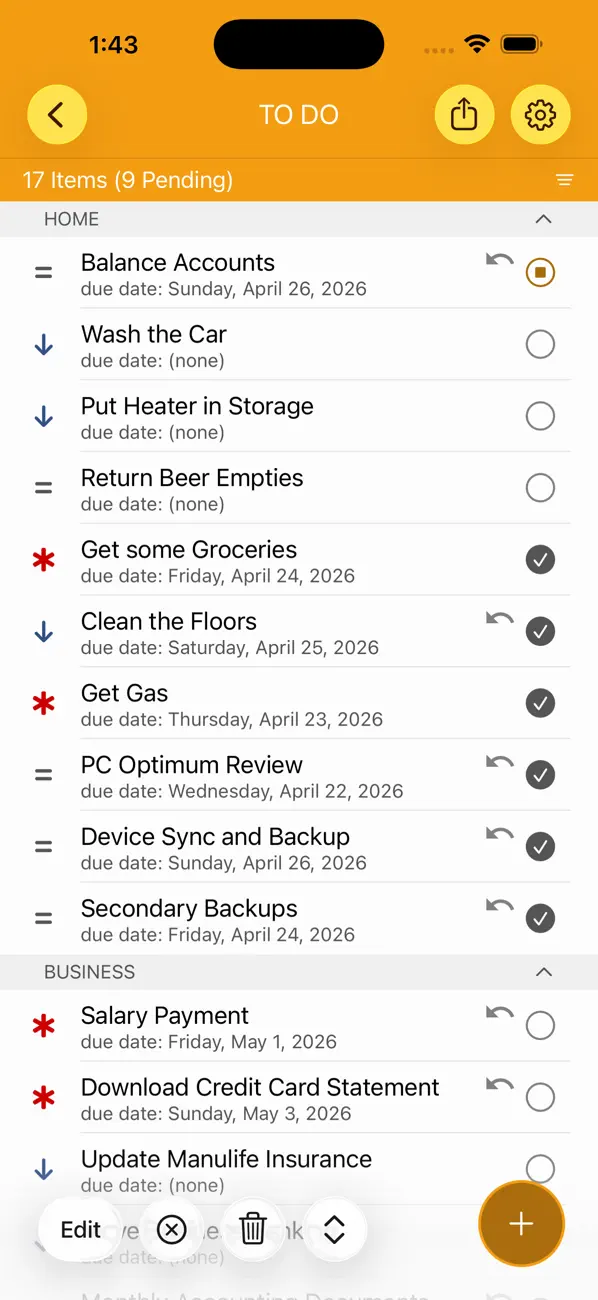
KwikList Plus is a simple and powerful list management tool that will help you organize your life. Create and manage all of your lists from one convenient spot, and configure them to capture the information that *you* need, presented how *you* want it, and available when and where *you* need it.
* Create new list from one of the available list-types – to do, gifts, pictures, notes, and simple – and then customize it as needed to include the specific fields and categories that you need to track.
* Don't need one of the fields for an item? Remove it with a swipe.
* Need to record more information for an item? Add a new note, image, date, time, number, money, Url, or switch with one touch.
* Need to share your list with somebody else? Email or print the whole list or just the details of a specific item.
* Don't want to share? Optional password protection lets you restrict access to a list that you don't want others to see.
* Use 'Smart Lists' to quickly and easily access all of your items that are due, overdue, or high priority.
* Use 'Quick Select' to remember commonly used items and present them for selection as you type.
* Use 'Global Search' to find items from any list quickly and easily. Use 'Advanced Search' within your lists to filter items based on any one of the defined list fields.
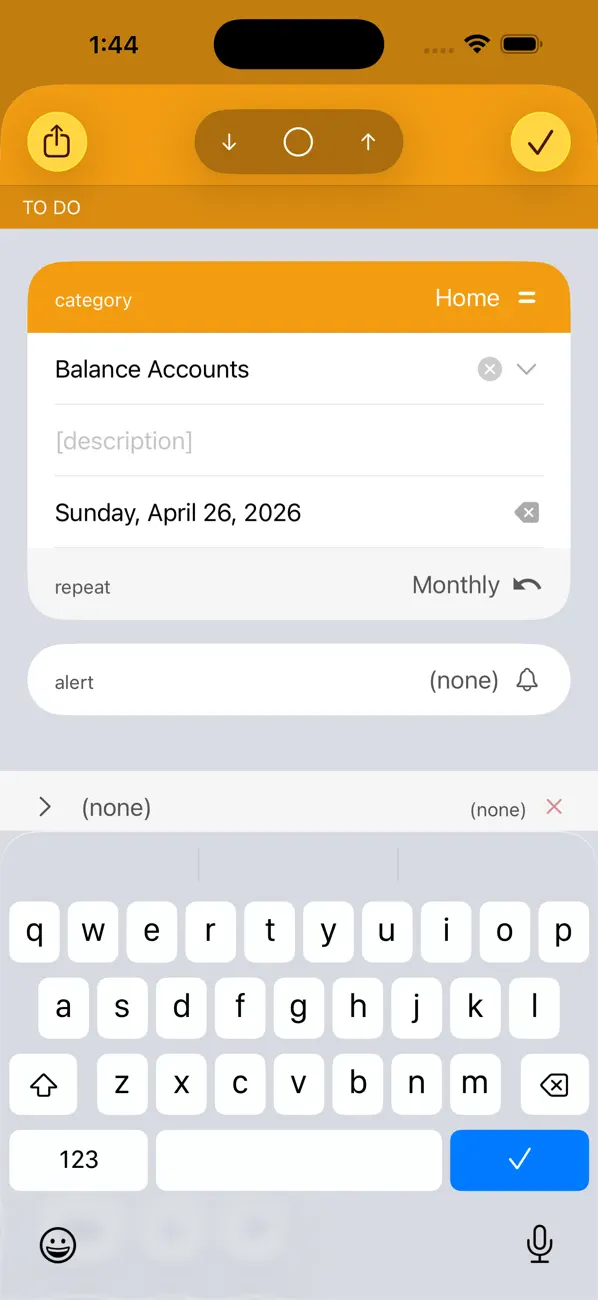
* Setup items to repeat daily, weekly, monthly, or yearly and see them automatically update for each interval.
* Create pop-up reminders for your items; never forget another important task again.
* Save your lists in the Cloud! Enable iCloud sync to automatically update your lists across all of your devices!
* Use the included Home Screen widgets to expose your KwikList information directly on your Device Screen.
* Export your lists as .kwiklist bundle files for backup and/or import into other devices.
If you have lists -- and we all do -- then you need KwikList Plus.
Quoi de neuf dans la dernière version ?
* UI Refresh and Functionality Enhancements
* Thumb-friendly Design; common actions made available in screen areas within typical 'thumb zone'.
* Standardized Application Icons; custom images for buttons and actions replaced with standard iOS symbols.
* Note Field Enhancements including the ability to cancel entered changes.
* Url Field Enhancements including simplified navigation, improved error-handling, and the ability to cancel changes.
* Image Field Enhancements including the ability to clear the image from the display screen and full-screen camera-mode on the iPad.
* Date and Time Field Enhancements including a button to clear the value from the editor screen.
* Field Filtering moved from a dedicated toolbar button to an option within the category-filtering options from the list header button.
* Field Sort options presented in a slide-up panel from the bottom of the device with a clear indication of ascending or descending options.
* Simplified and Clarified mechanisms for specifying alerts for TODO-list items.
* Increased delay for applying auto-sorting to lists when completing items; to allow multiple items to be completed before applying the sort.
* iOS 26 and Liquid Glass compatibility.
* Updated App Icon.
* Bug Fixes
* Repeat Interval now cleared when due-date value cleared.
* Item Completion from list will now work when an alert-time is specified (rather than just bringing up item details).
* Fix for manual item reordering within a category not being sync'd across devices.
* Fix for section header colouring within the Search screen.
* Widget Updates
* Custom colours for backgrounds in Dark and Light mode.
* Improved presentation of item counts and badging.
* Improved layout and padding and use of the new images for indicating item priority.
* Miscellaneous updates and performance improvements including a smaller application memory footprint.