HIMS Chat
iPhone / Productivité
HIMS Chat is an application designed to facilitate face-to-face communication between a Deaf-Blind person and a sighted person via Bluetooth connectivity between an iPhone, iPod, or iPad, and a HIMS Braille Sense notetaker (Braille Sense U2, Braille Sense U2 QWERTY, Braille Sense OnHand) or Braille EDGE 40.
Features:
· Facilitates face-to-face communication between a Deaf-Blind and a sighted person.
· Includes built-in and user-created macros for easy entry of common phrases using just a few keystrokes.
· Save conversations and read them at a later date.
· Receive vibration alerts from the Braille Sense U2 when a sighted person sends a message on the iPhone.
Connecting Braille Sense and iPhone:
1. On the Braille Sense, please activate Terminal Mode by opening the “Utilities” menu, and choosing “Terminal for Screen Reader”. Choose “Bluetooth with VoiceOver” from the available connection types.
2. On the iPhone, iPod, or iPad, go to Settings/General/Accessibility/VoiceOver. If VoiceOver is not on, please turn it on. Navigate to Braille, double-tap it, and the unit will search for available devices.
3. Double tap the HIMS device, and, if using a Braille Sense, enter a pin code of your choosing. (For the Braille EDGE use 0000). Then, double tap the “Pair” button.
4. The Braille Sense device will ask for a pin code. Please enter the same 4 digit code you entered on the I-device, and press “Enter.”
5. You should hear a chime, then should see the output of the iPod, iPhone, or iPad on the Braille Sense or Braille EDGE Braille display, and should be able to control the device using the Braille keyboard.
Using HIMS Chat:
1. When the Braille Sense is connected via VoiceOver, please execute the HIMS Chat program and choose “New Chat”.
2. A greeting appears introducing the program to the sighted person and instructs him/her to double tap the “OK” button to begin the new chat.
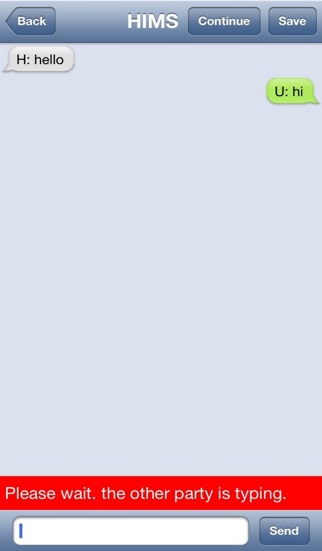
3. The Deaf-Blind user can then start typing, and when he sends the message, it is the sighted person’s turn. The conversation can continue back and forth as long as you wish.
4. If you send a message, and wish to write more before the other party writes back, you can tap the “Continue” button to write another message.
5. You may save conversations for later reading, or use built-in or user-created macros to quickly enter a number of saved phrases.
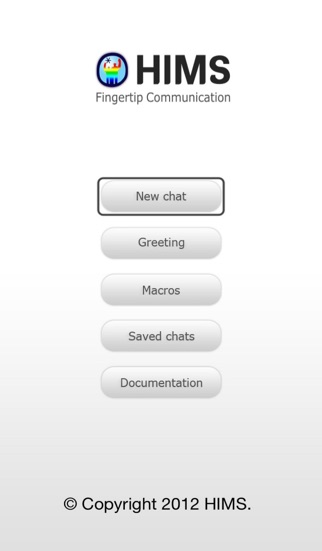
l A detailed user manual is available from the opening screen of HIMS Chat.
Quoi de neuf dans la dernière version ?
This app has been updated by Apple to display the Apple Watch app icon.
fixed some problem.