CAD Translator
iOS Universel / Productivité
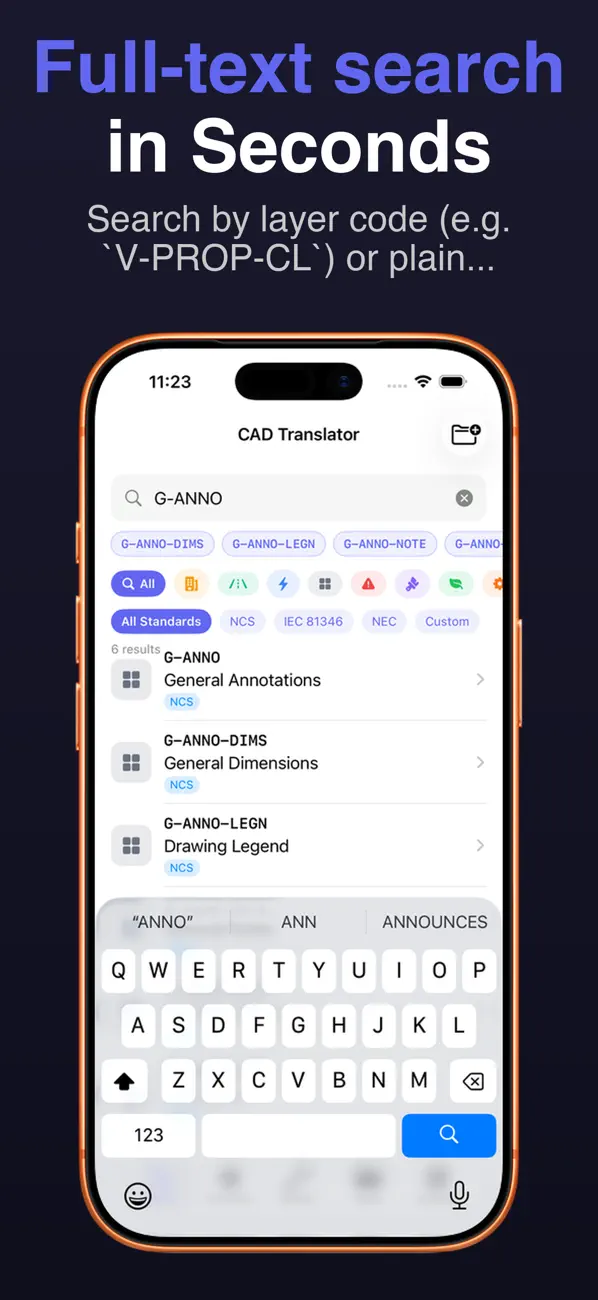
CAD Translator instantly decodes standard CAD layer naming conventions into plain English — no internet required.
Built for engineers, project managers, contractors, and anyone who works with CAD drawings but doesn't have the NCS standard memorized.
WHAT IT DOES
- Type a layer code like V-PROP-CL and instantly get "Property Line (Civil Survey)" in plain English
- Search by keyword — type "property line" and find the matching layer codes
- Covers 500+ entries across all major engineering disciplines
STANDARDS COVERED
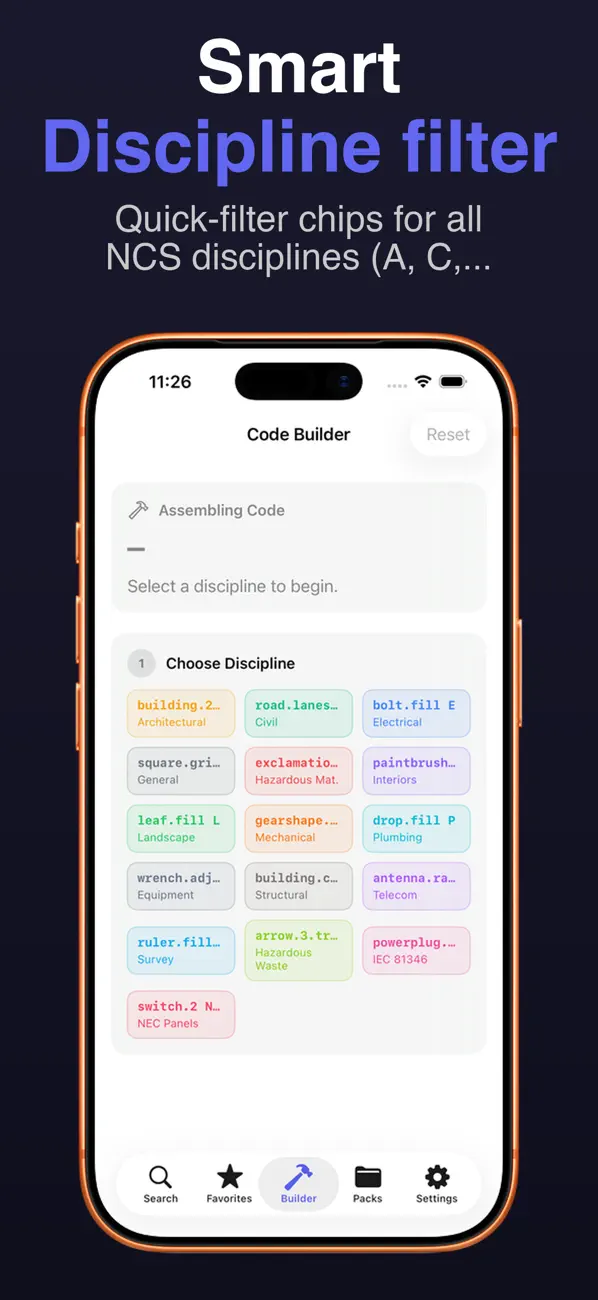
- NCS v3.1 — National CAD Standard (all 15 disciplines: Architecture, Civil, Electrical, Mechanical, Plumbing, Structural, and more)
- IEC 81346 — Industrial equipment reference designations (BESS, solar, wind, generators, motors, transformers)
- NEC 2023 — Panel and circuit naming (Articles 690, 706, 712, 700, 701, 625)
KEY FEATURES
- Code Builder — step-by-step wizard that assembles valid NCS codes with live plain-English preview
- Favorites — star any layer for instant access
- Custom Packs — add your own vendor translations and share them with your team as .cadpack.json files
- Override built-in definitions with your company's terminology
- Recent searches and smart autocomplete suggestions
- Haptic feedback
- Works offline — no account, no subscription, no server
- Optional iCloud Drive backup — your custom entries sync across your own devices via your personal iCloud (we never see your data)
ONE-TIME PURCHASE
$4.99 — pay once, use forever. No subscription, no hidden fees. Early Supporter pricing — CAD Translator goes to $7.99 in 60 days.
PERFECT FOR
- Electrical engineers decoding panel schedules
- Civil engineers reading survey and site layers
- Architects reviewing consultant drawings
- Project managers translating drawing notes
- Energy engineers working with BESS, solar PV, and microgrid layers
- Anyone onboarding to a new project with unfamiliar CAD standards
Quoi de neuf dans la dernière version ?
- More dependable iCloud restore when setting up on a new device.
- Stability and performance improvements.