Awesome Habits: Habit Tracker
iOS Universel / Productivité
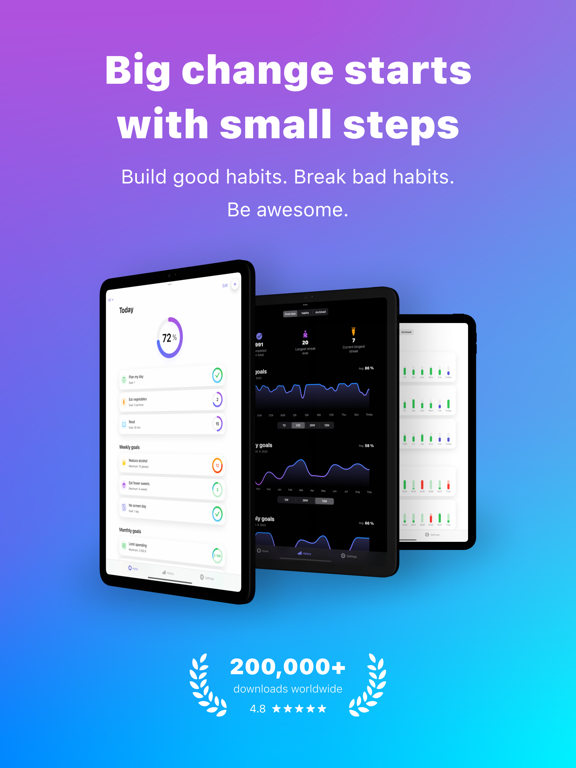
Ne te fixe pas d’objectifs, crée des habitudes.
Tu te souviens de la dernière fois que tu as voulu atteindre un but ? Tu as sans doute commencé fort, avec beaucoup de détermination, mais au fil du temps, ta motivation s’est estompée. Voici notre conseil : au lieu de te fixer des objectifs inatteignables, commence par créer et améliorer tes habitudes et tes routines quotidiennes. De petits changements simples se transformeront peu à peu en résultats incroyables. Avec notre app, tu vas t’améliorer chaque jour et atteindre un succès qui dure vraiment.
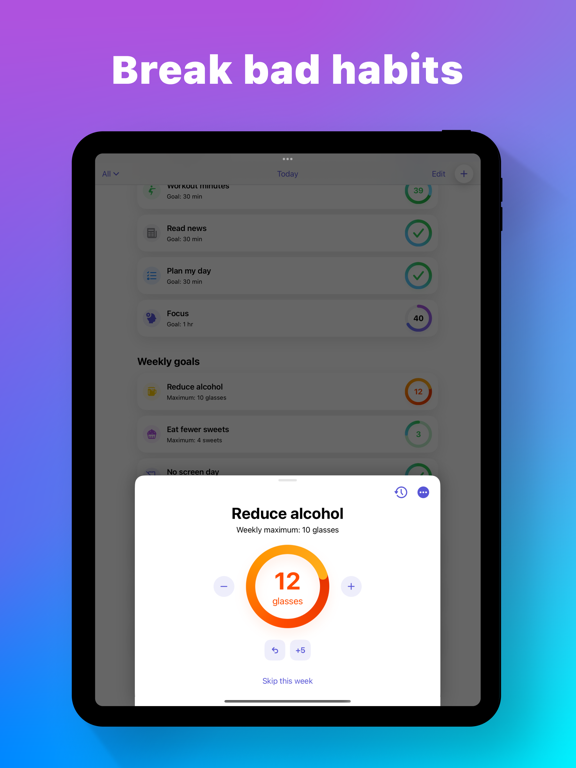
Crée de bonnes habitudes, arrête les mauvaises.
Envie de vivre plus sainement, de te sentir mieux ou de booster ta productivité ? Les possibilités sont infinies. Inspire-toi de nos modèles, trouve de nouvelles idées d’habitudes grâce à Apple Intelligence directement sur ton appareil, ou crée ton habitude 100 % sur mesure.
Atteins tes objectifs quotidiens, hebdomadaires et mensuels.
Grâce à un aperçu simple et clair, gère facilement tous tes objectifs et suis tes réussites. Tu as dépassé ton objectif ? Tu peux aussi facilement le noter dans l’app.
Suis tes progrès et tes séries.
Parcours ton historique, plonge dans tes statistiques et observe tes progrès au fil du temps. Tu n’as pas eu le temps de valider une habitude hier ? Pas de problème, tu peux facilement mettre à jour n’importe quel jour passé.
Fonctionnalités :
- Crée de bonnes habitudes et arrête les mauvaises
- Objectifs quotidiens, hebdomadaires et mensuels
- Des idées d’habitudes avec Apple Intelligence, en privé sur l’appareil (selon disponibilité)
- Suivi des objectifs dépassés
- Suivi des objectifs de temps avec minuteurs
- Statistiques détaillées avec graphiques en grille (Heatmaps)
- Listes d’habitudes
- Notes d’habitudes
- Plus de 2 500 icônes et emojis, avec prise en charge de Genmoji et des autocollants personnalisés
- Mode sombre et personnalisation de l’apparence
- Synchronisation avec Apple Santé
- Rappels, alarmes, pastilles sur l’icône et notifications Apple Santé
- Widgets interactifs pour l’écran d’accueil, l’écran de verrouillage et le mode En veille
- Dynamic Island interactive et Activités en direct
- Widgets du Centre de contrôle
- Complications Apple Watch et widgets pour la Pile intelligente
- Exportation au format CSV
- Raccourcis Siri
- Sauvegarde et synchronisation iCloud
- Disponible sur iPhone, iPad, Mac et Apple Watch
Conditions d’utilisation : https://www.awesome-habits.com/terms-conditions
Politique de confidentialité : https://www.awesome-habits.com/privacy-policy
Quoi de neuf dans la dernière version ?
• Valeurs décimales: Les habitudes comptées acceptent désormais les décimales, tu peux donc suivre des valeurs comme 2,5 km ou 0,5 l avec jusqu’à deux décimales.
• Action d’appui personnalisée sur le cercle: Choisis ce que fait un appui sur le cercle d’une habitude : ajouter une valeur définie ou te demander la valeur à chaque fois. Tu trouveras ça dans Modifier l’habitude, dans la section objectif – appuie sur « Plus ».
• Secondes pour les objectifs chronométrés: Définis tes objectifs chronométrés à la seconde près et regarde les secondes s’égrener en direct, directement sur l’onglet Accueil.
• Commence ta semaine n’importe quel jour: Choisis n’importe quel jour de la semaine comme début de semaine, pas seulement le dimanche ou le lundi.