• KultureGeek
  • Comparateur de prix
       
iPhoneAddict
 iAddictv5Notre Application iPhone/iPad
  • Accueil Apps
  • Actualité Apple
  • Keynote Apple
  • Firmwares & iTunes
  • Contactez-nous
Accueil » Liste des Apps » Apps Universelles » Photo et vidéo » VUER - Live Video Monitor
2.0.14 iOS €Gratuit Teradek 4 4 VUER is an iOS application that allows you to monitor and analyze up to 4 Teradek encoder video feeds in real-time, all in 1080p HD. With a built-in histogram, false color, focus peaking, waveform monitor and vectorscope, digging into the details of...
VUER - Live Video Monitor

VUER - Live Video Monitor

iOS Universel / Photo et vidéo

Gratuit
Obtenir sur l'App Store

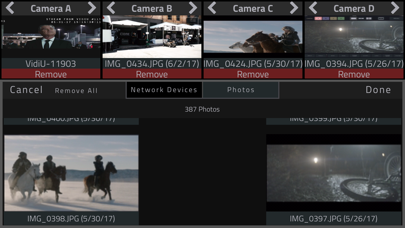
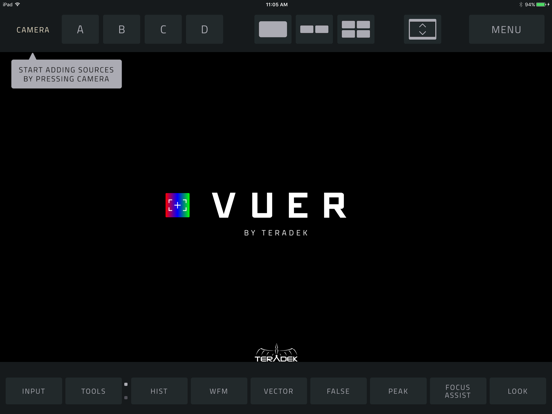
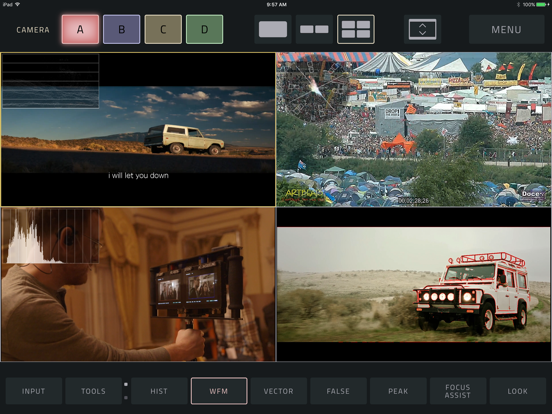
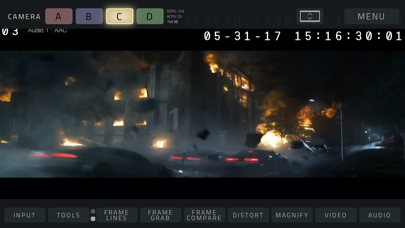
VUER is an iOS application that allows you to monitor and analyze up to 4 Teradek encoder video feeds in real-time, all in 1080p HD. With a built-in histogram, false color, focus peaking, waveform monitor and vectorscope, digging into the details of your video streams has never been easier.

TOOL BUTTONS PAGE 1:

HISTOGRAM -Adjust display mode (fullscreen, overlay, top and bottom), type of chart (luminance, RGB Parade, RGB Overlay), Opacity, Position and Size

WAVEFORM–Adjust display mode (fullscreen, overlay, top and bottom), type of chart (luminance, RGB Parade, RGB Overlay), Intensity, Opacity, Position and Size

VECTORSCOPE–Adjust display mode (fullscreen, overlay, top and bottom), type of chart (Cr/Cb or H/S), Intensity, Opacity, Overlay Position, and Overlay Size

FALSE COLOR– Select a Full-range IRE Guide or a Discrete guide (similar to ARRI or RED camera false color guides), enable IRE Guide overlay for reference on-screen

PEAKING–adjust peaking threshold

FOCUS ASSIST–focus assist color and intensity

TOOLS BUTTONS PAGE 2:

FRAMELINES–Adjust 2 sets of preset or custom aspect ratio created with a simple function (x:x), Frameline Color, Center mark, Surround Mask opacity, and Safe Zone %

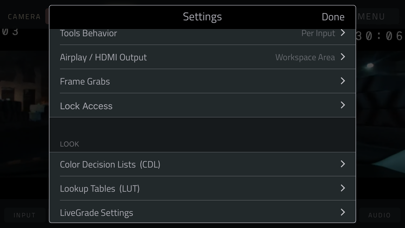
FRAME GRAB–Naming Prefix, File naming (name each grab manually or use prefix setting, Manage grabs (Shortcut to framegrab manager thumbnail library)

FRAME COMPARE–Overlay Image selection, Blend Mode selection ( interpolate, difference, screen, exclusion and geometric), Alpha % blend slider

DISTORT–select Anamorphic Desqueeze aspect ratio (1:1, 1.33:1, 1.5:1, 1.78:1, 2:1 or Custom), Flip and / or Mirror function

MAGNIFY–Magnifier Size (Small, Medium or Large), Magnifier Outline Color ( white, red, blue, yellow, green or no outline)

En voir plus...

Quoi de neuf dans la dernière version ?

Changes/Improvements:
- Prompt to download Vuer HDR
- Add warning in case notification server isn't working correctly
  • Screenshot #1 pour VUER - Live Video Monitor
  • Screenshot #2 pour VUER - Live Video Monitor
  • Screenshot #3 pour VUER - Live Video Monitor
  • Screenshot #4 pour VUER - Live Video Monitor
  • Screenshot #5 pour VUER - Live Video Monitor
  • Screenshot #6 pour VUER - Live Video Monitor

D'autres applications du développeur

VidiU
VidiU
/ iOS Universel
TeraView
TeraView
/ iOS Universel
Airmix Remote
Airmix Remote
/ iOS Universel
Airmix Solo
Airmix Solo
/ iOS Universel
Teralink
Teralink
/ iOS Universel
Teradek Core
Teradek Core
/ iOS Universel
Voir toutes les apps

Note

(4 notes)

Détails sur l'application

Version
2.0.14
Taille
63.8 Mo
Version minimum d'iOS
11.0
Dernière mise à jour
07/09/2023
Publié par
Teradek

Newsletter App Store

Recevez chaque jour les meilleures promos

Actualité Apple

Image iOS 27 : le chatbot IA de Siri pourrait tourner sur les serveurs de Google
iOS 27 : le chatbot IA de Siri pourrait tourner sur les serveurs de Google
Image Retard d’Apple dans l’IA : Craig Federighi impose sa méthode et veut limiter les coûts
Retard d’Apple dans l’IA : Craig Federighi impose sa méthode et veut limiter les coûts
Image Apple TV : F1 le film est nommé aux Oscars dans la catégorie reine du meilleur film
Apple TV : F1 le film est nommé aux Oscars dans la catégorie reine du meilleur film
Image L’iPhone des 20 ans « tout écran » est remis en question
L’iPhone des 20 ans « tout écran » est remis en question
Partenaires : Actualité iPhone - Culture Geek
©2009-2026 i2CMedia | A propos |