iPhoneAddict Apps
  • Actualités
  • Accueil Apps
  • iPhone
  • iPad
  • Universelles
  • Mac
  • Apple TV
KG KultureGeek
App
iPhone / iPad Télécharger iAddict v5 Mac Télécharger iAddict Mac
  • Actualités
  • Accueil Apps
  • iPhone
  • iPad
  • Universelles
  • Mac
  • Apple TV
  • Archives keynotes
  • Firmwares & iTunes
  • Contactez-nous
  • Comparateur de prix
  • KultureGeek
Accueil » Liste des Apps » Apps Universelles » Photo et vidéo » Vont - Text on Videos
1.6.58 iOS €Gratuit youthhr 4.6 1650 Vont is a simple app that allows you to add text to videos. ・ More than 400 fonts are available. ・ You can install other fonts. ・ Text size is changeable. ・ Text color is changeable. ・ Text gradient is changeable. ・ Text's stroke...
Vont - Text on Videos

Vont - Text on Videos

iOS Universel / Photo et vidéo

Gratuit
Obtenir sur l'App Store
Facebook X E-mail

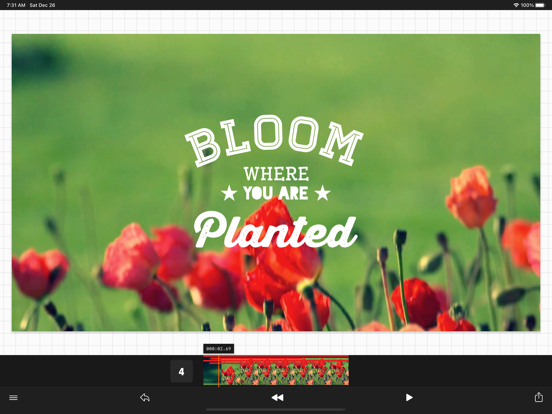
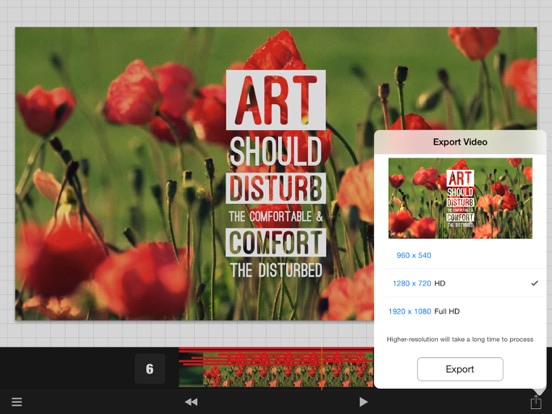
Vont is a simple app that allows you to add text to videos.

・ More than 400 fonts are available.
・ You can install other fonts.
・ Text size is changeable.
・ Text color is changeable.
・ Text gradient is changeable.
・ Text's stroke color is changeable.
・ Text's shadow color is changeable.
・ Text's background color is changeable.
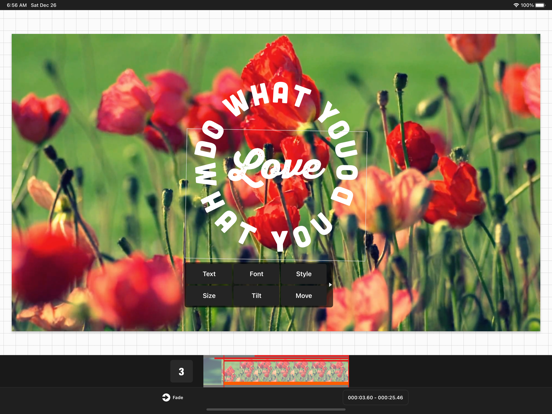
・ Text is rotatable.
・ Text kerning is changeable.
・ Line spacing is changeable.
・ Curved text
・ URL scheme: vont://

Try Phonto app, if you want to add text to photos. Phonto is a free app that is available on the App Store.

--------------------------------
LANGUAGE
--------------------------------
Vont supports only English (US), Chinese and Japanese, so when the priority of Chinese (or Japanese) in your setting was higher than English, Vont would be launched as Chinese (or Japanese) mode.

To solve this problem…
1. Open the Settings app.
2. Choose 'English' in 'General' > 'Language & Region' > 'iPhone Language'.
3. Turn back your 'iPhone Language' to your favorite language.

--------------------------------
HOW TO INSTALL FONTS
--------------------------------
Using iTunes, you can copy font files between your computer and Vont on your iOS device.

1. Select your iOS device from the Devices section of iTunes.
2. Click the Apps tab and scroll down to the bottom of the page.
3. Select "Vont" in the "File Sharing" section.
4. Drag and drop .ttf or .otf font files into "Documents".
5. Restart Vont.

More detail about how to install fonts.
https://vont.phon.to/install_fonts


- Using videos below as screenshots
http://www.videezy.com/nature/180-red-flowers
http://www.videezy.com/abstract/160-roadtrip-abstract-stock-video

En voir plus...

Quoi de neuf dans la dernière version ?

Bug fixes and performance improvements.

  • Screenshot #1 pour Vont - Text on Videos
  • Screenshot #2 pour Vont - Text on Videos
  • Screenshot #3 pour Vont - Text on Videos
  • Screenshot #4 pour Vont - Text on Videos
  • Screenshot #5 pour Vont - Text on Videos
  • Screenshot #6 pour Vont - Text on Videos

D'autres applications du développeur

Monochromia - B&W PhotosMonochromia - B&W PhotosiOS UniverselPhonto - Text on PhotosPhonto - Text on PhotosiOS UniverselClipCropClipCropiOS UniverselFontasy - Font BrowserFontasy - Font BrowseriOS UniverselSquareKitSquareKitiOS Universel

Note

(1650 notes)

Détails sur l'application

Version
1.6.58
Taille
70.4 Mo
Version minimum d'iOS
17.0
Dernière mise à jour
01/08/2026
Publié par
youthhr

Newsletter App Store

Recevez chaque jour les meilleures promos

Actualité Apple

Image iOS 27 bêta 5 : la liste des nouveautés
iOS 27 bêta 5 : la liste des nouveautés
Image iOS 27 affiche désormais 5G+ pour la 5G SA avec la bêta 5
iOS 27 affiche désormais 5G+ pour la 5G SA avec la bêta 5
Image iPhone 18 Pro Max : la batterie avec une plus grosse capacité se confirme
iPhone 18 Pro Max : la batterie avec une plus grosse capacité se confirme
Image Release candidate pour iOS 26.6.1, iOS 18.7.10 et macOS 26.6.2
Release candidate pour iOS 26.6.1, iOS 18.7.10 et macOS 26.6.2
iPhoneAddict Apps

Le catalogue iPhoneAddict pour suivre les nouveautés, mises à jour et baisses de prix de l’App Store.

Apps

Toutes les apps iOS iPhone iPad Universelles Mac Apple TV

iPhoneAddict

Actualité Apple Archives keynotes Contact À propos KultureGeek

Suivez-nous

©2009-2026 i2CMedia. Tous droits réservés.