TouchDirector
iPhone / Photo et vidéo
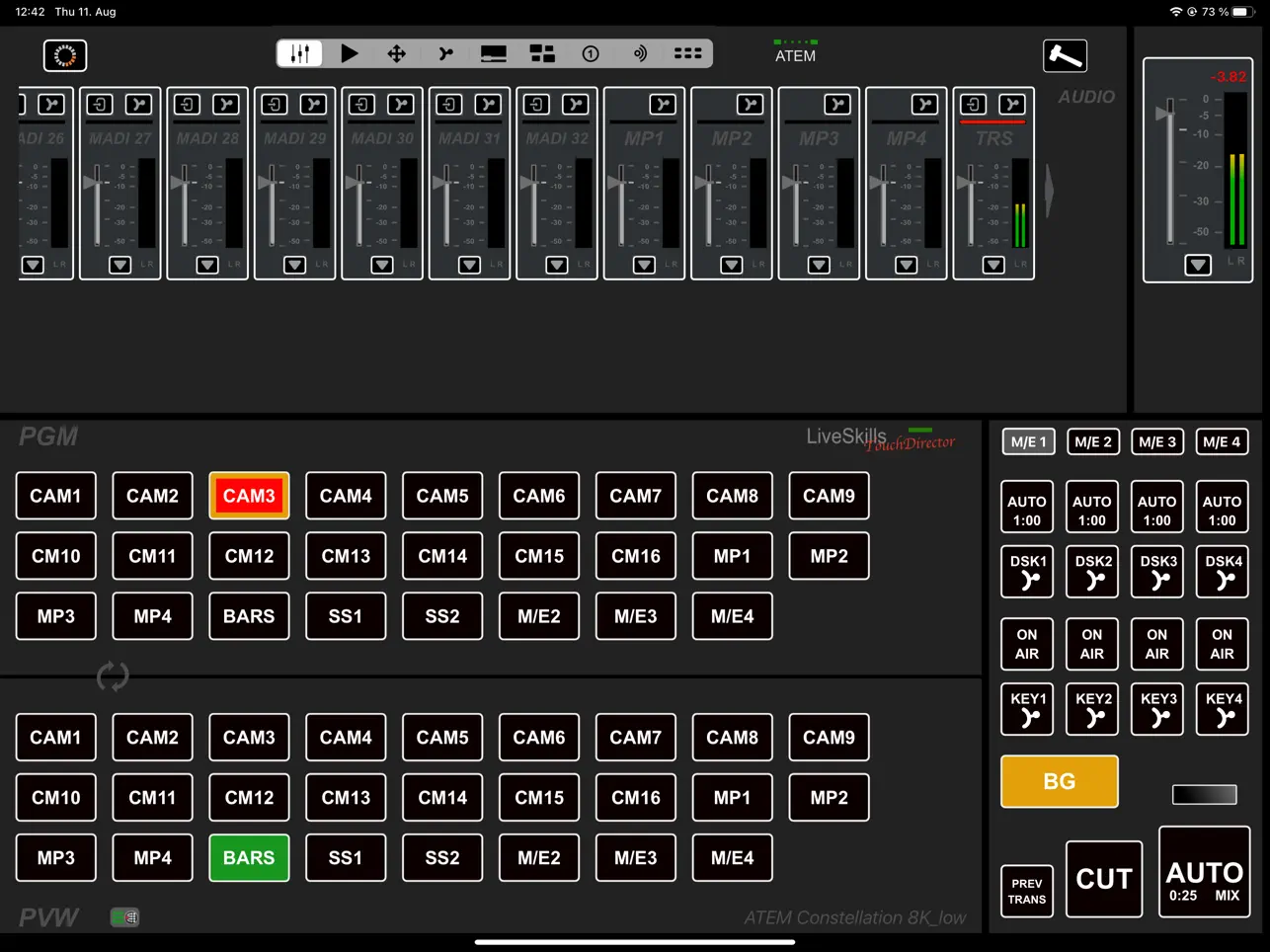
TouchDirector ATEM Panel app to control every ATEM switcher from ATEM Mini to the ATEM Constellation in broadcast panel style.
In addition to PVW/PGM, quick macros and transition area, you can select one of the following sections:
• Audio
• HyperDeck playback control
• Aux control (up to 24 with Constellation 8K)
• M/E 1 Key and DSK sources control in broadcast panel style
• ATEM internal media player control(up to 4 by Constellation 8K)
• SuperSource/DVEK with box animation
• WorldTally system
• Streaming/recording
• All macros
Macro driven animation of SuperSource boxes and also up to 4 DVE key boxes with real-time generated macros. TouchDirector is generating, sending and executing animation macros in real-time.
This revolutionary solution makes animation much smoother, for SuperSource animation in progressive formats and for DVE Key animation in broadcast quality in all progressive and interlaced formats.
More TouchDirector features:
• Save your Multi PIP compositions to your iCloud or other cloud services or share it with other iOS devices
• Load compositions instantly or use Quick Composition buttons to prepare your upcoming Multi PIP events, it's like having multiple SuperSources!
• Zoom up and down every single box e.g., to bring a talk guest from a discussion into front and back to the composition. Simply switch on the “single box zoom button”, and every box tapped by your finger will expand or collapse again, with just a touch on the visualized Multi PIP tool in the app!
• Send all PIP boxes out of the screen after preparing. Then bring only the background on air and all boxes with a quick composition button animated back to the screen - an amazing effect!
• Easy streaming setup for ATEM Mini Pro/ISO/Extreme with TouchDirector App for iPad. Copy and paste your streaming data and start streaming instantly without complicated XML editing.
• Monitor your stream quality with the "Streaming data rate monitor", which records the data rates every second. Export streaming protocol e.g. for your client as chart in PNG format.
• Select sources for all aux out in a broadcast panel design with customizable buttons.
• Select sources for all upstream keys and all DSK keys in a broadcast panel design with customizable buttons.
• Macros, Audio control, PVW/PGM row, AUX control, worldwide Tally, Media Player control, HyperDeck control.
• PGM/PVW row is visible and switchable all the time, you can also swap PGM/PVW row to switch more comfortably on the iPad.
• Manage and start up to 100 ATEM macros arranged in 10 groups and up to Quick macro buttons in definable number of rows between PGM/PVW and key area.
• See the audio levels live and adjust them while controlling other part of the ATEM. Audio setup popup for every channel with on/off, tie, volume and balance slider.
• See all AUX sources in one view and set them in broadcast panel style.
• Send tally to your remote camera people and connect to them with team chat.(free: max. 4 participants)
• Choose stills and clips in the ATEM integrated Media Player, tie clips with DSK or Transition (Media player 1 - 4).
• Connect 1 or 2 HyperDecks (all models) and use it as fully automated integrated media player for pre-produced clips or key-animations (use fill and key output at the HyperDeck Mini for alpha channel clips).
• Generate clip lists with mark in and out and set repeat for your clips stored on your HyperDeck and HyperDeck Mini.
• Assign your HyperDeck inputs related to their physical inputs in the Deck Assignments, also for Key and Fill.
• Control your Key and DSK pre multiplying in one view in the Key Assignment settings.
• Assign your DVEK boxes to your desired upstream key in the Key Assignment settings.
• Recording functionality, you are able to control the recording functionality of an ATEM Mini/Extreme with up to 2 connected SSDs.
• Timecode functionality: TouchDirector can now set ATEM time code type and preset time code in the new recording area.
Quoi de neuf dans la dernière version ?
Fixed a crash with ATEM 4 M/E Constellation 4K Plus.