TotLock
iPhone / Photo et vidéo
TotLock turns any YouTube video into a tap-proof, swipe-resistant fullscreen experience built for one job: keeping a tiny human happy while a grown-up gets thirty seconds to themselves.
Hand the phone to a baby. Walk away. The video keeps playing.
WHAT IT DOES
• Tap-proof video. Touches on the player are absorbed. No accidental pause, no skip, no jumps to suggested videos or the channel page.
• Hand-it-over confidence. The home indicator is hidden, the status bar is hidden, and the screen stays awake while a video is playing.
• Stickier than the home gesture. iOS swipe-down for Notification Center and Control Center is deferred so they need a deliberate second pull. Random palm-swipes don't escape.
• Secret unlock combo. Triple-tap the bottom-left corner, then triple-tap the bottom-right corner within 5 seconds. Easy for an adult, almost impossible for tiny fingers to do at random. The corners glow softly when you tap the screen, reminding you where to aim.
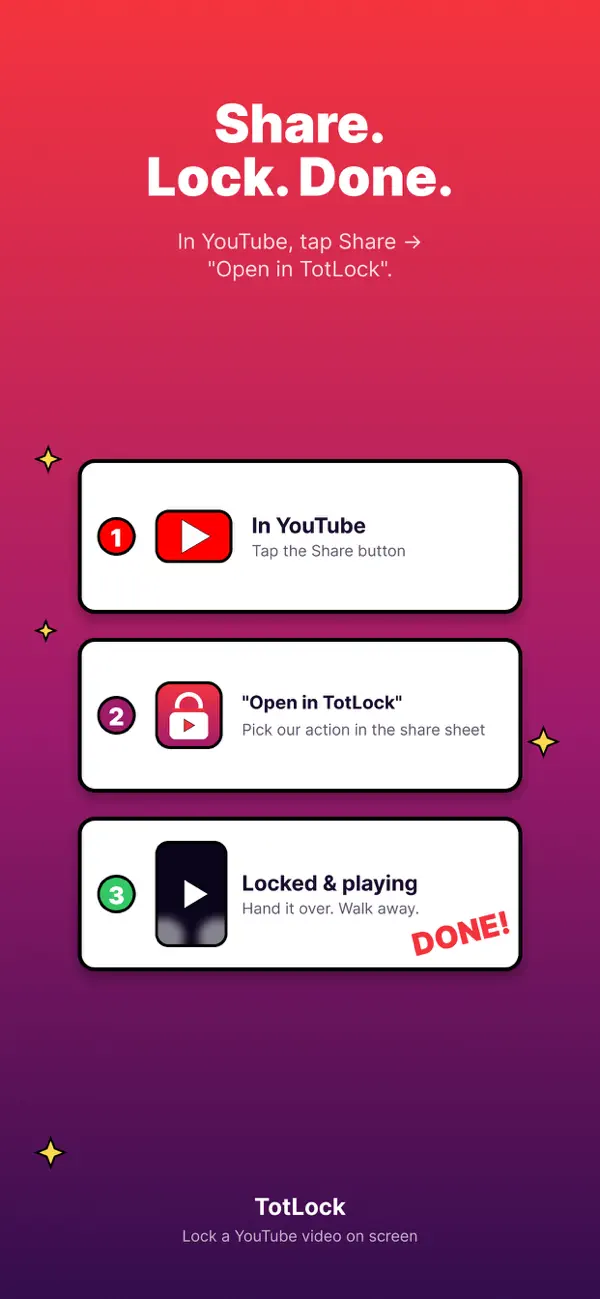
• Share from YouTube. In the YouTube app, tap Share, then "Open in TotLock". The video opens here, locked and playing. One tap.
• Auto-resume. Phone call interrupted you? Screen locked? When you come back to TotLock, the video automatically resumes.
• Paste-from-clipboard fallback. If you'd rather copy the link from anywhere, TotLock detects URLs on your clipboard and surfaces a one-tap Paste card.
FOR THE STRICTEST MODE: GUIDED ACCESS
iOS Guided Access pairs perfectly with TotLock. Settings → Accessibility → Guided Access → toggle on and set a passcode. Then, after starting playback in TotLock, triple-click the side button. iOS will pin the app on screen until you triple-click again and enter your passcode. This is the most foolproof setup for handing the phone to a small child.
WHAT IT IS NOT
TotLock is not a curated video service. It plays whatever video link you hand it. We don't pre-screen content for age-appropriateness. You are responsible for what your child watches.
If a video has been published with embedding disabled by its uploader, TotLock will show the standard "watch on YouTube" placeholder. Pick a different video.
REQUIREMENTS
• iPhone (this app is iPhone-only)
• iOS 16.0 or later
TotLock is built with one parent in mind: the one who needs both hands free for thirty seconds.
Quoi de neuf dans la dernière version ?
bugfixes