iPhoneAddict Apps
  • Actualités
  • Accueil Apps
  • iPhone
  • iPad
  • Universelles
  • Mac
  • Apple TV
KG KultureGeek
App
iPhone / iPad Télécharger iAddict v5 Mac Télécharger iAddict Mac
  • Actualités
  • Accueil Apps
  • iPhone
  • iPad
  • Universelles
  • Mac
  • Apple TV
  • Archives keynotes
  • Firmwares & iTunes
  • Contactez-nous
  • Comparateur de prix
  • KultureGeek
Accueil » Liste des Apps » Apps Universelles » Photo et vidéo » OK Video - Clips Camera
11.2 iOS €Gratuit pixelrock 5 8 Tap. Record. Share. OK Video is the simplest video camera you have — and there’s no need to edit. Just tap and hold the screen to record as many shots as you want. It’s the fastest way to create a vlog, stop motion video, or just capture...
OK Video - Clips Camera

OK Video - Clips Camera

iOS Universel / Photo et vidéo

Gratuit
Obtenir sur l'App Store
Facebook X E-mail

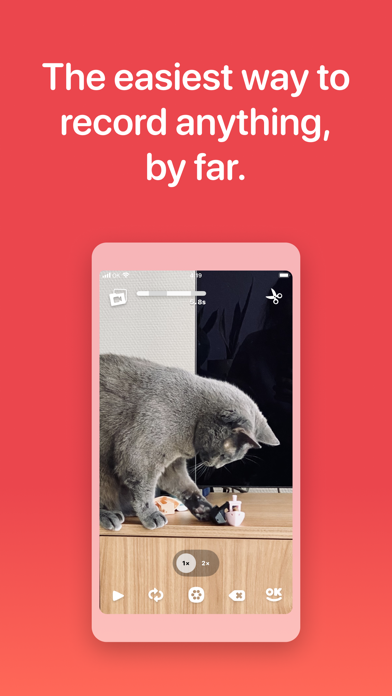
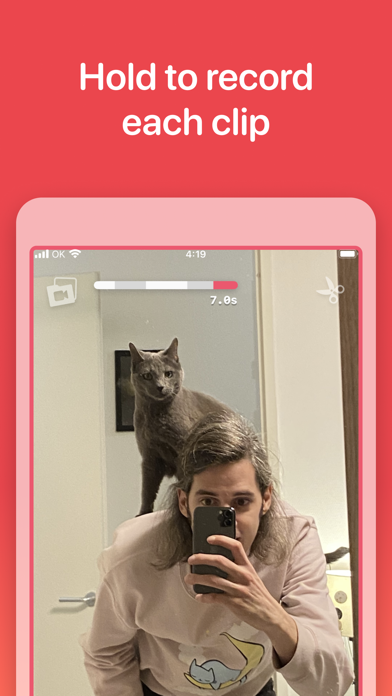
Tap. Record. Share. OK Video is the simplest video camera you have — and there’s no need to edit. Just tap and hold the screen to record as many shots as you want.

It’s the fastest way to create a vlog, stop motion video, or just capture what’s happening right now. Save to your phone or share it with anyone!

Still need to change something? It’s easy to remove mistakes, reorder shots, or tweak the timing in the Editor.

TAP TO RECORD

Tap and hold the screen to record the highlights so you don’t have to edit — with no limits but your imagination.

EASY SHARING

Just tap OK to save or share your video anywhere.

QUICK EDIT IF NEEDED

Need to perfect your project? Just trim, reorder, duplicate, or delete your clips with a tap.

NOT DONE? NO PROBLEM

Up to 6 projects means you can finish things whenever you’re ready — and instantly access them with the home screen widget.

PRIVACY FIRST

No tracking. No analytics. Just your videos, on your device — until you decide to share them.

OK Video is a unique little app that takes your time seriously and never bugs you about cookies, subscriptions, ads or with other nasty practices. Hopefully you’ll have a great time making OK videos, and if not: please don’t hesitate to reach out!

En voir plus...

Quoi de neuf dans la dernière version ?

Timestamps!

This new feature lets you add a timestamp to your clips, showing the exact recording date and time. These will be rendered on your exported videos in the bottom-right corner. Look for the option in the Settings menu under ‘Video Overlays’.

For a small, one-time purchase you can now add an old-school camcorder feel to your projects.

Other bits:
- Fixed issue with blinking camera view
- Updated ’Show Watermark’ setting to new picker to select video overlays
- Improved support for variable font sizes
- Added a cool new timestamp purchase animation

Notes:
- There still an iOS issue with the locked camera capture ability. When your clips don’t seem to import, try opening the extension and closing the extension and open the app from your home screen. Apple is aware of the problem and will hopefully release a fix soon.
  • Screenshot #1 pour OK Video - Clips Camera
  • Screenshot #2 pour OK Video - Clips Camera
  • Screenshot #3 pour OK Video - Clips Camera
  • Screenshot #4 pour OK Video - Clips Camera
  • Screenshot #5 pour OK Video - Clips Camera
  • Screenshot #6 pour OK Video - Clips Camera

D'autres applications du développeur

FezlatorFezlatoriPhoneJumpy WallJumpy WalliPad

Note

(8 notes)

Détails sur l'application

Version
11.2
Taille
15.5 Mo
Version minimum d'iOS
15.5
Dernière mise à jour
02/06/2026
Publié par
pixelrock

Newsletter App Store

Recevez chaque jour les meilleures promos

Actualité Apple

Image Les États-Unis ne veulent pas qu’Apple achète de la RAM chinoise
Les États-Unis ne veulent pas qu’Apple achète de la RAM chinoise
Image Apple retire sa pub polémique avec un enfant et un iPhone en Italie
Apple retire sa pub polémique avec un enfant et un iPhone en Italie
Image L’iPhone Ultra pliable va-t-il résoudre les défauts du Galaxy Z Fold 8 ?
L’iPhone Ultra pliable va-t-il résoudre les défauts du Galaxy Z Fold 8 ?
Image Mac : des hackers exploitent la faille du partage d’écran avec un mineur de cryptomonnaie
Mac : des hackers exploitent la faille du partage d’écran avec un mineur de cryptomonnaie
iPhoneAddict Apps

Le catalogue iPhoneAddict pour suivre les nouveautés, mises à jour et baisses de prix de l’App Store.

Apps

Toutes les apps iOS iPhone iPad Universelles Mac Apple TV

iPhoneAddict

Actualité Apple Archives keynotes Contact À propos KultureGeek

Suivez-nous

©2009-2026 i2CMedia. Tous droits réservés.