iPhoneAddict Apps
  • Actualités
  • Accueil Apps
  • iPhone
  • iPad
  • Universelles
  • Mac
  • Apple TV
KG KultureGeek
App
iPhone / iPad Télécharger iAddict v5 Mac Télécharger iAddict Mac
  • Actualités
  • Accueil Apps
  • iPhone
  • iPad
  • Universelles
  • Mac
  • Apple TV
  • Archives keynotes
  • Firmwares & iTunes
  • Contactez-nous
  • Comparateur de prix
  • KultureGeek
Accueil » Liste des Apps » Apps Universelles » Photo et vidéo » MovStash - Blur Video Editor
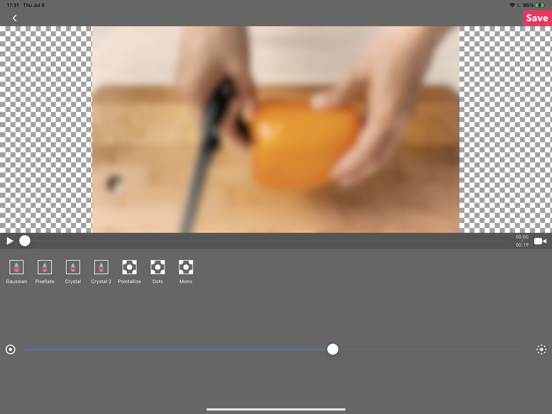
6.3 iOS €Gratuit REAFO CO., LTD. 4.3 19 This app is for making mosaic/blur video. You can choose 4 types of blur. ■Simple mode. Simple mode is for Blur to the specified area and all duration of the video. -- How to edit mosaic/blur -- Position :Drag mosaic/blur area directory or...
MovStash - Blur Video Editor

MovStash - Blur Video Editor

iOS Universel / Photo et vidéo

Gratuit
Obtenir sur l'App Store
Facebook X E-mail

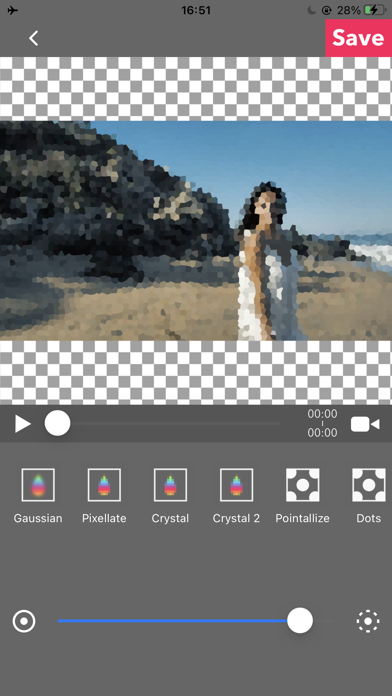
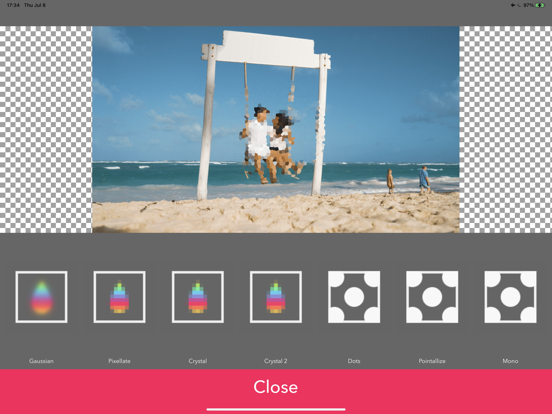
This app is for making mosaic/blur video.

You can choose 4 types of blur.

■Simple mode.
Simple mode is for Blur to the specified area and all duration of the video.
-- How to edit mosaic/blur --
Position :Drag mosaic/blur area directory or screen using with one finger.
Size :Pinch mosaic/blur area directory or screen using with two fingers.
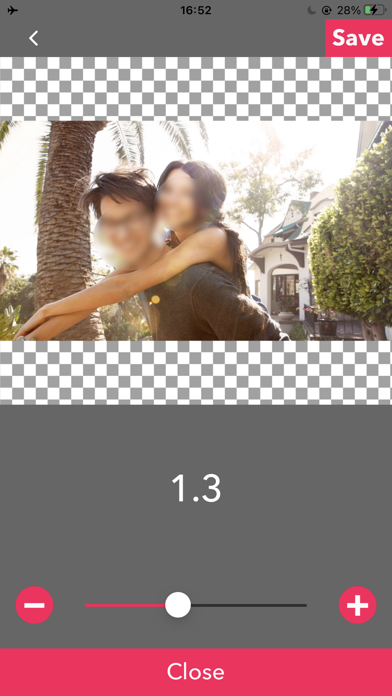
Blurriness:Parallel swipe mosaic/blur area or screen using with two fingers.

■Timeline mode.
Timeline mode is you can blur to the specified area in a specified time range of the video.

-- How to use basics. --
1. Select the video.
2. Press [+] button to add a new blur area.
3. Drag the red area to the place you want to blur.
4. Press [OK].
5. [≡] button is to show the list of blur areas. you can edit again after you've done once.
6. Adjust blur types and level, and then press [save] to render the video with blur.

-- How to set the time range
1. Press [+] button to add a new blur area.
2. Slide the slider to the time that is started blur.
3. Drag the red area to the place you want to blur.
4. Slide the slider to the time that is ended blur.
5. Drag the red area to the place you want to blur.
6. You can see three thumbnails under the slider. Tap the last one and press the trash bin button to delete.
7. Then the blur area is only showed up in the time range.
8. Press [OK] to do it.
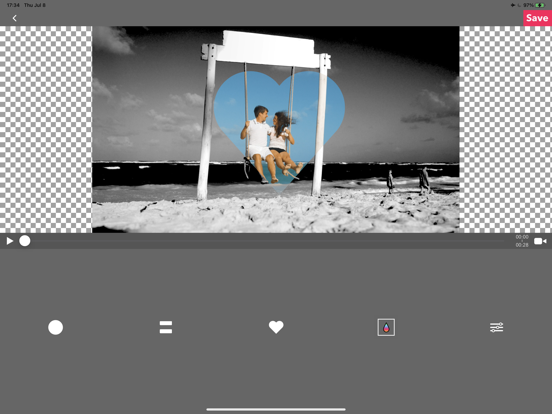
-- How to change the shape of blur area
1. Tap the red area which is located under the slider.
2. Select the shape you want to.

■Face tracking mode
App blur faces that are recognized.
Face tracking mode is not a perfect solution to blur faces so be careful.

-- How to use --
・Faces are recognized automatically after you select a video.
・You can adjust blurs size/level/type and inverse area or nor.
・Press [save] to export it.

En voir plus...

Quoi de neuf dans la dernière version ?

Thank you for using our service.
- Fixed minor bugs.
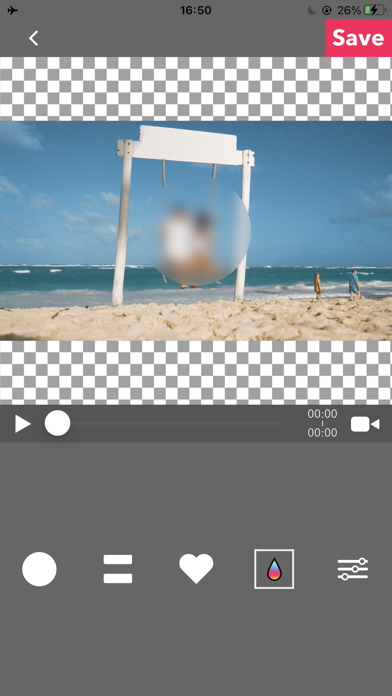
  • Screenshot #1 pour MovStash - Blur Video Editor
  • Screenshot #2 pour MovStash - Blur Video Editor
  • Screenshot #3 pour MovStash - Blur Video Editor
  • Screenshot #4 pour MovStash - Blur Video Editor
  • Screenshot #5 pour MovStash - Blur Video Editor
  • Screenshot #6 pour MovStash - Blur Video Editor

D'autres applications du développeur

12Things - Simple Todo's and reminder.12Things - Simple Todo's and reminder.iOS UniverselLookApp - ASO ToolLookApp - ASO TooliOS UniverselQRcodeGear - Read & CreateQRcodeGear - Read & CreateiOS UniverselSimplyticsSimplyticsiOS UniverselSquarely - Multi Video EditorSquarely - Multi Video EditoriOS UniverselRFV - Rotate & Flip VideoRFV - Rotate & Flip VideoiOS UniverselVoir toutes les apps

Note

(19 notes)

Détails sur l'application

Version
6.3
Taille
44.7 Mo
Version minimum d'iOS
15.0
Dernière mise à jour
31/07/2026
Publié par
REAFO CO., LTD.

Newsletter App Store

Recevez chaque jour les meilleures promos

Actualité Apple

Image Adobe Premiere, After Effects et Audition ne vont plus supporter les Mac Intel
Adobe Premiere, After Effects et Audition ne vont plus supporter les Mac Intel
Image MacPaw et Liquid AI préparent une couche d’IA locale pour les applications Mac
MacPaw et Liquid AI préparent une couche d’IA locale pour les applications Mac
Image iMessage est disponible sur Android avec Sunbird
iMessage est disponible sur Android avec Sunbird
Image Apple Vision Pro : une étude confirme son intérêt en chirurgie avec des opérations 19 % plus rapides
Apple Vision Pro : une étude confirme son intérêt en chirurgie avec des opérations 19 % plus rapides
iPhoneAddict Apps

Le catalogue iPhoneAddict pour suivre les nouveautés, mises à jour et baisses de prix de l’App Store.

Apps

Toutes les apps iOS iPhone iPad Universelles Mac Apple TV

iPhoneAddict

Actualité Apple Archives keynotes Contact À propos KultureGeek

Suivez-nous

©2009-2026 i2CMedia. Tous droits réservés.