Kage - PII Redaction
iOS Universel / Photo et vidéo
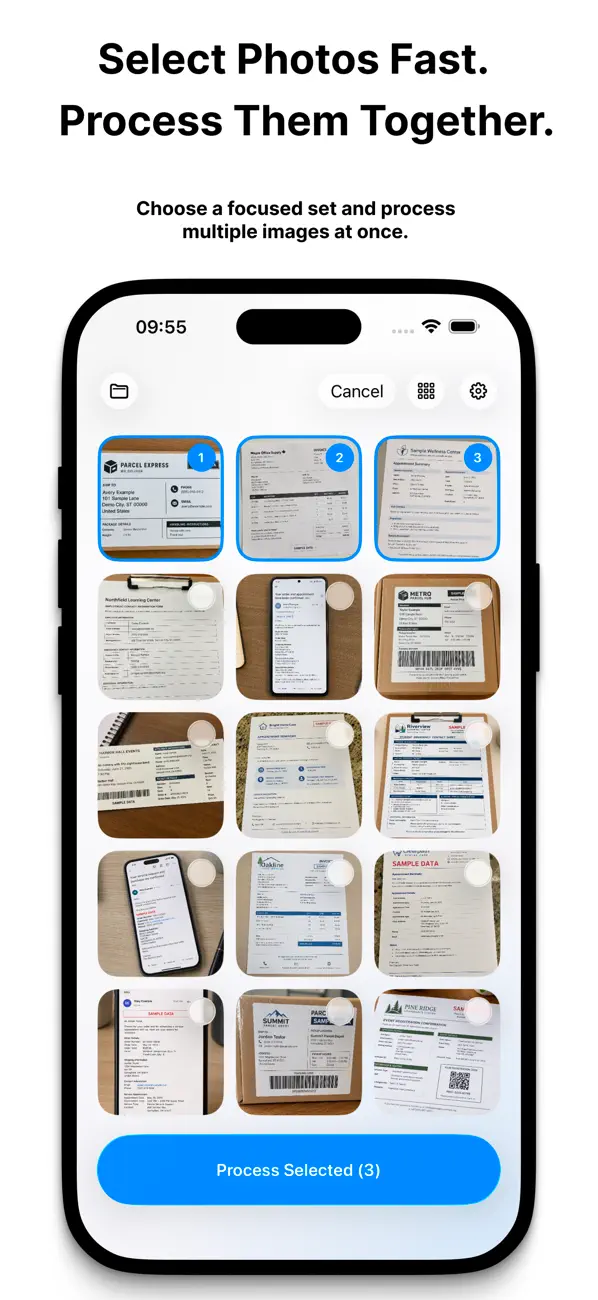
Kage helps you share screenshots, receipts, documents, and everyday photos without exposing private information. Pick a single photo privately, open an image file from Files or another app, or grant Photos access to work through selected images from your library. Kage analyzes each image on device, highlights sensitive areas, and gives you clear, hands-on control before export.
Key features:
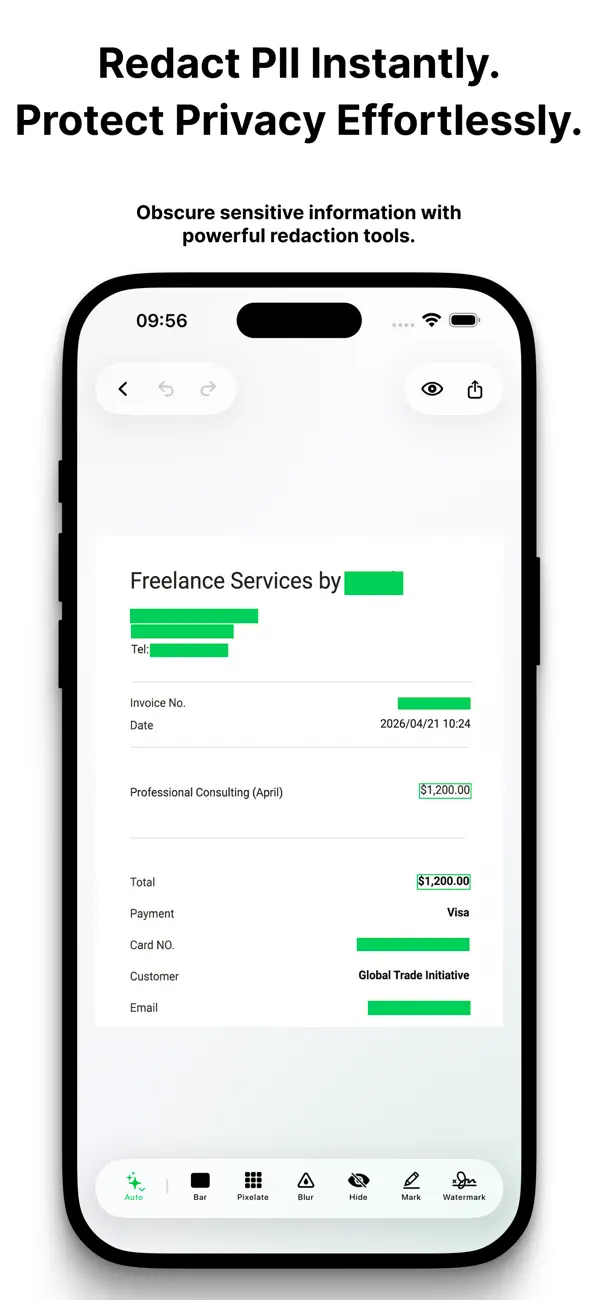
• Detect sensitive details on device, including faces, barcodes, email addresses, phone numbers, links, addresses, names, IP addresses, account IDs, reference IDs, monetary amounts, license plates, and more.
• Automatically redact high-confidence sensitive areas, or review suggested items before deciding what to hide.
• Draw your own manual redaction regions whenever you need precise control.
• Choose from blur, pixelation, solid bars, marker-style coverage, hidden text, and emoji face masks.
• Inspect EXIF and other image metadata before exporting.
• Remove location, camera, and timestamp metadata by default, with the option to include original metadata when needed.
• Enable an optional EXIF map preview when a photo contains GPS metadata.
• Review multiple selected photos, mark them complete, and export them together.
• Preview the final result before export, add a customizable watermark, and undo or redo changes as you work.
• Share processed images directly from Kage, save to Files, save a duplicate to Photos, or replace the original photo when you choose.
Kage is built for privacy-first workflows. Processing stays on device, and Kage does not collect or share your personal data, including photos, analytics, crash reports, or debug logs.
Quoi de neuf dans la dernière version ?
- General improvements to redaction rendering and editing.
- More precise redaction for rotated and angled text.
- More precise redaction for rotated or partially cropped QR codes.
- Watermark text can now be scaled down to 10%.