Cut Me In Picture
iPhone / Photo et vidéo
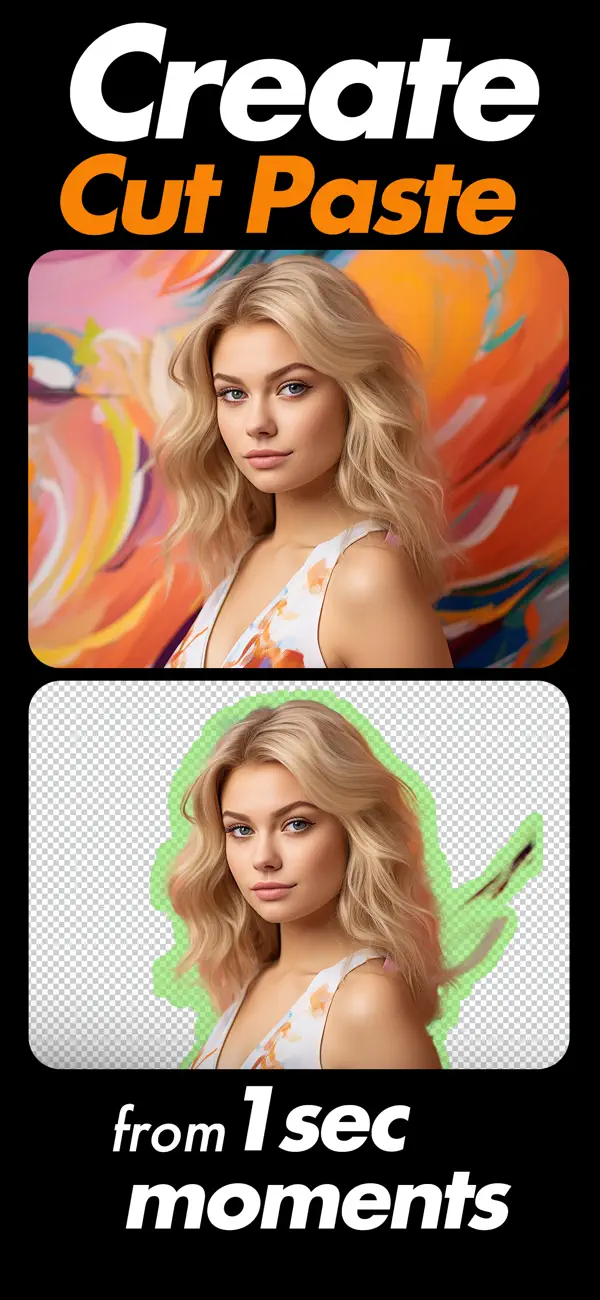
Remove unwanted part of your photos by cutting it in any shape and paste it to beautiful background images.
Create stunning photo edits in just a few taps. Cut Me In Picture lets you cut yourself or any subject from a photo and place it into beautiful new backgrounds with smooth, natural results. Whether you are creating fun edits, social media posts, or creative designs, the tools are simple and powerful.
Now with AI Powered Editing
The latest update introduces intelligent AI features that automatically detect and remove backgrounds with greater accuracy. Get cleaner cutouts, sharper edges, and faster results without complicated steps.
Key Features
• AI Auto Background Removal
• Manual cut and erase tools for detailed editing
• Cut photos in any shape and place them into new backgrounds
• Advanced zoom for precise editing
• Crop tool with multiple aspect ratios
• Add custom background images
• Apply effects and stylish themes
• Adjust brightness, contrast, saturation, exposure, shadow, temperature and more
• Smooth and refine edges for natural blending
• Add stickers and text to personalize your photos
• Save high quality images to your gallery
• Share directly to your favorite platforms
Designed with an updated, clean interface for a smoother editing experience.
Quoi de neuf dans la dernière version ?
- Fixed bugs for a smoother and more reliable experience
- Updated UI for a cleaner and more modern look
- Added new sticker styles to enhance your edits