Composite Photo
iOS Universel / Photo et vidéo
Composite Photo can help you create new compositions from individual photos, drawings and text.
Examples of the ways this app can improve your creativity:
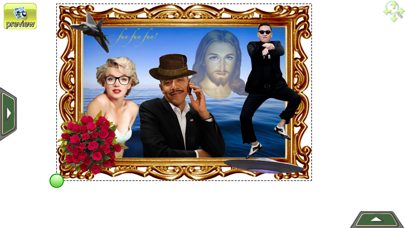
- Add frames to a photo: You can choose frames from the many available in the app’s library. Then you can add photos. Both the frames and your photos are easy to scale (both proportionally and non-proportionally). You can rotate; change the color, hue, brightness; crop and add transparency to ensure the frame and photo fit perfectly.
- Add text to a photo: You can enter any text, then select from over 150 free font types; change the text size, modify colors and position text over the photo. If you want more control of the text, just simply enter the text into a separate box (textbox) to easily manipulate the text.
- Add drawings: You can draw directly onto a photo or draw on a separate box (draw box). This features allows you to draw lines, erase, fill areas with highly customizable colors. It included dimensions, transparencies, filter thresholds etc.
- Modify or fix a photo: Drawing is also a good tool for small photo edits such as making sections of a photo transparent or changing colors of some areas. You can also crop a photo to the size you want.
- Apply photo filters: There are over 60 filters you can apply to any photos, added text or drawings. With filters you can change colors, hue, brightness, contrast, opacity or pixellate, emboss or posterize to create special effects.
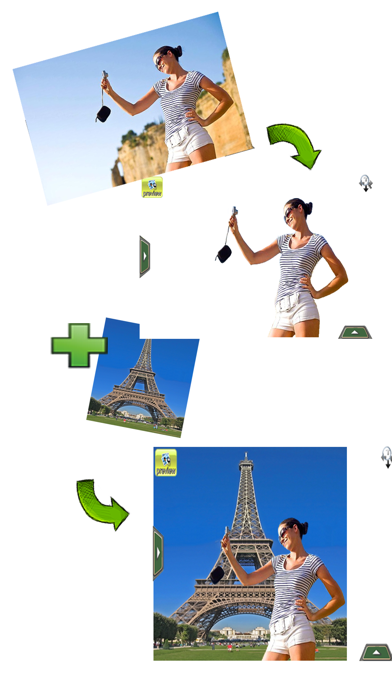
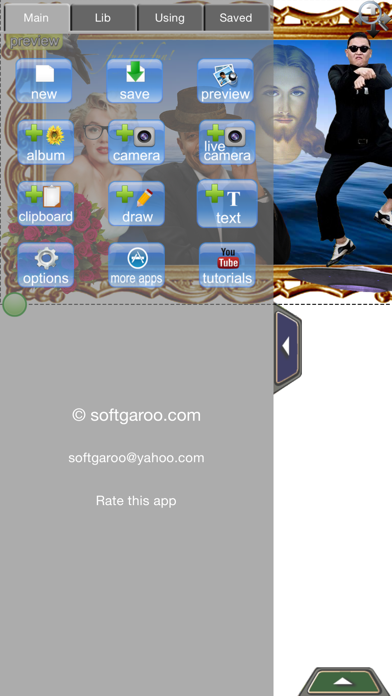
- Create composite photos: You can create a new photo from the photos stored in an album on your desktop or directly from the camera photos. With the Add Text and Add Drawings features you can enhance and manipulate existing photos to create new ones. New composite photos are easily manipulated. For example, you can move, rotate, scale proportionally or non-proportionally, flip, change their z-order, apply photo filters to create an entirely new composite photo that can be saved to your photos album, uploaded to Facebook, sent as an email attachment or copied to the clipboard (as the source file for other composite photo).
- Create rage comics or add rage faces / icons into a photo: The library has more than 350 rage face photos, frames and speech bubbles. The app also has strong abilities to add texts, drawings and other library's photos... All could help you to create rage comics easily
Composite Photo has over 1300 high quality photos, ready to add to your existing photos. The number of photos in the library and number of filters continues to grow.
Quoi de neuf dans la dernière version ?
This update from Apple will improve the functionality of this app. No new features are included.
- Fix some small bugs
- All downloadable photo albums are now free
- Save projects
- Improve interface