Braces Booth Editor
iPhone / Photo et vidéo
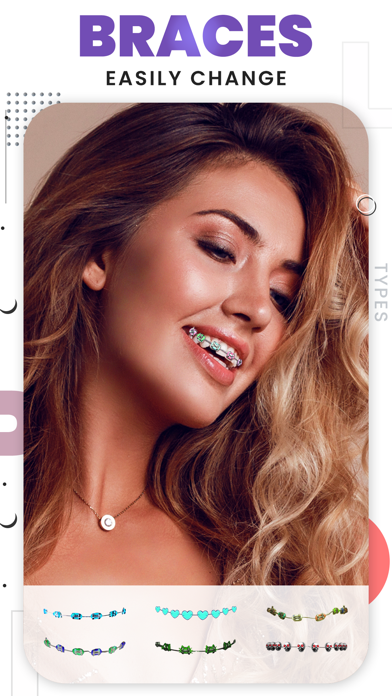
Braces Booth Editor lets you try different braces styles on your photos and create fun, realistic looks in just a few taps. Choose from a wide range of braces stickers and customize them to match your smile.
Easily import photos from your camera or gallery and apply braces with adjustable size, position, and opacity for a natural result. Add effects and enhance your images to make them more expressive and ready to share.
The app now also includes a built-in video editor, allowing you to create and edit videos using photos, clips, and Live Photos. You can add text, music, stickers, and filters to bring your content to life.
With a simple and user-friendly interface, Braces Booth Editor makes both photo and video editing easy and enjoyable.
Features
Apply realistic braces stickers to your photos
Multiple braces styles and categories to choose from
Adjust size, position, and opacity for a natural look
Import photos from camera or gallery
Apply effects and enhance your images
Share edited photos easily on social platforms
Video Editor
Create videos using photos, videos, and Live Photos
Add text, music, and stickers to your videos
Apply filters to change the look and feel
Adjust brightness, contrast, and other settings
Easy-to-use timeline and editing controls
Add and manage media directly in your project
SUBSCRIPTION:
You can subscribe to premium features, choosing from the following plans:
– 1 month
– 12 months
– Lifetime (One Time Purchase)
The subscription automatically renews unless auto-renewal is turned off at least 24 hours before the end of the current period.
Payment will be charged to your iTunes account at confirmation of purchase.
Account will be charged for renewal within 24 hours of the end of the current period, and the cost of the renewal will be provided.
Subscriptions may be managed by the user. Auto-renewal may be turned off by going to the user’s Account Settings after purchase.
No cancellation of the current subscription is allowed during active subscription period.
Any unused portion of a free trial period, if offered, will be forfeited when the user purchases a subscription to that publication.
Terms of Use :
https://pyappsprivacy.wordpress.com/2020/01/24/terms-of-use/
Privacy Policy:
https://pyappsprivacy.wordpress.com/2020/01/24/privacy-policy/
Quoi de neuf dans la dernière version ?
- Added option to edit your previous edit.
- Improved UI for a smoother and more user-friendly experience.
- Fixes bugs to enhance performance and stability.