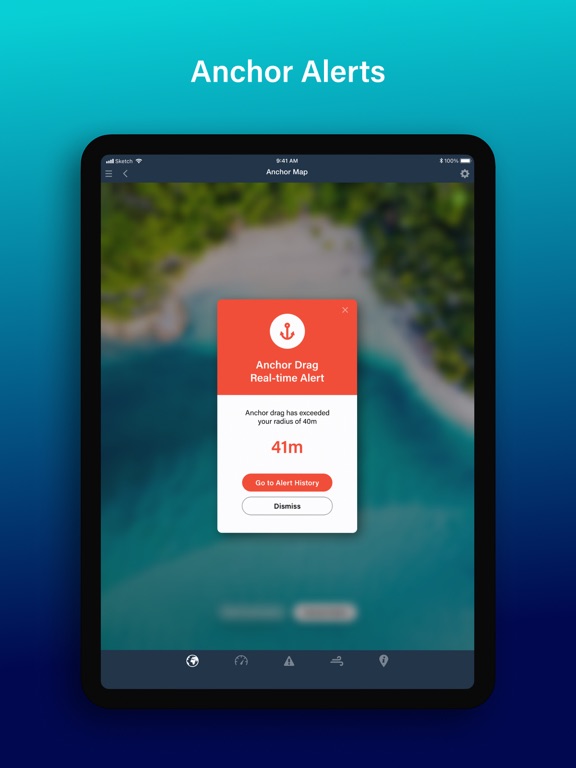
Anchor Alert
iOS Universel / Navigation
Get the best and newest Anchor App developed by the trusted world leaders in marine forecasting - PredictWind
Monitor your boat from anywhere on your phone. Set alerts & monitor your boat at anchor, view live N2K data and weather forecasts, on or off the boat. Customise your alerts, then relax knowing your boat is in good hands, with Anchor Alert.
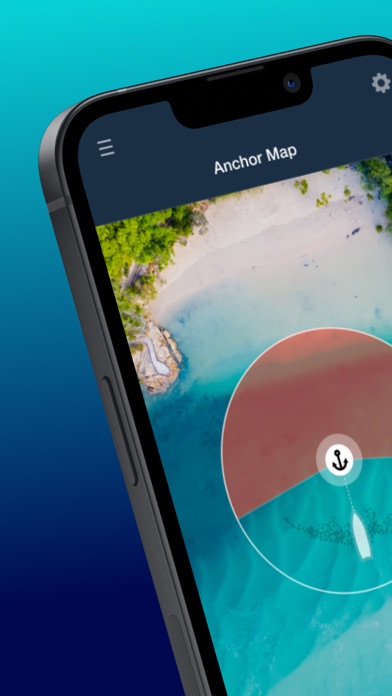
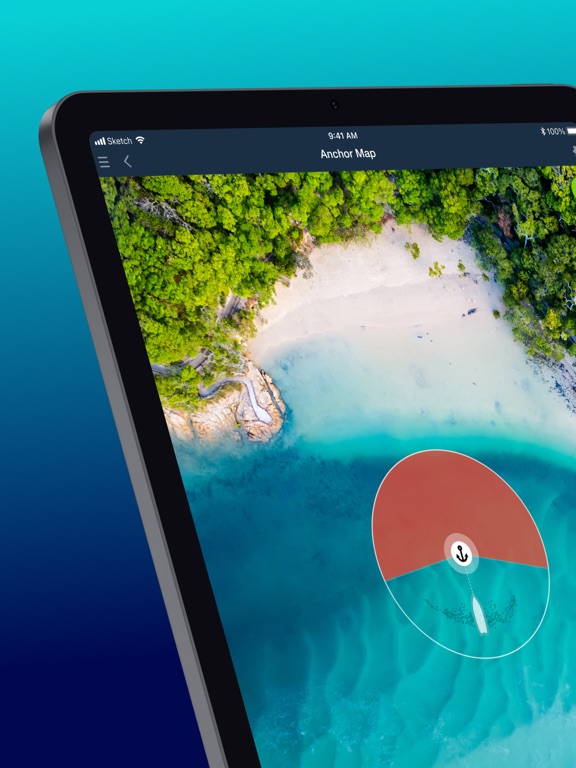
* Monitor your Anchor and Boat Position - Set your anchor position and preferences in quick or advanced mode, then monitor your vessel and position history on the map. Can be used with just your Phone or connected to your N2K backbone and a PredictWind DataHub.
* 3 Modes, Simple, Advanced or Datahub linked - Use Simple Mode to quickly drag the anchor into position and set a safe radius. Advanced allows you to manually enter data for increased accuracy. DataHub Link reads your N2K data and fills in the relevant info, then input how much chain you’ve let out, and you’re done!
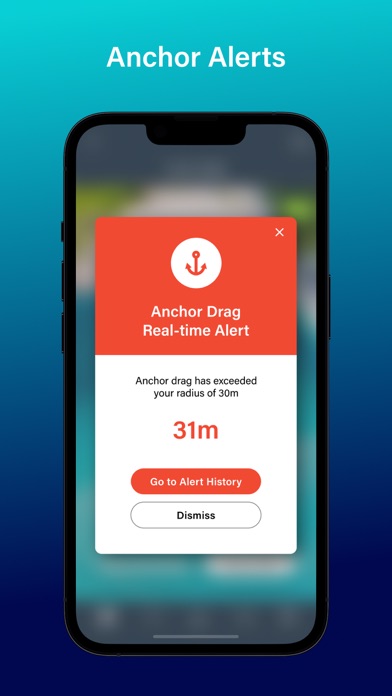
* Set Up Alerts - Use our preset alerts or customise your own real-time and forecast alerts. The DataHub allows Anchor Alert to read your boat’s N2K network and alert you when conditions move outside your specified safe limits.
* Works On & Off The Boat - Monitor your vessel and receive alerts onboard via the DataHub’s Wi-Fi network, or head ashore and stay connected over your vessel's existing internet connection. The DataHub is compatible with the Iridium GO! exec and other satellite connections to keep you connected literally anywhere on earth.
* Get PredictWind Weather forecasts - Know exactly what weather is headed your way, with highly accurate marine forecasts by PredictWind. View world-leading weather data with Daily Briefing, Tables and Graphs.
* Find the best spots to Anchor with Local Knowledge - See anchorage ratings and reviews from other users to get the top tips and advice.
Leave your Boat in Good hands with Anchor Alert by PredictWind.
Terms & Conditions:
The Anchor Alert App is not error or bug free. You agree to use the Anchor Alert App carefully and at your own risk. We disclaim all representations and warranties of any kind, expressed or implied, including, without limitation, the warranties of merchantability and fitness for a particular purpose. We are not liable for damages, direct or consequential, resulting from your use of the Anchor Alert App. You agree to defend, indemnify and hold us harmless from any claims, losses, liability costs and expenses (including, but not limited to, legal fees) arising from any such use. You acknowledge that you have only a limited, non-exclusive, non-transferable license to use the Anchor Alert App.
Terms of Use: https://www.apple.com/legal/internet-services/itunes/dev/stdeula/
Privacy Policy: https://www.predictwind.com/about-us/privacy-policy/
Quoi de neuf dans la dernière version ?
ACTION REQUIRED: Update your DataHub Pro firmware to version 4.50 BEFORE updating this app to ensure it connects correctly.
What's new in Anchor Alert 2.0.2
This update delivers significantly more reliable DataHub connections, clearer on-screen guidance when things go wrong, and easier sign-in for new users.
New Features
- Easier sign-in: New users can now sign in with Google, Apple, or Facebook — no separate password to remember. Existing users: tap "Continue with Email" and use your PredictWind account credentials.
- Clearer connection status: The radio waves icon (top-left of the Anchor Map) now turns green only when the app is fully connected to the DataHub AND receiving live NMEA data. If login fails, a clear error message is shown. Allow up to 10 seconds for the icon to turn green after opening the app.
Improvements & Fixes
- Connection reliability: Improved stability when starting and stopping alert sessions, including faster recovery from dropped connections. A new Connect button on the Anchor Map makes it quick to reconnect after a Wi-Fi or password issue.
- Session persistence: The app now automatically resumes your session when reopened — even after a force-close, reboot, or phone restart.
- N2K data improvements: Wind speed (TWS) conversion fixed and buffer reduced for faster sync with your chartplotter. Auto-refresh every 60 seconds has been added in Remote Mode on the Anchor Map and Dashboard pages.
- Drag Alert: Fixed a unit conversion error affecting metric-to-imperial radius calculations.
- Clearer error messages: Error messages now explain on-boat and off-boat states more clearly, with Retry buttons added to login and cancel failure prompts.
- Remote Mode: Alert Settings are locked when you're away from the boat, with a clear explanation displayed in the app.
- Alert display: Fixed text errors in alert messages and the Alert History detail view.
- Security: App credentials are now stored securely in the iOS Keychain.
- UI polish: Larger tap targets on the "Tap to Edit" screen to reduce mis-taps; Anchor Custom Coordinates updated to handle edge cases correctly.
- App stability: Resolved rare crash conditions.
Coming in the Next Update - We're actively working on these for the next release:
- Wind Direction Alert is not working in this version due.
- Enabling or disabling an alert type while a session is active does not work. As a workaround, stop your current session and start a new one to add alert types (e.g. Depth). Changing the value of an active alert (e.g. adjusting depth from 10m to 14m) works as normal.
- False alerts when Wi-Fi drops: If the app loses connection to the DataHub while your phone is connected to any Wi-Fi network, it may temporarily fall back to phone GPS and generate false Drag or Swing alerts. To resolve: reconnect your device to Wi-Fi, and the false alerts will stop.