spectwhirl
iOS Universel / Musique
"bells and whistles, literally"
spectwhirl is a hybrid spectral audio effect.
It can extract and rearrange sinewave components from input signal to make new sound textures and bell-like sounds.
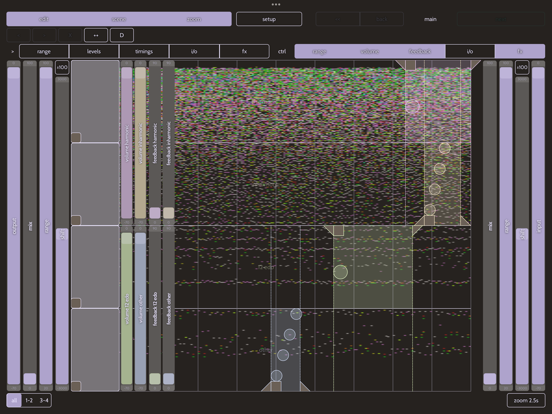
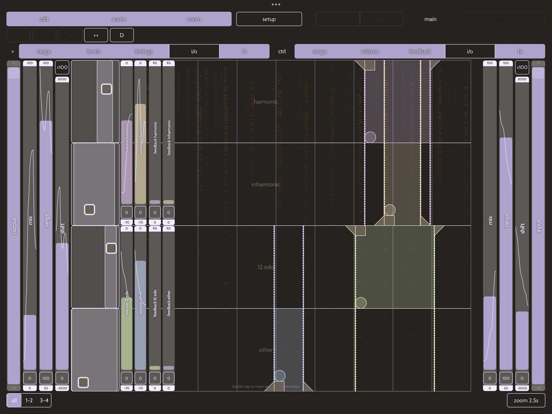
* input sound is converted to sinewave components that are divided into 4 groups: harmonic, inharmonic, 12-edo and other
* each component is fed into a delay line with feedback
* there is a group of frequency shifter and sample-and-hold effects before and after delay lines
* each set of sinewave components can be filtered
* all the parameters can be instantly automated with gesture recording
!!! Please note that this effect consumes much CPU and requires a modern device.
======================
Quick Start:
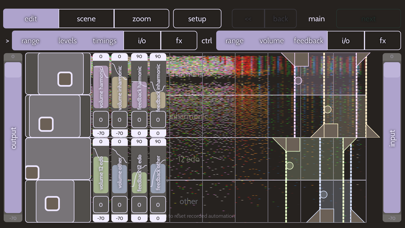
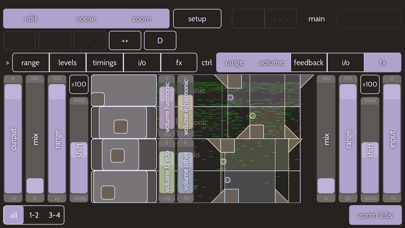
Top row of controls enables different parts of user interface: scenes editor ("scene"), controls switch ("edit") and "zoom" controls
When "edit" is switch on, you can show or hide various controls (marked as "ctrl") and switch gesture recording automation for some of them (marked with ">")
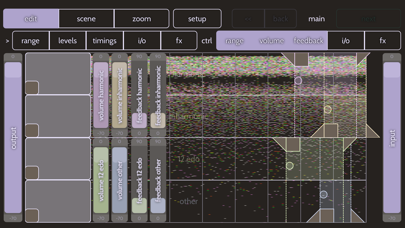
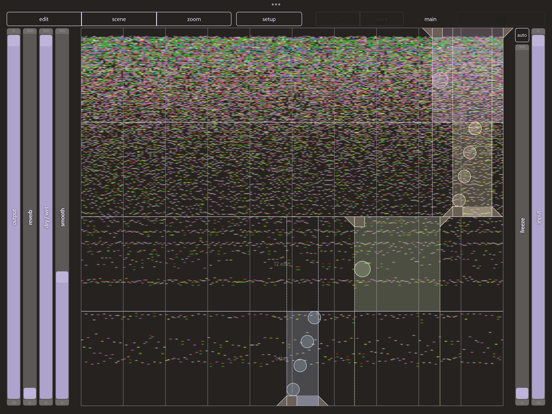
Main control surface displays sonogram with tracked elements. Colors are set accordingly to the group they are assigned (red-orange-green-blue are for harmonic, inharmonic, 12-edo and others). Each "lane" contains delay time controls.
* Triangle facing left is for the start locator, it determines initial delay time
* Square moves both start and end locators together
* When left locator is first moved you can see the right locator with the same triangle. It shows the end of the selected region, the secondary delay time is determined by the difference between left and right locators
* if you drag over the area of the region in a lane, the four-dotted/one circle indicator will change its appearance; this changes the arpeggio mode of the region. If set to leftmost position (one circle) the components go in-sync; if set to maximum value (shown as diagonal line with circles) - components are played sequentially
* all settings can be stored as "scene" and multiple scenes can be switched sequentially; there is a set of button to move, add and delete scenes. All scenes will be stored as machine state; it can be exported / imported as a single file or as separate file with current scene in the "setup" view
The standalone version always starts with output level set to -70 dB to avoid feedback
Quoi de neuf dans la dernière version ?
* added FFT synthesis mode for more balanced CPU load and different sound options
* improved file handling and compatibility for iOS17:
1. this build changes presets file names to .spectwhirlproject and .spectwhirlscene
2. the "Shared files" folder in app's documents folder is now used to share presets between standalone app and auv3. This folder syncronizes each time standalone is started
* fixed gesture recording in scenes
* "duplicate scene" now changes current scene number to a new one
* fixed timings gesture recording
* some more optimizations