Albums: Music Library Player
iOS Universel / Musique
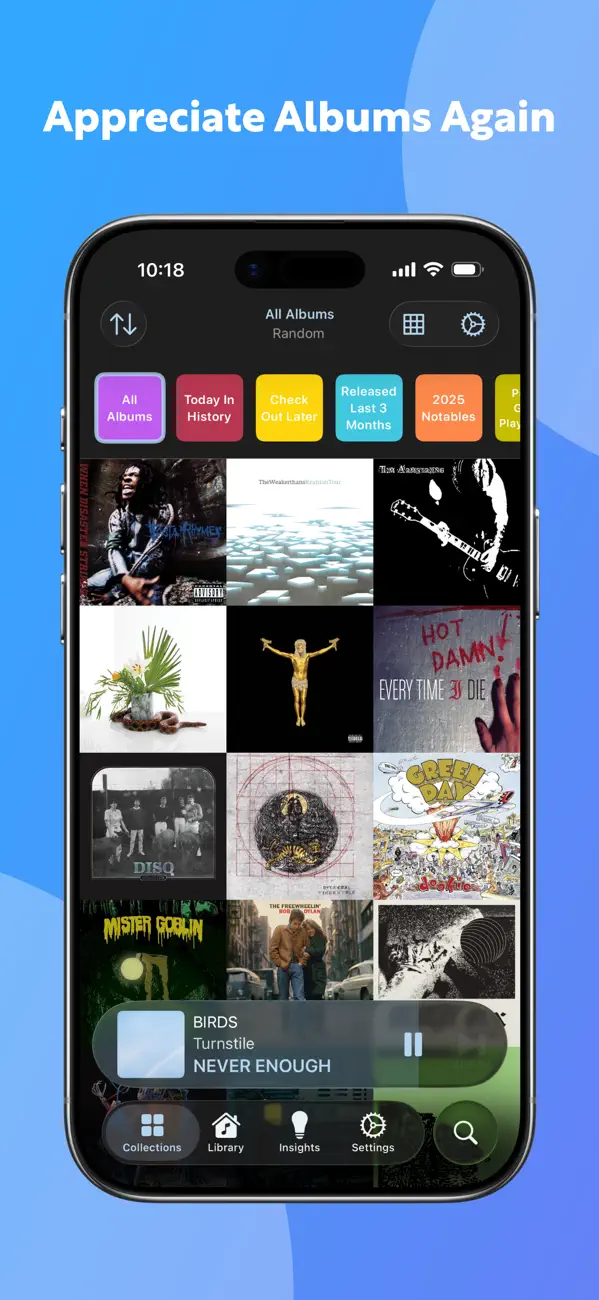
Albums is the Apple Music player that puts you in control of your music. Whether you just want to throw on album shuffle or spend hours meticulously sorting and filtering your collection, Albums cares about your music library as much as you do.
Free Features:
QUICK SELECTION
Just press “shuffle,” scroll through a grid of album art, or browse your library to select an album, and easily skip to the next one with album-focused controls.
WIDGETS & CARPLAY
See your music on your home screen with Now Playing, Collection, and Quick Collection widgets. Take it on the road with CarPlay, and pin albums and collections for easy access.
ICLOUD SYNC
iCloud sync ensures you can pick up listening where you left off across all your devices.
ALBUM NOTES
Add notes about albums or specific listening sessions.
ACCESSIBLE FOR ALL
Albums offers robust Siri interactions and App Intents and supports Dynamic Type.
Premium Tools for Power Users*:
SUBSTANTIAL STATS
Get weekly, monthly, and yearly reports looking back at your listening, and dig into the data with customizable charts.
LAST.FM COMPATIBILITY
Scrobble your listening in real-time or manually. Import your last.fm history to fill in the full picture.
MORE CUSTOMIZATION
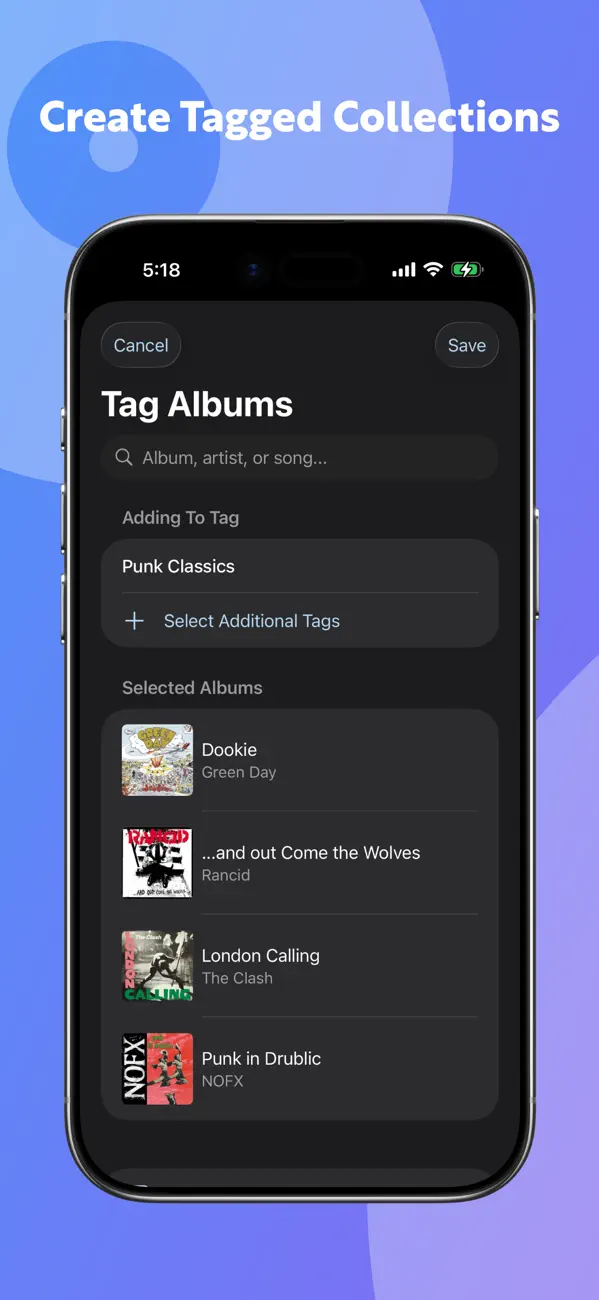
Explore built-in Insight Collections highlighting new and unlistened albums, old favorites you haven’t heard in a while, or even music from when you were in high school. Tag albums to create collections of your own. Customize the interface to match the color of your current album’s artwork with a simple two-finger tap.
RICHER DISCOVERY
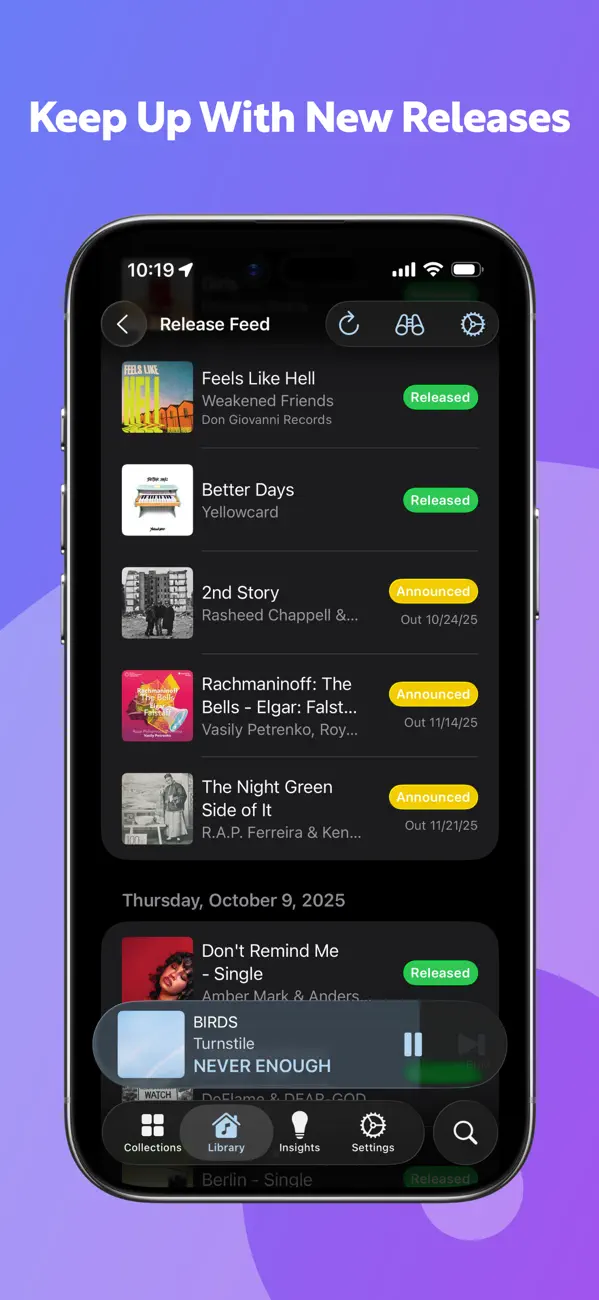
See what’s next with a release feed of Artists and Record Labels in your library. Delve into production credits from MusicBrainz and Discogs, then browse collections of Record Labels, Producers, and more.
*Requires Albums Premium
Note:
Albums optionally integrates with Apple Health. If you choose to give Albums access to your Workout history, it can create "Workout Jams" Insight Collections, which match up your listening history to your exercise history. You can enable this functionality by going to the Insights tab and tapping the settings gear next to the "Workout Jams" heading. Permission for Albums to access this data can be controlled via the Apple Health app.
Quoi de neuf dans la dernière version ?
Fixes:
- Fixed an issue where a resumed session could double-count a track and be marked as complete too early
- Fixed an issue where the queue might not proceed to the next album when playing Albums on one device and browsing it on another
- Fixed an issue where the Now Playing widget might incorrectly show the iCloud indicator while Albums was open on the Mac, even if you’d only been listening on your phone
- Cleaned up superfluous log messages so log file sizes should be significantly smaller
- Fixed an edge case where users who purchased a Lifetime unlock could have to restore purchases with every launch
- Fixed an issue where the “Learn More” pop up on the mini Paywall didn’t work in the Mac app when presented from a secondary window
- Fixed an issue where tracks on pre-released albums added from local files failed to play for non-Apple Music subscribers
- Fixed an issue where the Settings -> About link to send the developer an email could crash on macOS if you don’t have Apple Mail configured
- Fixed an issue where Albums would never again be able to show new albums on the Release Feed or pull in new albums on an artist’s collection page if the artist’s Apple Music catalog ID changed
- In the Mac app, modal sheets (such as the Tag Picker, Playlist picker, etc) now present with a more useful default size, are resizable, and will remember your preferred size.
- Fixed a handful of cases where modal sheets presented with incorrectly rendered buttons or were missing a Cancel button on macOS
- Fixed an issue where the Discography Browser didn’t correctly sanitize artist names returned from Discogs, leading to the inability to view certain albums.
- Fixed an issue where a non-library album whose Apple Music Catalog ID had changed since you last viewed in in Albums might need to be opened several times before displaying its tracklist
- Fixed an edge case where the Mac app could crash during an iCloud sync
- Fixed an issue where artwork and metadata could get out of sync when shuffling songs
- Fixed a couple of edge case crashes related to rearranging the queue
- Fixed an issue where the app could hang when tapping the “Show Additional Catalog Tracks” button
- Fixed animation issues when presenting the Now Playing screen