
CobbAngleApp
iOS Universel / Medecine
Cobb method is considered the standard for measuring curve size in scoliosis. Cobb angles are always measured from the superior end plate of the most cephalad end vertebra to the inferior end plate of the most caudal end vertebra in the curve. Meticulous line drawings and precise measurements is paramount importance in order to quantify the magnitude of spinal deformities and monitor the success or failure of treatment for scoliosis.
The CobbAngleApp is medical software aimed for orthopaedic surgeons, providing tools that allow doctors to:
-Securely import medical images directly from the camera or stored photos.
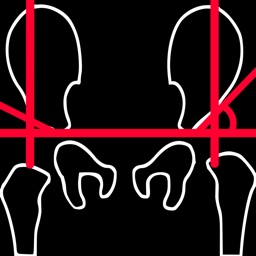
-Offers a very convenient way to determine the most accurate possibly way at once. By marking four points at the same X-ray, at each spine the App calculates the Cobb angle. In cases where values are out of normal ranges, the scoliosis is categorized according to measured angle as mild, moderate, severe. To simplify the process and to minimize inter-observer errors usually by not selecting the actual end vertebra, the app offers also in ext mode the ability to draw the vertical reference line through the patient’s sacrum and to identify more easily the end vertebrae s (ext method).
-Save the planned images, the measured values and results compared by normal reference databases, for later review or consultation.
-The app also is independent from errors produced by image inclination. Especially developed module allows the user to measure accurately without to worry about the tilting of the picture or the X-ray.
All information received from the software output must be clinically reviewed regarding its plausibility before patient treatment! CobbAngleApp indicated for assisting healthcare professionals. Clinical judgment and experience are required to properly use the software. The software is not for primary image interpretation.
In a busy everyday practice, the examiner have to draw lines in X-rays or in clinical settings, this it is time consuming and cumbersome. Accessory instruments like protractors, hinged goniometers, well sharp pencils, rulers or even transparent papers must be available. The app offers a very convenient and also accurate way to perform most common radiographic measurements for spine, in a blink of an eye in front of your screen. The build in feature of the app, allows results to be categorized may help decide what could be considered normal or pathologic.
The app is not a simple goniometer, is an enhanced product which helps to monitor objectively the course of the treatment and evaluate optimally the spine. This App is particular useful especially in clinical settings where you need a quick results without losing time. Please see tutorial videos at the developer’s web site www.orthopractis.com
Reference databases
1. Cobb JR. Outline for the study of scoliosis. The American Academy of Orthopedic Surgeons Instructional Course Lectures. Vol. 5. Ann Arbor, MI: Edwards; 1948.
Quoi de neuf dans la dernière version ?
Version 5.0 introduces a redesigned measurement workspace while preserving the established Standard and Extended workflows and the rounded acute Cobb-angle calculation.
• Consent and legal information now appear at each fresh app launch, with direct links to support, the Privacy Policy, and Terms of Use.
• A rebuilt concentric-circle selector lets you position the target and register its fixed center by double-tapping inside the target or using the Point button, reducing unintended movement.
• Step-by-step anatomical guidance identifies the current landmark, explains its location, and previews the point to select next.
• New translucent, compact panels include symbol controls, hide/show buttons, expandable sections, and scrollable menus.
• Image import from Photos, Files, and Camera now uses one orientation-correcting, size-normalizing workflow. Point positions remain consistent while panning, zooming, resizing, and exporting.
• Added fit, zoom, pan, lock, undo, backtrack, point editing, deletion, and one-image-pixel nudge controls.
• Added annotated image sharing, Photos saving where supported, text reports, and CSV point export.
• Added active-session recovery after current-launch consent and optimized layouts for iPhone, iPad, and Apple Vision Pro.
• General stability, privacy, and interface improvements.