iPhoneAddict Apps
  • Actualités
  • Accueil Apps
  • iPhone
  • iPad
  • Universelles
  • Mac
  • Apple TV
KG KultureGeek
App
iPhone / iPad Télécharger iAddict v5 Mac Télécharger iAddict Mac
  • Actualités
  • Accueil Apps
  • iPhone
  • iPad
  • Universelles
  • Mac
  • Apple TV
  • Archives keynotes
  • Firmwares & iTunes
  • Contactez-nous
  • Comparateur de prix
  • KultureGeek
Accueil » Liste des Apps » Apps Mac » Utilitaires » TimeStats
1.9 macOS €Gratuit Workflow Network 0 0 Finally! A simple and beautiful timer! TimeStats is just the beginning of a multi-function stopwatch designed with simple usage in mind. Including the advanced timer-entry field of LiveTime, you can easily pick a start time or make adjustments...
TimeStats

TimeStats

macOS / Utilitaires

Gratuit au lieu de 17,99€
Obtenir sur l'App Store
Facebook X E-mail

Finally! A simple and beautiful timer! TimeStats is just the beginning of a multi-function stopwatch designed with simple usage in mind.

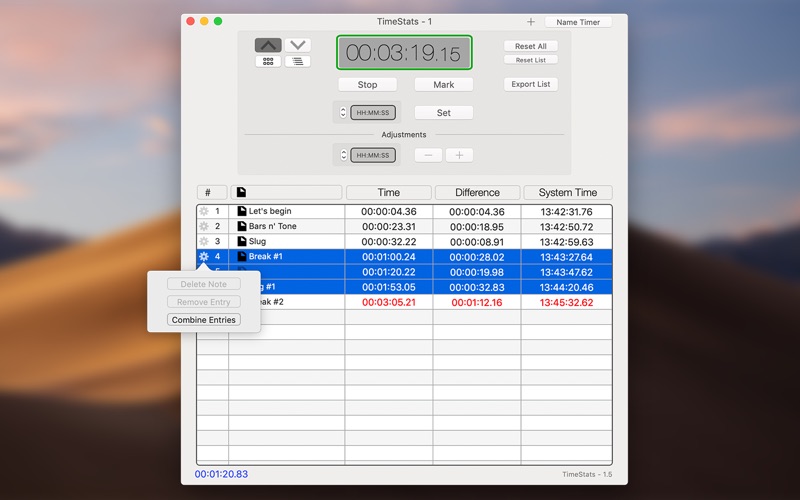
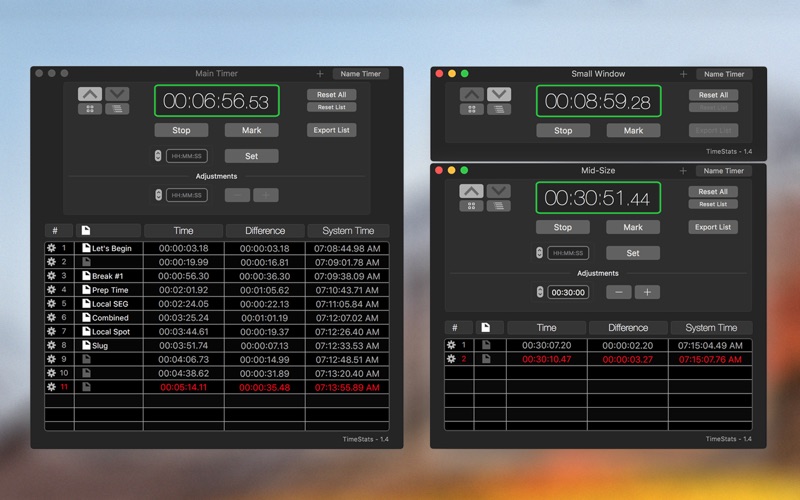
Including the advanced timer-entry field of LiveTime, you can easily pick a start time or make adjustments while your timer is running. TimeStats' UI can fold into several different minimized modes to help you get the most out of your timers. Additionally, you can create more independent timers with unique and custom names that are kept between app launches.

Features:

• Count up / down modes.
• Setting of manual start time or updating to a new start time.
• Adjust the timer by simply adding or subtracting with the adjustments field.
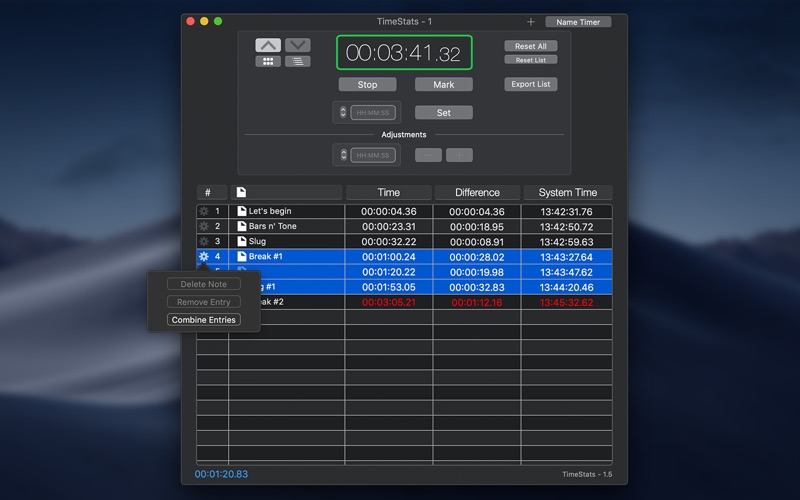
• The Stats Table shows a simple view of the time differences / laps between marks.
• The interface can fold into a smaller modes with less controls or even without the Stats Table.
• Create multiple timers and give them a custom name.
• Timer names and locations will restore between application launches.
• Create a simple note for each time snap.
• Export a CSV file of your snaps.
• Select multiple entries to see a sum of the time.
• Remove a specific entry.
• Support for full screen and split view.
• macOS MaJe Dark and Light Appearance mode.
• Option to use 24 hour time for your snap entries.
• MacBook Pro TouchBar support.

Hotkeys:

SHIFT-ENTER to start or stop your timer.
ENTER to mark/snap the time.
COMMAND-ENTER to mark/snap and show text notes field.
SHIFT-DELETE to reset.

En voir plus...

Quoi de neuf dans la dernière version ?

You can now see your time difference while counting!
  • Screenshot #1 pour TimeStats
  • Screenshot #2 pour TimeStats
  • Screenshot #3 pour TimeStats

D'autres applications du développeur

LiveTime ViewerLiveTime VieweriOS UniverselLive Time - Production ClockLive Time - Production ClockmacOSWindow RefreshWindow RefreshmacOSSlideDrawSlideDrawmacOSWorkflow ToolsWorkflow ToolsmacOS

Note

(0 note)

Détails sur l'application

Version
1.9
Taille
0.7 Mo
Version minimum de macOS
10.13
Dernière mise à jour
07/05/2024
Publié par
Workflow Network

Newsletter App Store

Recevez chaque jour les meilleures promos

Actualité Apple

Image Les États-Unis ne veulent pas qu’Apple achète de la RAM chinoise
Les États-Unis ne veulent pas qu’Apple achète de la RAM chinoise
Image Apple retire sa pub polémique avec un enfant et un iPhone en Italie
Apple retire sa pub polémique avec un enfant et un iPhone en Italie
Image L’iPhone Ultra pliable va-t-il résoudre les défauts du Galaxy Z Fold 8 ?
L’iPhone Ultra pliable va-t-il résoudre les défauts du Galaxy Z Fold 8 ?
Image Mac : des hackers exploitent la faille du partage d’écran avec un mineur de cryptomonnaie
Mac : des hackers exploitent la faille du partage d’écran avec un mineur de cryptomonnaie
iPhoneAddict Apps

Le catalogue iPhoneAddict pour suivre les nouveautés, mises à jour et baisses de prix de l’App Store.

Apps

Toutes les apps iOS iPhone iPad Universelles Mac Apple TV

iPhoneAddict

Actualité Apple Archives keynotes Contact À propos KultureGeek

Suivez-nous

©2009-2026 i2CMedia. Tous droits réservés.