Cocoa Packet Analyzer
macOS / Utilitaires
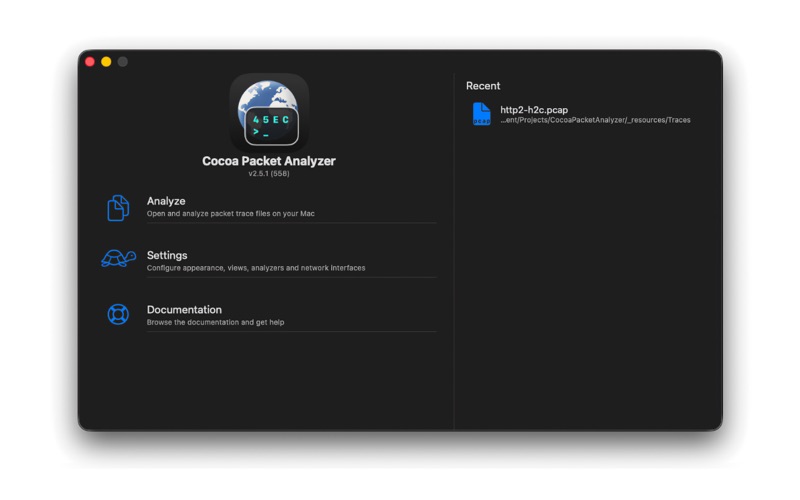
A native macOS network protocol analyzer for inspecting and exploring .pcap trace files.
Cocoa Packet Analyzer (CPA) is a fast, document-based PCAP file analyzer for macOS, built entirely in Swift with a SwiftUI interface designed to feel right at home on the Mac. Open any libpcap-format trace file — the same format produced by tcpdump and the standard set of industry network-analysis tools — and CPA dissects every supported protocol, layer by layer, in a clean four-pane document window:
• A sortable packet list with analyzer-contributed columns
• An outline view showing the full protocol dissection tree
• A hex view that highlights the bytes behind whichever field you select
• A live filter toolbar for narrowing in on exactly what matters
KEY FEATURES
— Follow TCP Stream
Reassemble any bidirectional TCP conversation and switch between four view modes: Conversation (speech bubbles with packet numbers and flags), ASCII transcript, side-by-side hex dump, and a parsed HTTP request / response view.
— Powerful display filtering
A single search field doubles as a token-style query builder with sectioned autocomplete, rich-editor popovers for dates and protocol expressions, nested AND / OR / NOT logic, and a saved-query library — all without leaving the document window. Any filter result can optionally be routed into a new document so the original stays intact.
— Open Selection in New Window
Right-click any packet selection (one or many) and open them in a standalone document with full detail, hex, and filter UI. Save As… / Export… writes a self-contained .pcap that inherits the source's link type and snap length.
— Quick Look + Spotlight integration
A system-wide Quick Look preview shows a summary card (link type, packet count, time range), top protocols and talkers, a packet-rate sparkline, and a packet table — all without opening the app. The bundled Spotlight importer indexes trace metadata so .pcap documents become searchable from Finder and Spotlight.
— Protocol statistics
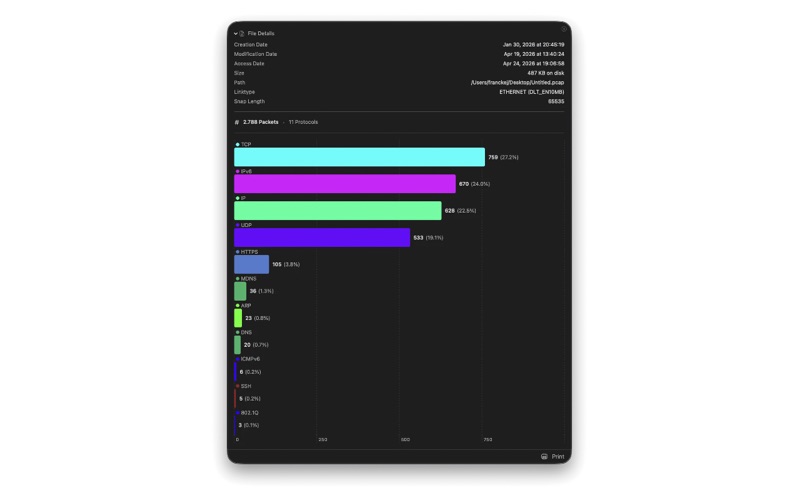
A one-look summary of any trace: a printable bar chart of protocol distribution alongside file metadata — link type, packet count, byte totals, and time span.
— Printing
Print the packet list, protocol tree, hex view, or statistics chart with progress indication and the standard macOS print accessory panels.
— Localization
Fully localized in English, German, and Japanese.
INCLUDED PROTOCOL ANALYZERS
All analyzers are written in pure Swift and ship as part of the app:
• Link layer — Ethernet II, IEEE 802.11 (RadioTap), Linux cooked (SLL), Loopback, 802.1Q VLAN, MPLS
• PPP & PPPoE — PPP, PPPoE Discovery & Session, LCP, IPCP, IPv6CP, CCP, PAP, CHAP
• Network layer — IPv4, IPv6, ICMP, ICMPv6, IGMP, ARP, IPv6 Mobility, OSPF (RFC 2328), BGP, IPsec ESP
• Transport — TCP (with full options dissection and stream reassembly), UDP, L2TP
• Application & service — DNS, DHCP, DHCPv6, HTTP, HTTP/2 frame dissection (RFC 9113), WebSocket, FTP, SSH, Telnet, SMTP, POP3, IMAP, NNTP, SIP, IAX, SOAP, RADIUS, LDAP, SMB, SNMP
REQUIREMENTS
• macOS 26 or later
• Existing .pcap trace files (libpcap / tcpdump format)
Cocoa Packet Analyzer is the perfect Mac-native companion to any tool that records network traffic — a fast, focused, beautifully integrated way to explore the traces you already have.
Quoi de neuf dans la dernière version ?
Version 2.5.5
• New Hotline protocol analyzer — dissects the Hotline TCP protocol.
• Packet-details pane: fixed a stale selection when switching between packets, and disambiguated fields that share the same name so each row maps to its own bytes.
• New document icon with proper light- and dark-mode appearance.
• Packet-details pane rewritten in SwiftUI — a faster, more responsive protocol-dissection outline.
• Precise per-field hex highlighting — selecting any field in the protocol tree now highlights exactly its bytes in the hex view instead of the whole protocol header; sub-byte flag fields highlight the byte that contains them. Covers Ethernet, IPv4, IPv6, ARP, TCP flags, LDAP, BGP, and more.
• Live search highlighting in the packet-details outline — matches highlight as you type, every match is marked, and matching is case-insensitive.
• Press ⌘C to copy the selected packet-details rows.
• Document windows now reopen at their last size, with saved split-view divider positions.
• Faster column sorting on large packet tables.
• Roomier packet-detail rows and assorted UI polish.
• IMAP: TLS-encrypted IMAPS traffic (port 993) is no longer mis-parsed as plaintext IMAP commands.
• Fixed a crash in the hex view when selecting packets immediately after opening a file.
• Fixed memory leaks and various stability issues.