iPhoneAddict Apps
  • Actualités
  • Accueil Apps
  • iPhone
  • iPad
  • Universelles
  • Mac
  • Apple TV
KG KultureGeek
App
iPhone / iPad Télécharger iAddict v5 Mac Télécharger iAddict Mac
  • Actualités
  • Accueil Apps
  • iPhone
  • iPad
  • Universelles
  • Mac
  • Apple TV
  • Archives keynotes
  • Firmwares & iTunes
  • Contactez-nous
  • Comparateur de prix
  • KultureGeek
Accueil » Liste des Apps » Apps Mac » Utilitaires » Any Document Converter
L'application n'est plus disponible sur l'App Store français
1.0 macOS €2,99€ 晖 向 0 0 Any Document Converter is a powerful universal document conversion tool that can support a variety of different types of documents to convert each other, including many popular file formats such as docx, html, epub, markdown, txt, etc. and supports...
Any Document Converter

Any Document Converter

macOS / Utilitaires

2,99€ au lieu de 3,49€
Acheter sur l'App Store
Facebook X E-mail

Any Document Converter is a powerful universal document conversion tool that can support a variety of different types of documents to convert each other, including many popular file formats such as docx, html, epub, markdown, txt, etc. and supports various format conversion to PDF.

Input forma: docx, html, epub, latex, markdown, commonmark, docbook, haddock, json*, mediawiki, native, odt, opml, org, rst, t2t, textile, twiki

Output formats: docx, pdf, html, html5, epub, epub3, latex, asciidoc, beamer, commonmark, context, docbook, dokuwiki, dzslides, fb2, haddock, icml, json*, man, markdown, mediawiki, native, odt, opendocument, opml, org, plain, revealjs, rst, rtf, s5, slideous, slidy, tei, texinfo, textile


Main feature:

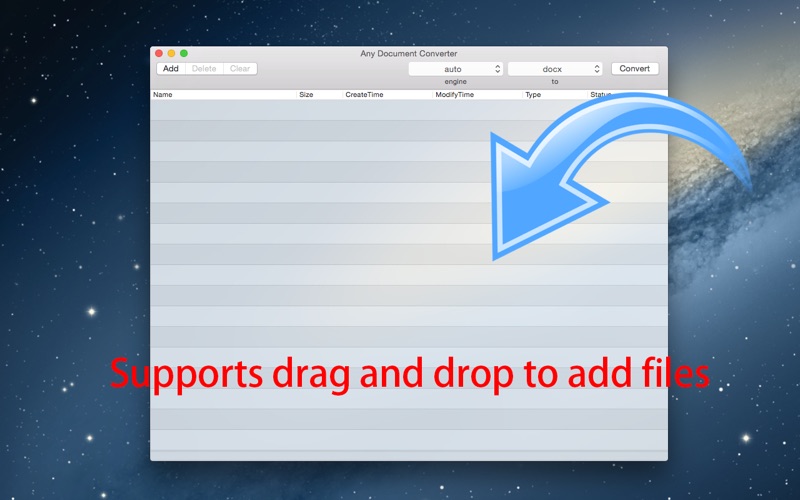
Supports drag and drop operation. You just need to drag the converted file to the list, and you can drag multiple files at the same time, note that when an illegal document format, it will not be dragged into.

Can convert multiple files at once. It converts documents in the order of the list, and display the progress of conversion and time.

Can simultaneously convert different types of files to another format. You only need to select the input format "auto", it will automatically recognize the format of the input file.

Note: If your document references an external file, such as aa.html reference picture 1.jpg and 2.jpg not included in aa.html, you need to set the output directory to the same directory with aa.html, otherwise it will lead to the export of the document does not contain pictures 1.jpg 2.jpg. When you first convert PDF, it takes a few minutes to load data, please wait for it to finish loading.
En voir plus...

  • Screenshot #1 pour Any Document Converter
  • Screenshot #2 pour Any Document Converter
  • Screenshot #3 pour Any Document Converter

Note

(0 note)

Détails sur l'application

Version
1.0
Taille
94.6 Mo
Version minimum de macOS
10.10
Dernière mise à jour
06/09/2016
Publié par
晖 向

Newsletter App Store

Recevez chaque jour les meilleures promos

Actualité Apple

Image Il fait fonctionner une imprimante HP sur Mac avec un pilote créé via l’IA Claude
Il fait fonctionner une imprimante HP sur Mac avec un pilote créé via l’IA Claude
Image Les coques pour iPhone 17 Pro sont compatibles avec l’iPhone 18 Pro selon deux accessoiristes
Les coques pour iPhone 17 Pro sont compatibles avec l’iPhone 18 Pro selon deux accessoiristes
Image Epic Games attaque le nouveau barème européen de l’App Store
Epic Games attaque le nouveau barème européen de l’App Store
Image Apple Vision Pro : une fuite dans macOS relance la piste d’un nouveau modèle
Apple Vision Pro : une fuite dans macOS relance la piste d’un nouveau modèle
iPhoneAddict Apps

Le catalogue iPhoneAddict pour suivre les nouveautés, mises à jour et baisses de prix de l’App Store.

Apps

Toutes les apps iOS iPhone iPad Universelles Mac Apple TV

iPhoneAddict

Actualité Apple Archives keynotes Contact À propos KultureGeek

Suivez-nous

©2009-2026 i2CMedia. Tous droits réservés.