LittleCal 2
macOS / Style de vie
LittleCal 2 is an appointment management application just like Apple's Calendar. Its application window is tiny, but it will do a few things that the latter doesn't. For example, if you have a regular, weekly appointment to make for a period of a year or more like going to church every Sunday or playing basketball every Tuesday afternoon, LittleCal 2 does a better job.
- What's new? -
1. The application is free to use for the first week. A single purchase of an in-app product will let you continue to use the application for good after a trial period ends.
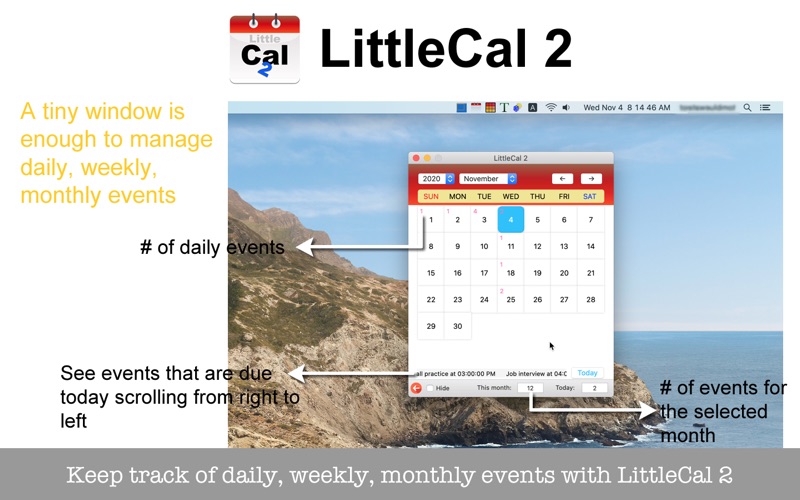
2. LittleCal scrolls the events that are due today from right to left.
3. The number of events that are available for the day appears at the top-left corner of each calendar day button.
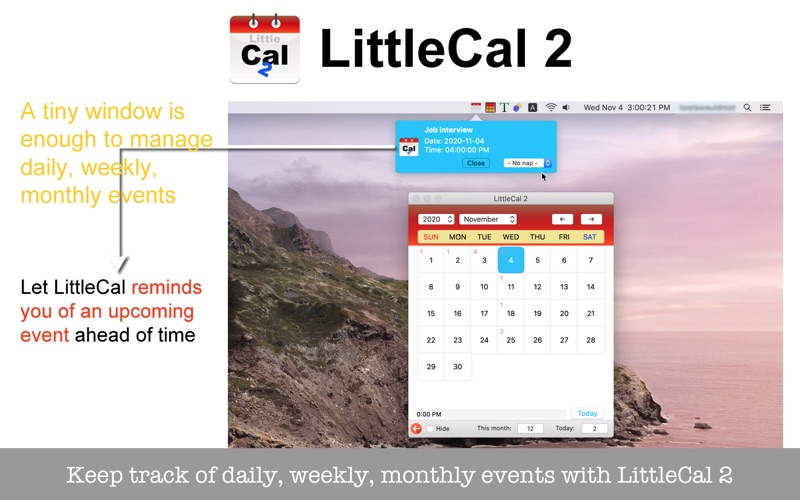
4. LittleCal posts a popover notification window when an event is scheduled to arrive.
5. Create an event that is scheduled to occur as a monthly event.
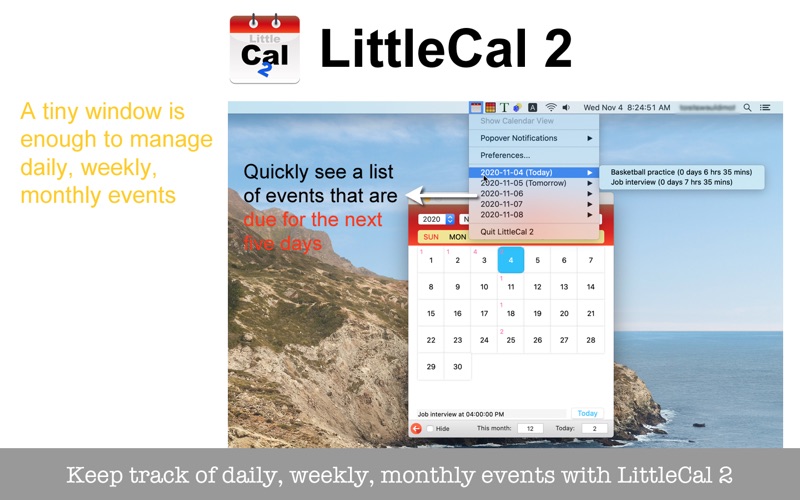
6. The application comes with its status menu, listing events for the next five days.
7. Customize the looks of the calendar window.
- Features -
1. Let LittleCal 2 scroll today's appointments from right to left.
2. Set a remind-me time individually for events.
3. Post a popover notification for an event manually.
4. Register a regular, weekly appointment.
5. Register a regular, monthly appointment.
6. Let LittleCal 2 show the number of daily events on each day-of-the-month button.
7. Let LittleCal 2 post a popover notification before the appointment time arrives.
8. Let LittleCal show upcoming events for the next five days with its status menu.
9. Right-button-click on a day-of-the-month button to show the list of events scheduled on that day.
10.Show a list of all appointments and run a search to narrow down the list to find an appointment you have already created.
11.The application supports the dark mode.
12.The fullScreen mode is not supported.
13.The application supports the retina screen. (tested with 2019 3 GHz 27" iMac)
14.Languages: English only.
15.Application file size: 55.1 MB.
16.Click on the push button in the Home screen titled 'User's guide for LittleCal 2' to learn how to use the application.
- System requirements -
1. 10.14 (tested), 10.15 (tested with 10.15.4 Beta, 10.15.7)
2. 64-bit system
- Limitations -
1. The calendar months range from January, 2020 to December, 2030.
2. The application is free to use for the first week. After the first week, the user will not be able to create a new appointment without purchasing the in-app purchase product.
Quoi de neuf dans la dernière version ?
1. The user now has options of showing or not showing the calendar window at startup. If you don't want to show the calendar window at startup, please open Preferences and turn on the checkbox named 'Don't open the calendar window when starting up.'
2. A set of changes that are currently available have been made to this update.