XPS-to-PDF
macOS / Productivité
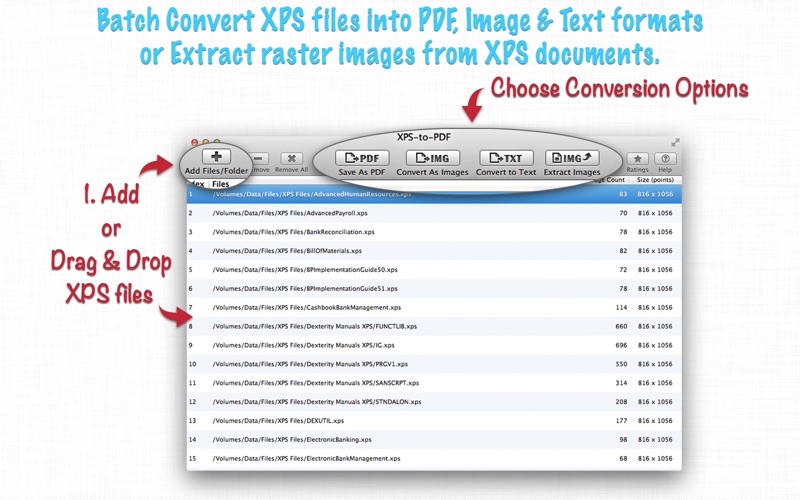
XPS-to-PDF is a simple, fast and perfect way to batch convert XMLPaper Specification (XPS, *.xps) and Open XML Paper Specification(OXPS, *.oxps) documents into PDF.
In addition XPS-to-PDF offers XPS/OXPS file conversion into JPG, PNG, TIFF, Multi-Page TIFF, BMP and Plain Text formats. Also support to extracts raster images from XPS/OXPS documents. XPS-to-PDF supports JPEG, JPEG2000 and Flate image compression types along with output quality for PDF conversion.
* * * XPS-to-PDF for iOS ( iPad, iPhone and iPod ) is available on the iTunes App Store. * * *
KEY FEATURES:
- Converts XPS/OXPS files into PDF, JPG, JPEG2000, PNG, TIFF, BMP and Plain Text formats.
- Extracts raster images from XPS files as JPG, JPEG2000, PNG, TIFF, BMP.
- Batch conversion at lightning fast speed.
- XPS to Multi-Page TIFF conversion support.
XPS/OXPS to PDF CONVERSION FEATURES:
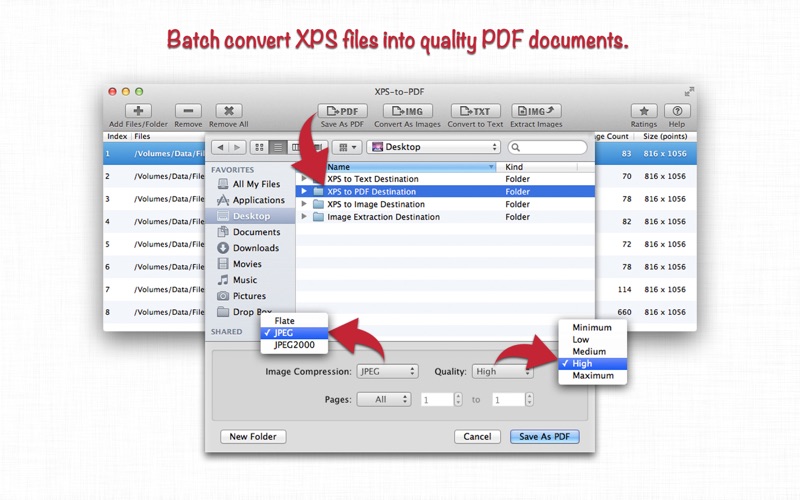
- Converts XPS to fully vector-PDF documents. Preserves text, vector graphics and raster images as editable PDF contents.
- Preserves Bookmarks (Outline).
- Preserves XPS internal and external topic hyperlinks into PDF. It automatically maintains XPS topic and page navigation links into PDF compatible annotations.
- Supports PDF conversion using JPEG, JPEG2000 and Flate image compression methods. Can set compression quality.
- Preserves metadata properties.
- Simply drag and drop out XPS file paths from conversion list in applications like Finder, Preview and other applications to start conversion. XPS-to-PDF will convert dragged XPS files into PDF at dropped destination.
XPS/OXPS to IMAGE CONVERSION/EXTRACTION FEATURES:
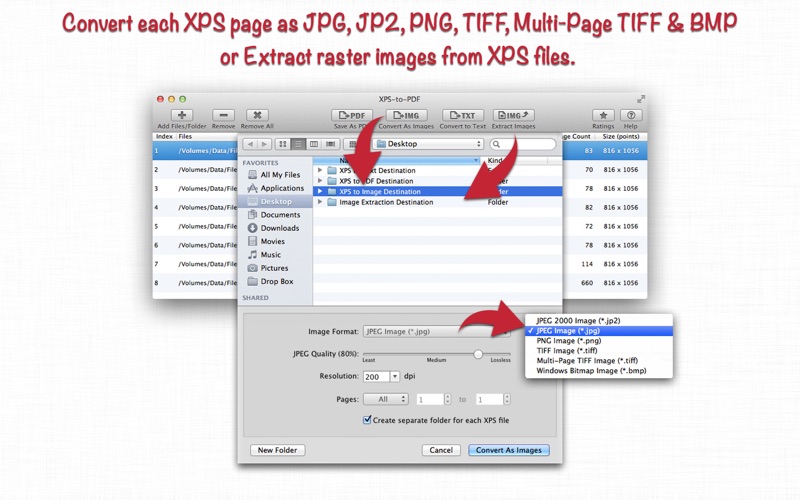
- Options to choose from Destination Image Types, JPEG image Quality, Image Resolution and Page Range.
- JPEG quality control. Set JPEG quality from lossless to least for JPEG and JPEG2000 image format. It allows you to control output image size and viewing quality.
- Option to convert to specified image resolution. Resolution supported for XPS to Image conversion only. Extracted images preserves original resolution of XPS documents.
SUPPORTED DESTINATION IMAGE FORMATS:
- JPEG 2000 Image (*.jp2)
- JPEG Image (*.jpg)
- PNG Image (*.png)
- TIFF Image (*.tiff)
- Multi-Page TIFF Image (*.tiff)
- Windows Bitmap Image(*.bmp)
XPS/OXPS to TEXT CONVERSION FEATURES:
- Plain text conversion option to choose from UTF8 and UTF16.
OTHER FEATURES:
- Very flexible options to add XPS files into conversion list. Simply Drag & Drop into list or Right click Open With in Finder or Drop on XPS-to-PDF application to add files for export beside direct Add File/Folder buttons.
- Add XPS files recursively from subfolders into conversion list.
- An advance option to maintain source directory hierarchy at destination with converted files in respective folders. While conversion XPS-to-PDF automatically creates intermediate directories of input XPS path in target folder with converted images.
Note: XPS-to-PDF is a standalone application running natively to convert documents securely on your computer.
You can refer User Manual from menu "Help -> XPS-to-PDF Help" for any assistance Or Contact Support.
Privacy Policy: http://rootrisetech.com/xps-to-pdf-privacy-policy
Terms of Use(EULA): https://www.apple.com/legal/internet-services/itunes/dev/stdeula/
Quoi de neuf dans la dernière version ?
- Updated user interface to streamline with latest macOS.
- Other minor bug fixes and improvements.
If XPS-to-PDF useful to you, we would appreciate an App Store review. It will help other people find the app and make them delighted.
Thank you all users for your feedback :)