Smart Countdown Timer
macOS / Productivité
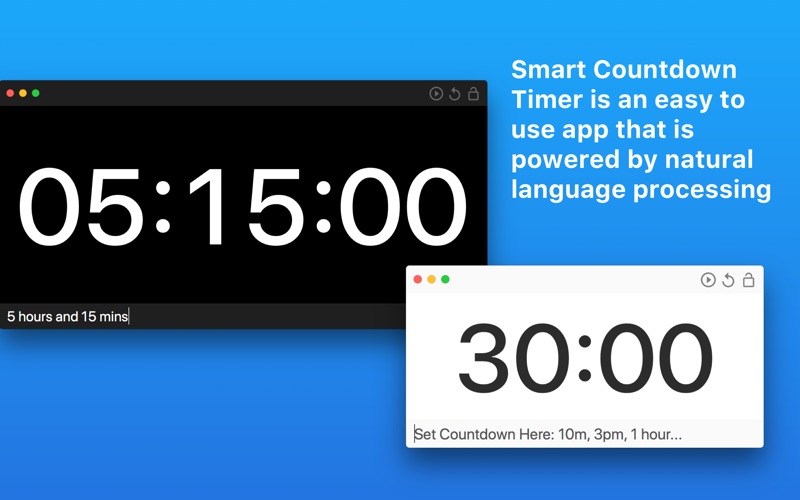
Smart Countdown Timer allows you to use natural language to set, modify and start a countdown on your Mac.
KEY FEATURES:
- Our simple and easy to use UI just requires you to enter your countdown time using plain English, such as '1 hour and 35 mins' or 'add 25 mins'
- Resizable user interface with fullscreen support
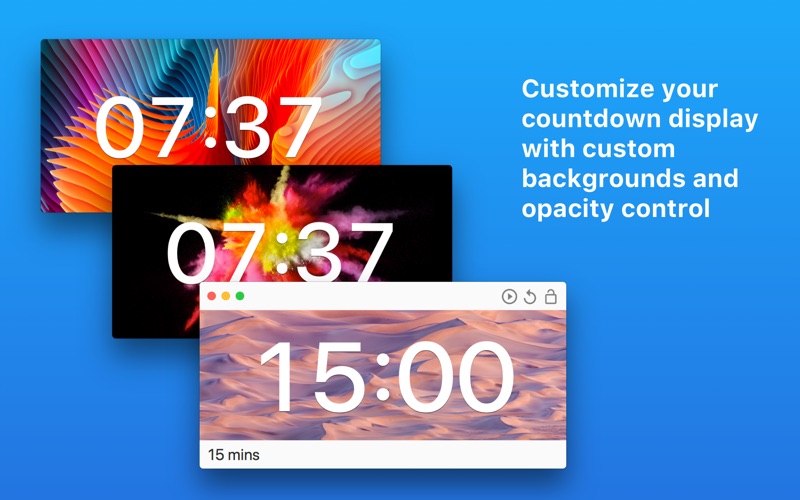
- Customize the countdown window background
- Change the countdown window opacity
- Ability to lock app window so that it remains in front of all other apps
- A huge choice of audio alerts when the countdown reaches zero
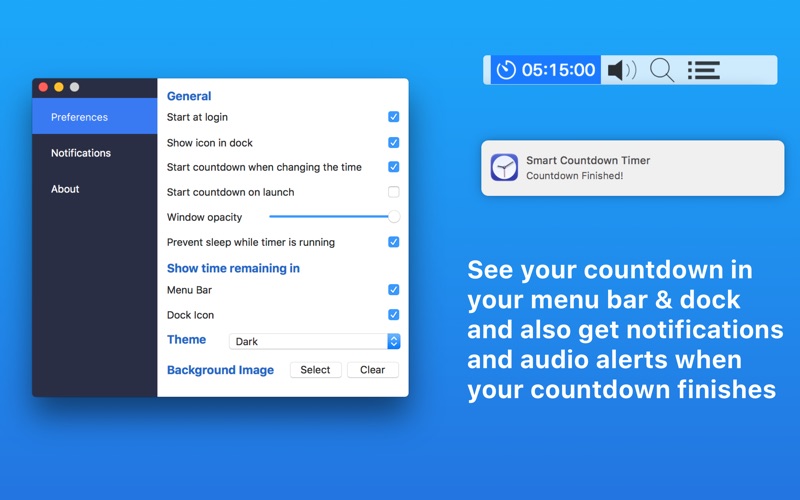
- Popup notification when the countdown completes
- Option to show the countdown in your Dock and Menu Bar
- Light and Dark UI theme
- Use spacebar to pause/start the countdown and cmd+R to restart it
- Use the up and down arrow keys to cycle through previously entered countdowns
- Launch at login
We’ve worked hard to make Smart Countdown Timer as simple and efficient as possible for you to use. We would love to hear your thoughts via email and make any improvements to future versions of this app. We intend to have an active development cycle powered by your feedback, love and support!
Quoi de neuf dans la dernière version ?
- Fixes bug with start countdown button not working