Shotty
macOS / Productivité
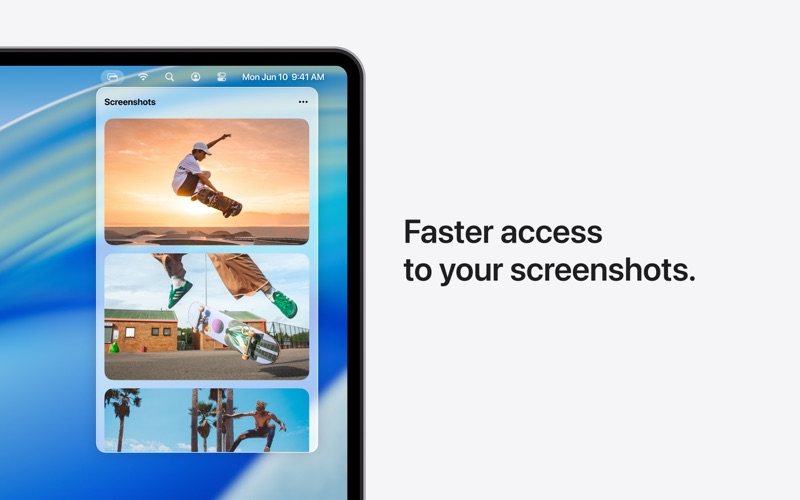
Every screenshot, one click away.
Shotty lives in your menu bar with every screenshot you've taken — ready to drag into ChatGPT, Claude, Slack, Figma, Safari, anywhere. No more digging through Finder. No more "where did I save that?"
Loved by 11,000+ Mac users who screenshot all day.
WHAT YOU GET
- Instant access from your menu bar
- Drag and drop into any app
- One-click copy
- Auto-copy to clipboard (your last screenshot, always ready to paste)
BUILT FOR MODERN MACS
Newly rebuilt for Apple Silicon. Native, fast, and out of your way. Uses near-zero CPU and memory.
PRIVATE BY DESIGN
Everything stays on your Mac. No cloud, no accounts, no tracking. Your screenshots are yours.
PAY ONCE
$9.99 and it's yours forever. No subscription, ever.
POWER TIP
Turn on Auto-Copy to Clipboard, and every screenshot you take is ready to paste the moment you take it. No clicks. Just ⌘V into ChatGPT, Claude Code, anywhere.
Quoi de neuf dans la dernière version ?
New: Send Feedback
You can now reach me right from Shotty. Click the menu bar icon and hit Send Feedback. Bugs, feature requests, wild ideas, or just hello: it all lands straight in my inbox. I'm a one-person team and I read every single one.