• KultureGeek
  • Comparateur de prix
       
iPhoneAddict
 iAddictv5Notre Application iPhone/iPad
  • Accueil Apps
  • Actualité Apple
  • Keynote Apple
  • Firmwares & iTunes
  • Contactez-nous
Accueil » Liste des Apps » Apps Mac » Productivité » Redacted Document - Add Blur
L'application n'est plus disponible sur l'App Store français
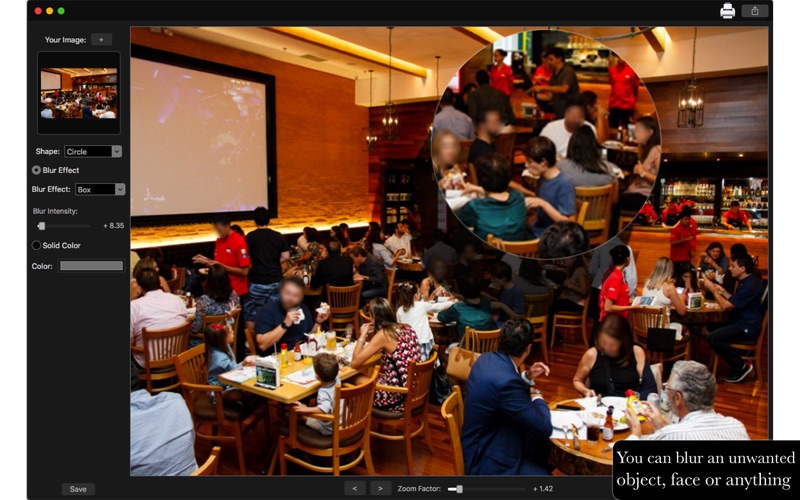
1.0 macOS €9,99€ Clovis Michel Pedroso Picanco 0 0 With Redacted Document - Add Blur you can blur out objects, faces, documents, or any unwanted detail you would not want others to see while sharing on social networks. You can also use solid colors to hide private details. With a simple to use...
Redacted Document - Add Blur

Redacted Document - Add Blur

macOS / Productivité

9,99€
Acheter sur l'App Store

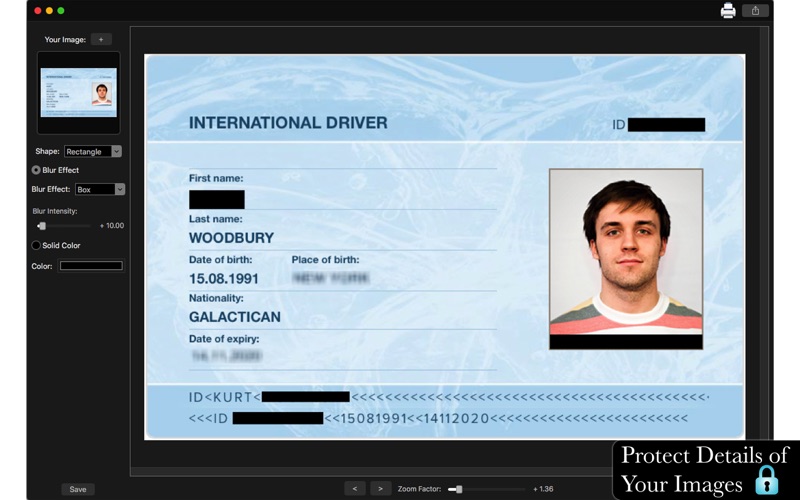
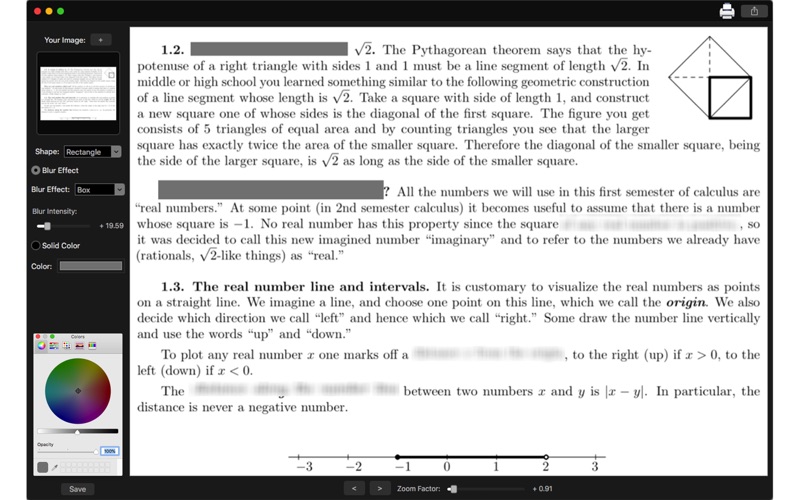
With Redacted Document - Add Blur you can blur out objects, faces, documents, or any unwanted detail you would not want others to see while sharing on social networks. You can also use solid colors to hide private details.

With a simple to use interface, you can click and drag to select the desired region.

••••••••••••••••••••••••••••••••••••••••••••••••••••••••••
Enjoy our amazing features:
••••••••••••••••••••••••••••••••••••••••••••••••••••••••••

• Shapes: Rectangle or Circle
• Blur Effect: Box, Disc and Gaussian
• Blur Intensity
• Solid Color
• Zoom Factor
• Undo and Redo an action
• Simple and Easy to Use Interface
• Share on social media
• Print Images
• Save Images With PNG, JPEG, JPEG 2000, TIFF and BMP formats.

••••••••••••••••••••••••••••••••••••••••••••••••••••••••••
How to use:
••••••••••••••••••••••••••••••••••••••••••••••••••••••••••

1. Click [ + ] to add your image.
2. Select the Shape.
3. You can select blur effect or Solid Color.
3.1. Blur Effect: Select the Blur Effect and the Intensity
3.2 Solid Color: Select the color you want to use.
4. Click and drag your mouse to select the desired region. You can repeat this to select as many regions as you need.
5. Use the [ Undo ] and [ Redo ] buttons (or Command+Z and Command+Shift+Z alike) to undo and redo the changes you did.
6. Use the Zoom slider or your mouse scroll wheel to change the zoom of the image.
7. Click [ Save ] button to save your image, choosing between PNG, JPEG, JPEG2000, TIFF and BMP formats.
8. To print your image, you can click on the Printer button.
9. To post your image on social media, you can click on the Share button and choose the social network you want to post.
En voir plus...

  • Screenshot #1 pour Redacted Document - Add Blur
  • Screenshot #2 pour Redacted Document - Add Blur
  • Screenshot #3 pour Redacted Document - Add Blur

D'autres applications du développeur

Convert All Images
Convert All Images
/ macOS
Valentine's Love Pack
/ iOS Universel
Animals Pack
Animals Pack
/ iOS Universel
Happy Birthday Pack
Happy Birthday Pack
/ iOS Universel
Hospital Pack
Hospital Pack
/ iOS Universel
Halloween Pack - Stickers
/ iOS Universel
Voir toutes les apps

Note

(0 note)

Détails sur l'application

Version
1.0
Taille
6.9 Mo
Version minimum de macOS
10.11
Dernière mise à jour
28/11/2017
Publié par
Clovis Michel Pedroso Picanco

Newsletter App Store

Recevez chaque jour les meilleures promos

Actualité Apple

Image Apple semble enterrer la marque iWork, préférant le Creator Studio
Apple semble enterrer la marque iWork, préférant le Creator Studio
Image Apple Music tacle Spotify après sa hausse des prix
Apple Music tacle Spotify après sa hausse des prix
Image AirDrop entre iPhone et Android : le support s’étend aux Pixel 9
AirDrop entre iPhone et Android : le support s’étend aux Pixel 9
Image Apple étudie la manière dont nous voulons interagir avec les agents intelligents
Apple étudie la manière dont nous voulons interagir avec les agents intelligents
Partenaires : Actualité iPhone - Culture Geek
©2009-2026 i2CMedia | A propos |