ReadingBar – with Screen Tint
macOS / Productivité
ReadingBar's main features include:
- Reading Bar: attached to your cursor, in any colour, opacity, and size
- Screen Tint: on any screen you choose, in any colour and opacity
- Menu Bar Icon: for quick access to features and settings
- Keyboard Shortcuts: toggle on and off from anywhere on your Mac
The reading bar...
Think of the reading bar as an on-screen equivalent of holding a bookmark under each line as you read.
The reading bar attaches to your cursor; simply hold it under each line and move with your mouse or trackpad. Your eye will naturally track along the bar, making it easier to scan every word rather than jumping around the page. You can customise the size and colour of the reading bar to suit your preference. Use it as a dark underline, or as a colour highlight covering each line as you read.
The screen tint...
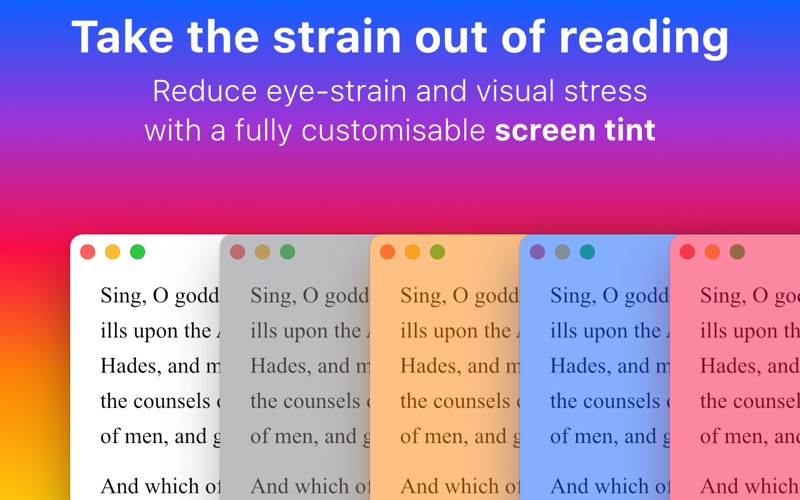
ReadingBar also includes a screen tint function, which reduces eye strain and visual stress by reducing the harsh contrast of black text on a white page.
The screen tint enables you to spend more time reading before your eyes need a rest. It can turn a standard black and white page into dark grey text on a light grey background, or you can choose a custom colour—whichever is most comfortable for your eyes. If you have multiple displays, you can select which screens to tint, so you can have a tinted screen for text and a normal screen for images.
In the detail...
- The menu bar icon indicates whether the reading bar and screen tint are active
- The icon can be hidden if your menu bar is short on space
- Set separate keyboard shortcuts for the reading bar and screen tint
- Only the content of your screen is tinted, menus and alerts remain clear
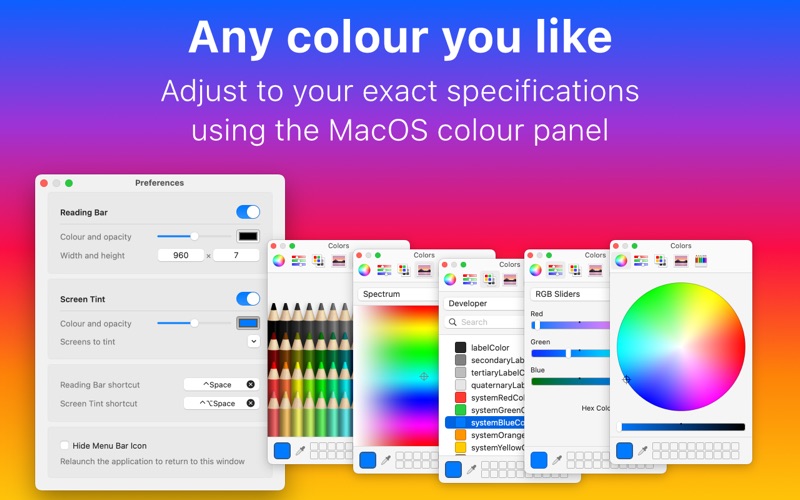
- Choose any colour using the MacOS colour panel
- Use special system colours to auto-switch in dark mode
- Works on El Capitan, Sierra, High Sierra, Mojave, Catalina, and Big Sur
Quoi de neuf dans la dernière version ?
- Now works on older versions of MacOS (minimum 10.11 El Capitan)
- Re-configured user interface to increase stability and ease of use
- Switched to MacOS colour panel for greater choice of colours