Switcher Cast: Screenshare
macOS / Photo et vidéo
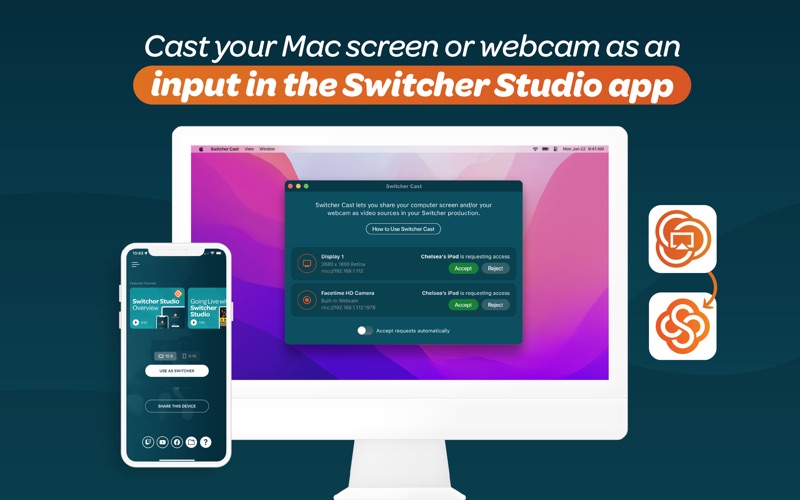
Switcher Cast is the macOS companion app for Switcher, that lets you send your Mac screen into your live production and cast or mirror your stream to TVs and displays on your network.
Looking for the full Switcher Studio app? Switcher Cast is a companion tool designed specifically for screen sharing and stream casting. The full Switcher Studio production app is also available on Mac via the “iPhone & iPad Apps” tab in the Mac App Store.
View it here: https://apps.apple.com/ni/app/switcher-live-streaming-app/id908386221?l=en-GB
▶ SHARE YOUR MAC SCREEN WITH SWITCHER CAST
Send your Mac screen to your Switcher Studio production as a video input, so you can share:
• Presentations and slides
• Websites and documents
• Software demos and tutorials
• Gameplay and apps
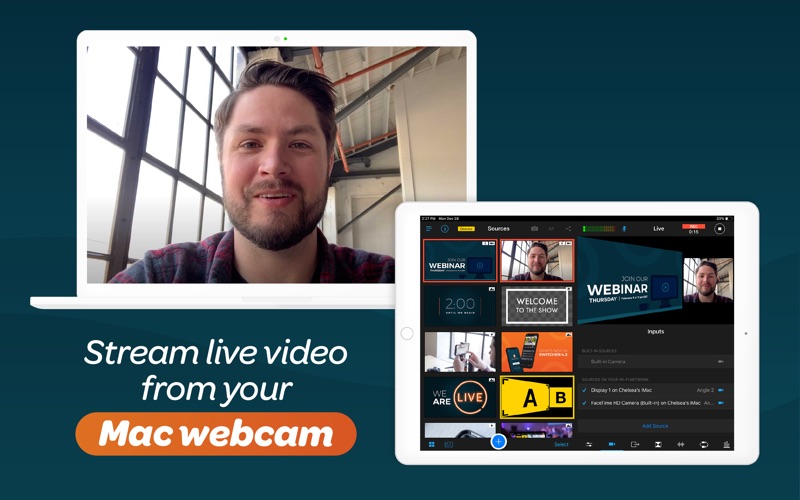
Your Mac screen appears as a selectable broadcast source inside Switcher Studio, just like a camera.
▶ CAST YOUR LIVESTREAM TO TVS & DISPLAYS
Switcher Cast also lets you send your Switcher Studio livestream to TVs and displays. Ideal for:
• Churches displaying services on TVs inside the building
• Conferences and events with overflow rooms
• Studios and venues with multiple screens
• Production teams using TVs as livestream monitors
Everything runs over your local Wi-Fi network without routing video through the internet, so you get a stable, high-quality feed with minimal delay.
▶ HOW IT WORKS
1. Download and open Switcher Cast on your Mac
2. Connect your device running the Switcher Studio app to the same Wi-Fi network
3. Grant permission to capture your screen
4. Open the Switcher Studio app
5. Tap “Inputs” and select your Mac under “Sources on Your Wi-Fi Network”
6. Select your Mac to share your screen or cast your stream to displays
To explore Switcher’s full suite of tools, visit switcherstudio.com
Have questions? Drop us a line! support@switcherstudio.com
Privacy Policy: switcherstudio.com/privacy-policy
Terms of Use: switcherstudio.com/terms-of-use
Compatible Devices: switcherstudio.com/compatible-devices
Quoi de neuf dans la dernière version ?
Bug fixes and stability improvements