Nitpic Desk - Rapid photo sort
macOS / Photo et vidéo
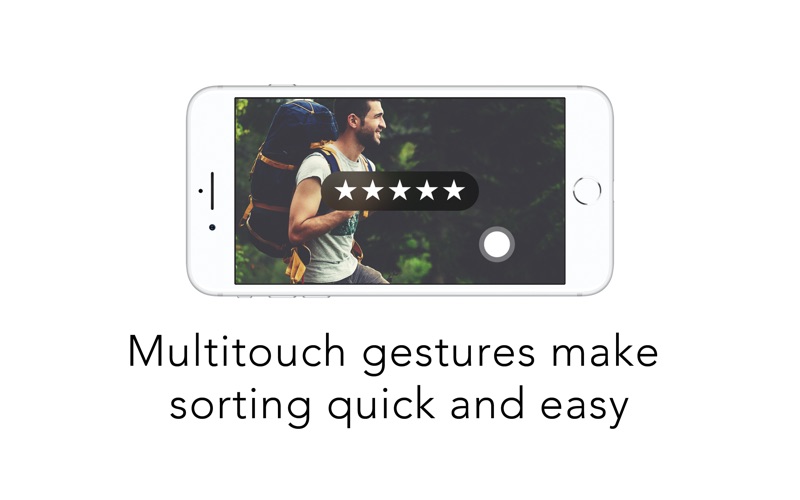
Nitpic is the exciting new tool for pro-photographers and hobbyists alike. DSLR owners know the frustration of sorting through thousands of images after a photoshoot. It's boring. It's tedious. It's slow. But Nitpic takes advantage of your device's intuitive interface to do what other professional apps have failed to do so far: make it quick, streamlined, and intuitive. With Nitpic, sorting photos has never been easier!
Nitpic Desk links up with the Nitpic companion app over Wi-Fi or Bluetooth (now available for $4.99 on the iOS App Store). Then it sends all of your images to a simple and intuitive interface. You can sort and cull your photos by swiping. Zoom in and check tiny details by pinching. Nitpic offers two sort modes:
Rating mode (for photographers who like to use the 5 Star rating system):
• Tap, hold, and slide right or left to assign a rating between 1 and 5 stars
• Tap and slide left from the right side of the screen to undo the previous rating
• Pinch to zoom in and out
Swipe mode (for photographers who like to sort their photos into keeper and reject piles):
• Swipe right to sort into Keeper folder
• Swipe left to sort into Reject folder
• Tap and slide left from the right side of the screen to undo the previous rating
• Pinch to zoom in and out
All sorting is NON-DESTRUCTIVE. No photos are altered or deleted in the sort process. Once you’re done, you can move your photos into your photo library of choice in a quick and orderly fashion and apply your ratings accordingly.
Nitpic is currently compatible with RAW (CR2, NEF, etc) TIFF, JPG, PNG, PSD, and others!
Quoi de neuf dans la dernière version ?
Fixed in this update:
• Fixed a glitch that caused the app to give up on generating ultra high res previews with some image types. The app now downscales to the highest resolution that the system architecture can handle.