Image Tool+
macOS / Photo et vidéo
Your all-in-one image powerhouse — right on your Mac.
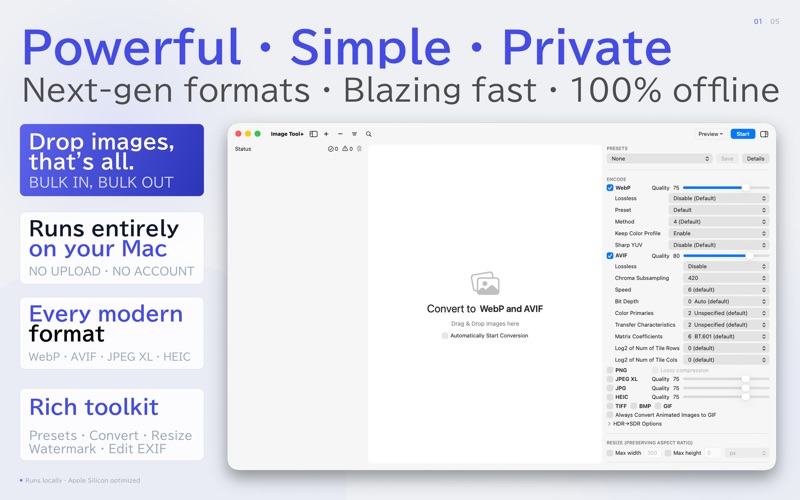
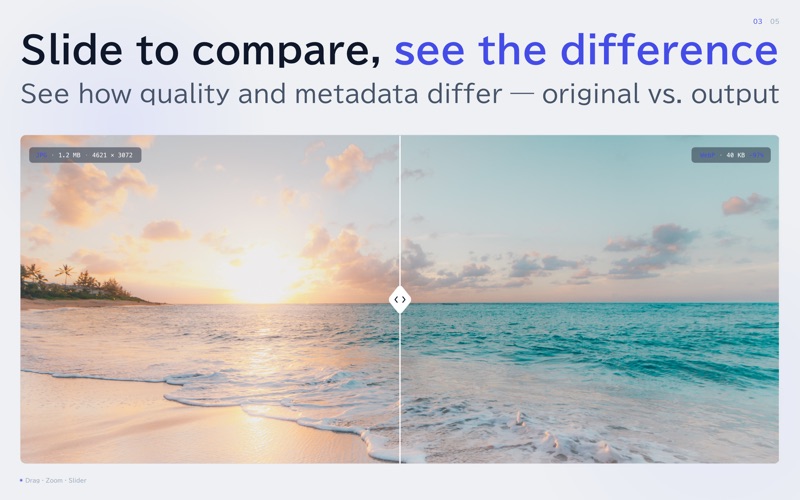
Convert, resize, compress, watermark, and optimize hundreds of images in a single click. See every change instantly with the built-in before/after slider. Your workflow just got a whole lot faster.
# DRAG, DROP, DONE.
Toss in images, folders, or entire directories — straight from Finder or Safari. Pick multiple output formats and let them all export at once. It really is that simple.
# HDR SUPPORT
Preserve the brilliance of your HDR images. Wide color gamuts and extended dynamic range are maintained throughout the conversion process, so your photos look just as vivid as the moment you captured them.
# Metadata, your way
Copyright, Artist, Capture date, Description, Keywords, GPS — batch-edit EXIF and IPTC metadata across hundreds of images at once.
Choose Preserve, Delete, or Edit. Drop a pin on the map to stamp GPS locations in one go. HDR is preserved through every edit.
# READS ALMOST ANYTHING
HEIC, PNG, APNG, JPG, GIF, TIFF, DNG, EPS, PSD — plus BMP, JBIG, PNM, PGM, PBM, MAG, and more. If your Mac can see it, chances are we can convert it.
# OUTPUTS WHAT YOU NEED
WebP, AVIF, PNG (APNG), JPG, GIF, HEIC, TIFF and BMP.
# RESIZE, COMPRESS & FINE-TUNE
Scale by max width or height while locking the aspect ratio. Dial in the perfect quality for WebP and HEIC. Shrink PNGs without losing clarity. Optimize JPEGs with jpegtran, mozjpeg, or jpeg-archive (SSIM / MS-SSIM). Strike the ideal balance between file size and image quality — every time.
# REMOVE BACKGROUNDS INSTANTLY (macOS 14+)
Powered by Apple VisionKit, backgrounds vanish in one tap — no manual masking needed. Perfect for portraits, product shots, and any image with a clear subject. Same accuracy as the subject-cutout feature in Apple Photos.
# SMART RENAMING
Automatically tag filenames with batch order, image dimensions, or any custom text you choose. Keep your library organized without lifting a finger.
# WATERMARK WITH EASE
Stamp logos or text onto static and animated images alike. A must-have for photographers, designers, and content creators who want to protect their work.
# 100% PRIVATE — NO CLOUD, NO COMPROMISE
Every pixel is processed locally on your Mac. Your images never leave your device — period.
# BEAUTIFULLY NATIVE
Full Dark Mode support. Includes a QuickLook plug-in for instant AVIF previews.
Note: Finder and Safari may not yet render WebP/AVIF color profiles accurately.
WE'RE LISTENING
Got a feature request or feedback? Reach out:
sonice.d1v1b[-]gmail.com (Replace [-] with @)
Quoi de neuf dans la dernière version ?
Fixed an issue where the app could fail to launch when an unavailable network drive was set as the input or output folder.