Slomo
macOS / Musique
Slomo is built for musicians who practice by ear. Slow tracks down, isolate difficult passages, and repeat them until they feel natural.
Isolate vocals, bass, drums, or other instruments automatically with the new stem separation. Combined with the also new chord detection algorithm, transcribing songs or understanding harmony is easier than ever.
With a built-in Music library browser and practice playlists, Slomo helps you find tracks quickly and keep your practice sessions organised.
Whether you're learning solos, transcribing bass lines, or tightening rhythm parts, Slomo gives you a focused practice workflow on Mac.
Works with local audio files in common formats, including:
.wav, .aiff, .mp3, .aac, .m4a, .m4b, and .caf.
Heads up before you buy:
Slomo supports music files stored locally on your Mac. Songs coming from a streaming service or DRM-protected tracks can’t be opened!
Check out the Slomo Demo on our website! Full featured but limited to the first minute of the track.
INTUITIVE INTERFACE
Open a track or drop it onto the app from the Finder or Music or simply browse your Music Library. Make a selection with the mouse in the lower waveform to loop it over and over again. Refine it by dragging on the left or right side until it loops flawless. Zoom in to have a more detailed view of the music track. Slow down the playback rate to pick out the notes and to practice this part at a speed your comfortable with. If needed, adapt the pitch to your instrument's tune or to transpose the song.
LOOPS
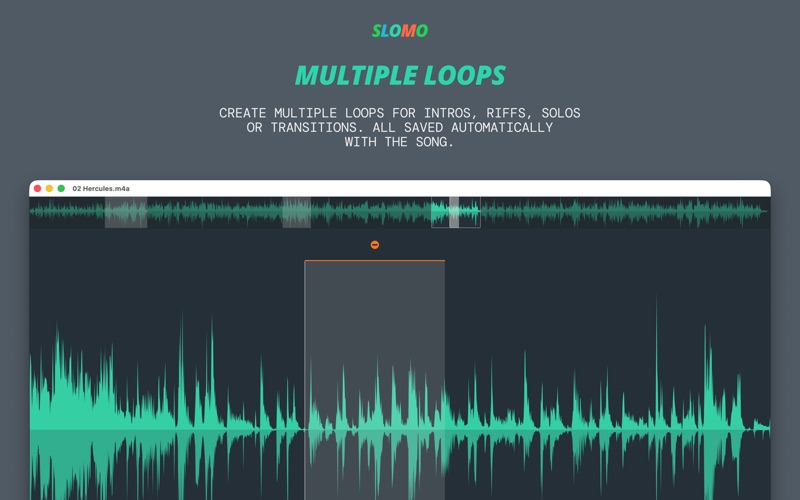
Save a loop by clicking on the plus sign above the selection. Save as many loops as you want. All loop markers are saved with the song and are available next time you open the song. Loops or the whole file can be exported to an audio file with altered speed and pitch so that you can share it or continue practicing on another device.
STEMS & CHORDS
Slomo can now separate a track into its individual stems — isolate vocals, bass, drums, or accompaniment with a single click. Use it for surgical focus on the part you're learning. The new chord estimation feature analyses the harmony and shows you the chords, so you spend less time guessing and more time playing.
Have fun!
+++ Check out the video and demo on our website! +++
We always love your feedback. If you have any suggestion or encounter problems write to: support@friendlyscientist.com
Quoi de neuf dans la dernière version ?
This version fixes the .wav export and a bug where the cursor can't be scrolled with the arrow keys unless clicked onto the waveform.
New in version 2.0:
Cheat mode – display detected chords and isolate vocals, drums, bass and other instruments with the stem separation feature.