AnimatedFlightComputer
macOS / Météo
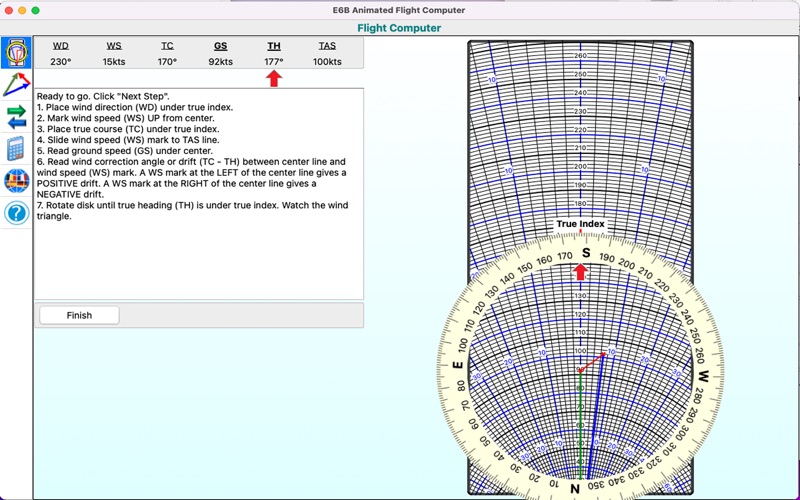
This app solves a wind triangle by allowing you entering four values out of six (three speeds and three angles) and calculating the remaining two. It then explains step by step how you get a solution using an animated flight computer showing how to perform each step: the animation rotates the disk, slides it and add marks. It also shows which of the given values to use for each step towards the solution.
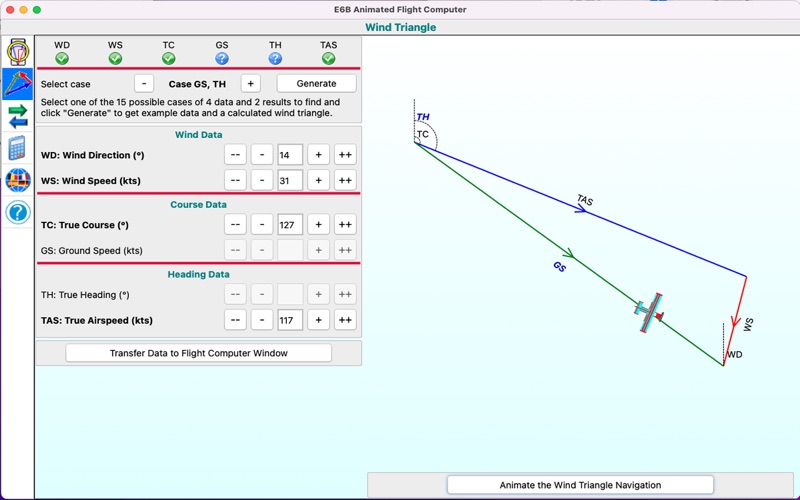
It also contains an example generator for the 15 different cases of 4 given values with 2 to calculate. Occasionally it also produces "impossible" values, such as triangles degenerated to a single line or data for which it is not possible to construct a wind triangle. This is deliberate to let a (student) pilot think about the data entered and find good data starting from there.
For each set of good data, it draws a wind triangle, giving you an insight in how to navigate. It illustrates this by showing a little plane flying along a course while compensating for the wind using a correct heading.
The conversions show you different units in SI and Imperial dimensions, while the calculators help you find cross wind components or help you preparing your flight.
Features
- Solves any kind of wind triangle problem and explains how to find those results on a flight computer.
- Contains an accurate visualization of a flight computer and animates the different steps towards a solution.
- Generates examples for 15 different cases of four given values and two results to obtain. Draws the wind triangle complying with the given data.
- Enter data using the keyboard or by pressing buttons to increase of decrease values.
- Contains a small animation showing why you need a wind triangle to navigate.
- Offers conversions for fuel, speed, climb rate, altitude, distance, mass and temperature.
- A small calculator helps you determining e.g. EET and another calculates the cross wind, head wind and tail wind.
- An explain tab gives you a short explanation of this app.
- Select one of the possible languages: English (Default), French, German, Spanish and Dutch.
- Switches to light or dark theme, depending on the system settings.
Quoi de neuf dans la dernière version ?
This version contains new icons and corrects a few small user interface issues.